Operating Instructions
Busch-ComfortTouch
®
Operation
Operating Instructions | 1473-1-8041 — 44 —
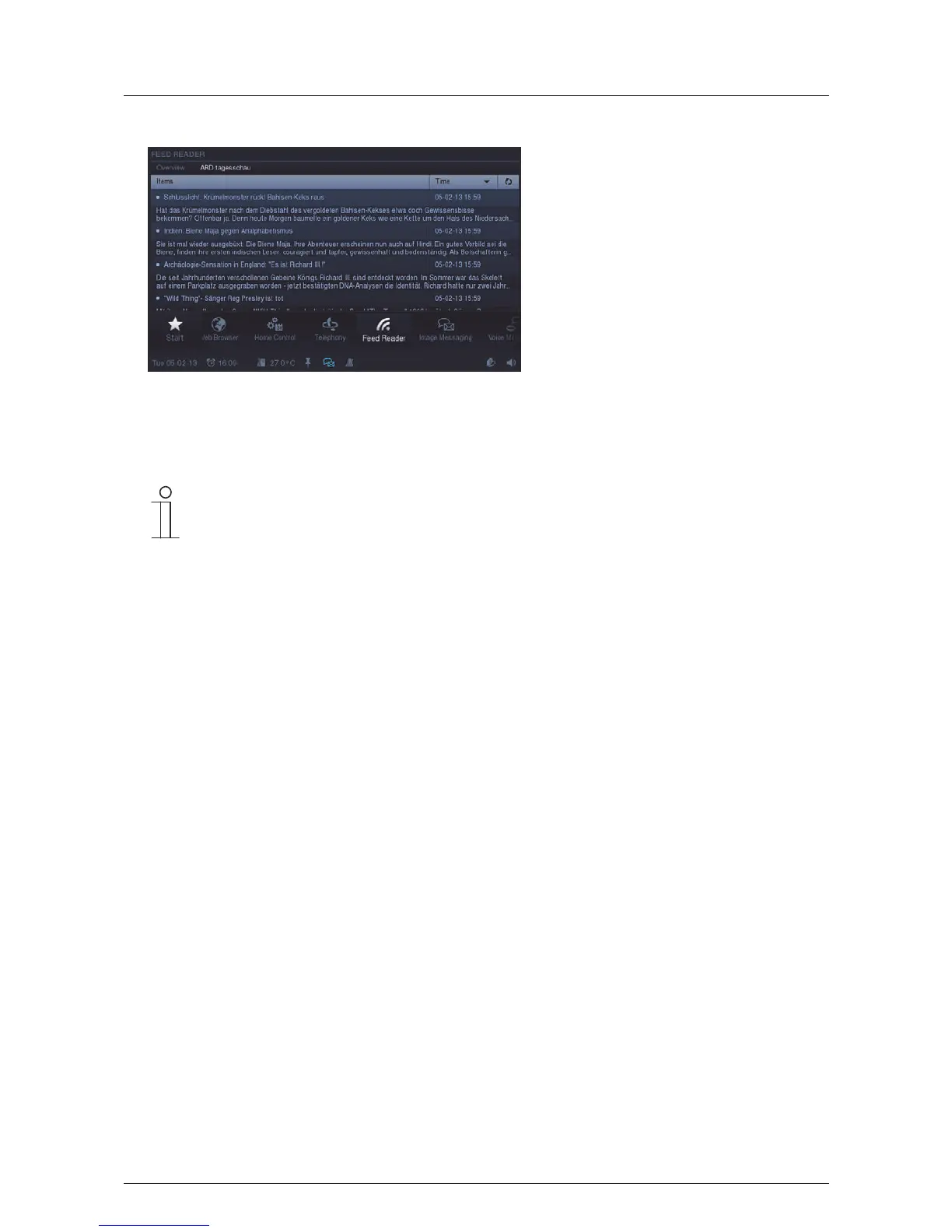
2. Press an entry to open the Feed.
The list of news received with a blue dot indicates new ones that have not yet been read. News that has been
read is marked with a light blue dot. The news is opened in the Web browser by pressing on an entry.
Note
Via the Web interface there is the option of making settings independently on the Busch-
ComfortTouch
®
. Practical changes in the Busch-ComfortTouch
®
are, for example, adjustments of
the news services (Feeds) for the Feed Reader. It is activated via the project planning software of
the Busch-ComfortTouch
®
. Please see your electrical installer. He will also explain the operation
to you.
Pos: 15.6.15 / Layout bis 2014- 11-11/Online- Dokumentation (+ KNX)/Steuermodu le - Online-Dok umentation (--> Für alle Dokumente <--)/++++++++++++ Seitenumbruch ++++++++++++ @ 9\ mod_1268898668093_0. docx @ 52149 @ @ 1



 To Next Page