Operating Instructions
Busch-ComfortTouch
®
Operation
Operating Instructions | 1473-1-8041 — 34 —
Operation during the replay of audio and video files
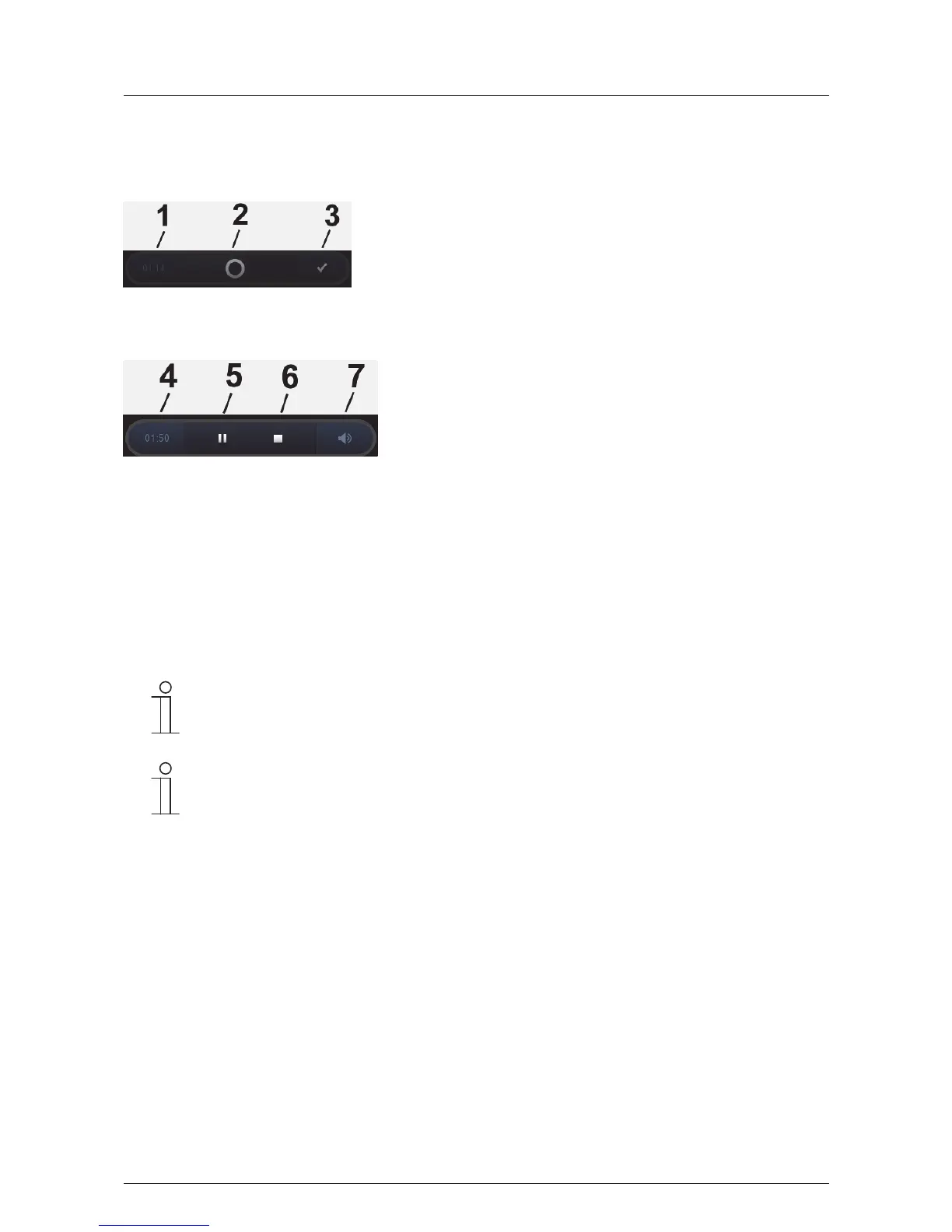
An operating bar appears during the replay:
1 Expired time | 2 Slider for "Forward" and "Back" |
3 Opening the 2nd view "Operating bar" (see following Figure)
4 Expired time | 5 Pause (during "Pause" the icon "Start ►) appears | 6 Stop | 7 Volume control opens
The replay can be terminated anytime via the cross in the top right-hand corner.
Additional details about the Web radio and Web TV
- Audio can be provided by the integrated speaker or in stereo via the "Audio out" output with a connection to
an external sound system or active speakers.
- Up to ten streams each can be set via the project planning software of the Busch-ComfortTouch
®
.
- The image can be displayed in reduced size at the upper left or in full-screen mode.
Note
The quality of the full-screen display depends on the image size of the stream being broadcast.
Note
Via the Web interface there is the option of making settings independently on the Busch-
ComfortTouch
®
. Practical adjustments in the Busch-ComfortTouch
®
are, for example, station
adaptation for streaming(Web) TV and Web radio. It can additionally be defined whether the
various lists such as audio/favourites lists or station lists are displayed. It is activated via the
project planning software of the Busch-ComfortTouch
®
. Please see your electrical installer. He will
also explain the operation to you.



 To Next Page