Operating Instructions
Busch-ComfortTouch
®
Operation
Operating Instructions | 1473-1-8041 — 21 —
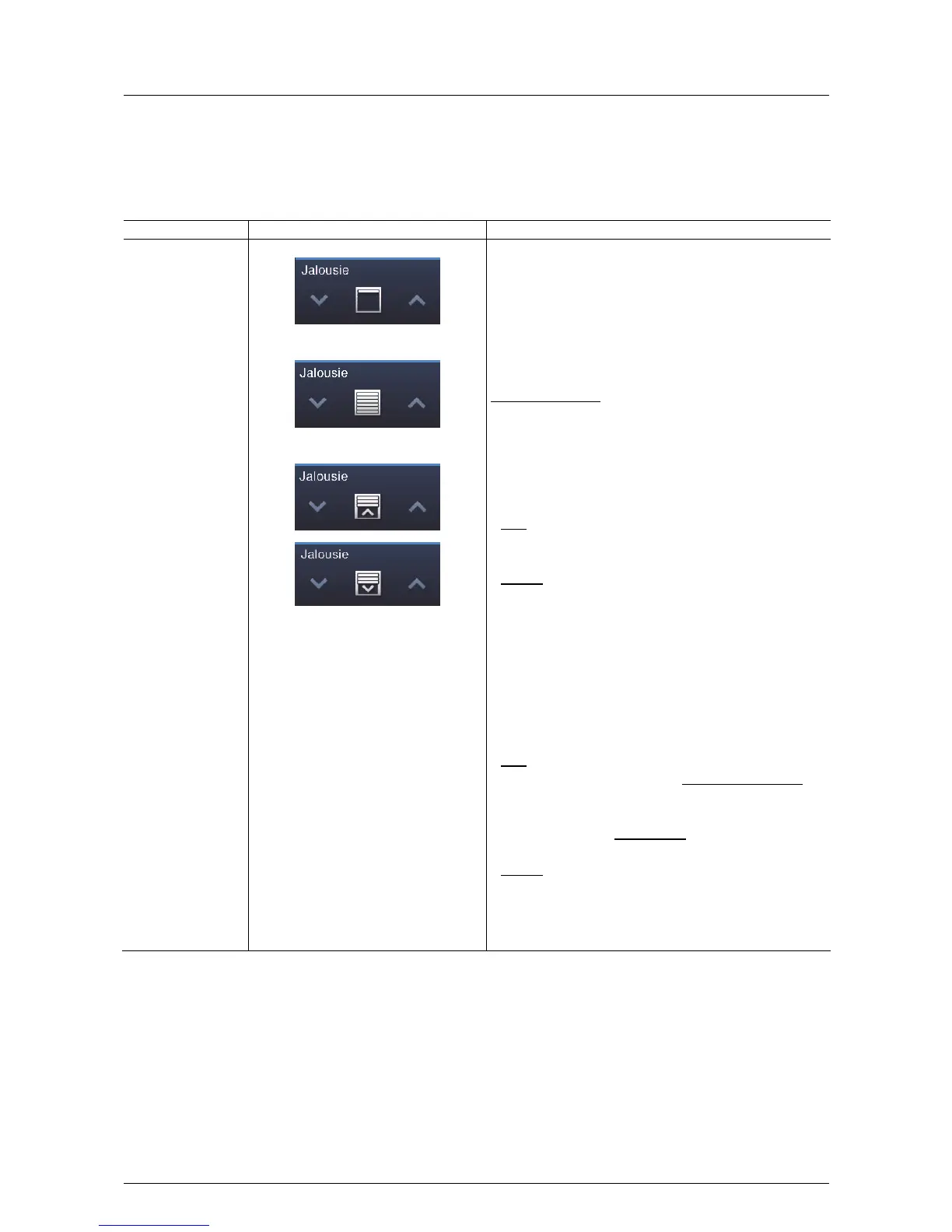
Blinds (basic versions, which can be adapted further (e.g. with value display))
Blind control elements can be used to implement the activate of blinds, awnings, doors and other motor-driven
actuators.
Control element Status Function
Blinds / roller shutters Top
Bottom
Intermediate positions
The blind control element has push-buttons on the left and right
to open or close a blind and, if necessary, an additional button to
stop / start in the middle (depending on the operating mode
selected.
The button in the middle can display the status.
An appropriate animation is displayed during the movement.
Operating procedure:
– Icons for up / down
Brief press of the button
Movement by one step (the icon in the centre does not
change).
Long button press
Movement up to stop (the icon in the centre changes).
Stop
When the end stop has been reached or a brief press on icon
"Up / Down" (depending on the direction of movement).
Change
Followed by a long press on icon "Up / Down" (depending on
the desired direction of movement) The change of direction of
movement with a brief press on icon "UP / Down". Followed by
a long press on icon "Up / Down" (depending on the desired
direction of movement)
– Icon in the centre (Blind)
Brief press of the button
Movement up to stop (the icon in the centre changes).
Stop
When reaching the end stop or the intermediate position with
a brief press on the icon. The icon then indicates the direction
to be taken during a renewed movement.
If the blind was in the end position (top / bottom), it
automatically moves in the other direction (Up / Down).
Change
The change of direction of movement with a brief press on the
icon. Followed by a press on icon "Up / Down" (depending on
the desired direction of movement). Followed by a renewed
press on the icon in the centre.



 To Next Page