Commissioning
System Manual
97
9. Options for resetting the "Smart Access Point".
■
Without MyBuildings account
– If this option is selected, anyone can reset the password for the first admin user by
pressing the reset button.
– This configuration is used when the "Smart Access Point" is installed in a private
area and is not physically accessible to unauthorized users.
■
With MyBuildings account
– If this option is selected, a one-time valid security code is needed to reset the
password for the first admin user by pressing the reset button. The security code will
only be sent to the email specified during the initial setup.
– This configuration is used when the "Smart Access Point" is installed in a public area
and is not physically accessible to unauthorized users.
– For this option the registration for a "myBuildings account" is necessary.
If you are not yet registered for a "myBuildings account", this can be done for this
selection in the next step.
Notice
■
The reset option can only be specifies during the initial setup and cannot be
changed after the initial setup.
– The reset option can only be changed later when you restore the "Smart
Access Point" to the factory settings.
■
An Internet connection is required for the reset option of "With MyBuildings
account". If this is not available or it should not be used, skip the next step.
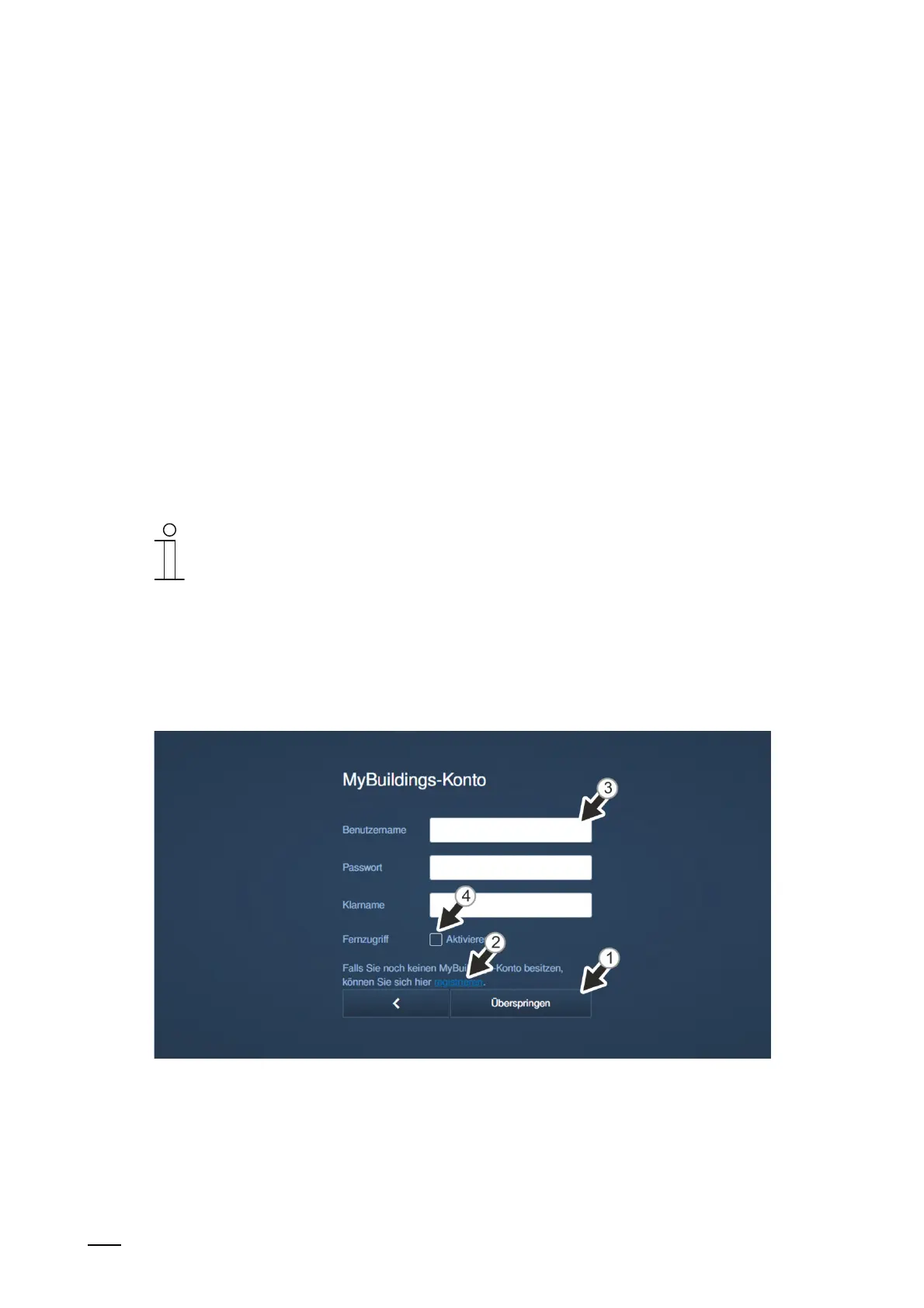
10. Performing "myBuildings" settings:
Fig. 75: Commissioning "Smart Access Point": Without myBuildings account
■
Reset option: "Without myBuildings account"
– This page is displayed when the reset option is set on "Without myBuildings
account".
[1] Click on the "Skip" button to change to the next step if no connection is to be
established with myBuildings.















 To Next Page