Commissioning
System Manual
98
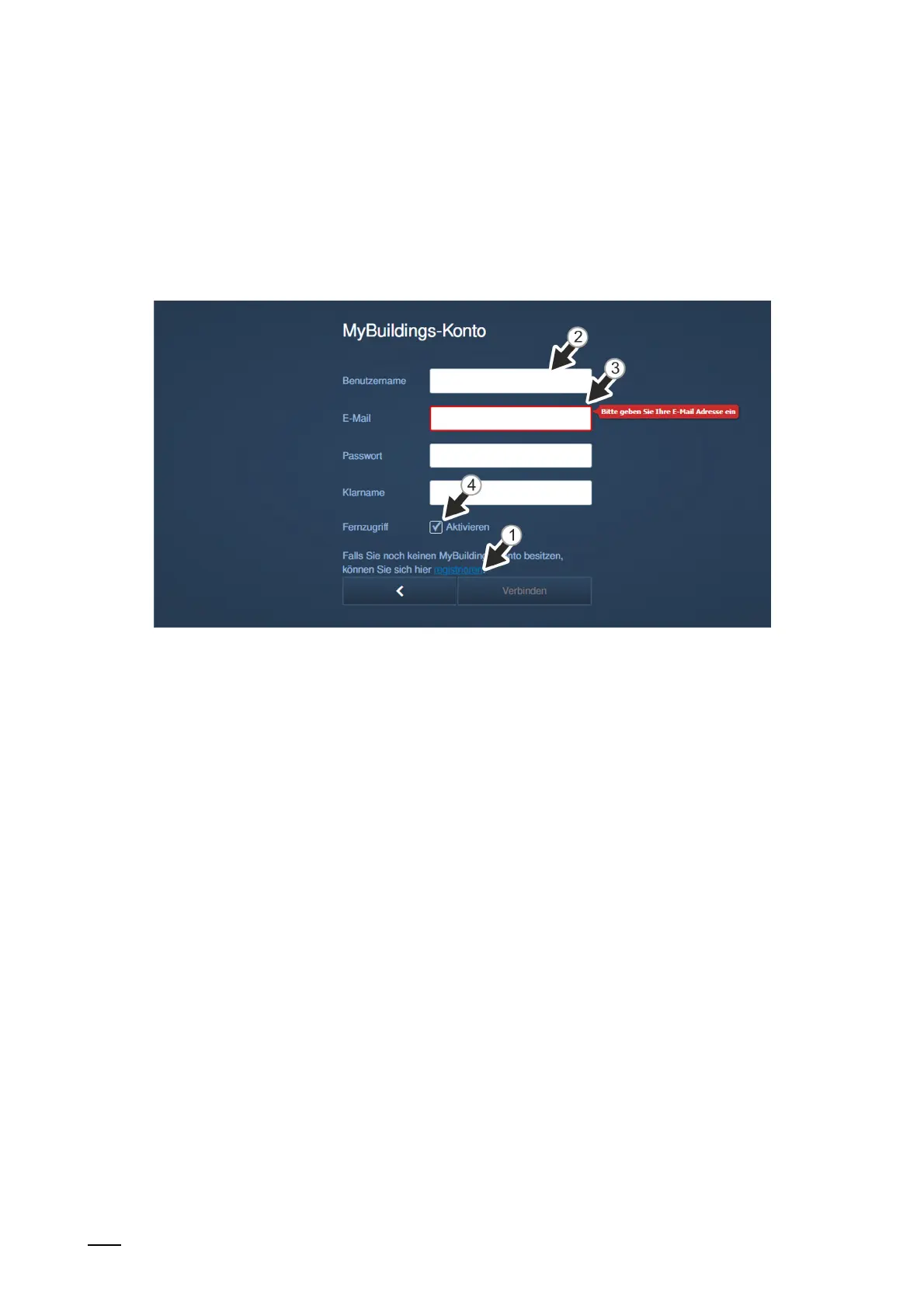
[2] The myBuildings portal is called up via the "Register" link. There an account can be
registered if necessary.
[3] Enter the user name, the password and the display name. Then click on "Connect".
A connection with the MyBuildings portal is established.
[4] If access is to be gained to the "Smart Access Point" via the MyBuildings portal, the
remote access must be activated (activate the checkbox).
Fig. 76: Commissioning "Smart Access Point": With myBuildings account
■
Reset option: "With myBuildings account"
– This page is displayed when the reset option is set on "With myBuildings account".
[1] A myBuildings account is required for this reset option. The myBuildings portal is
called up via the "Register" link. There an account can be registered if one is not yet
available.
[2] Enter the user name, the password and the display name. Then click on "Connect".
A connection with the myBuildings portal is established.
[3] Enter the e-mail address that is to be used to activate the myBuildings account. This
e-mail address will receive a security code when the first admin user is to be reset. If
you want to reset the password for the first administrator, see chapter 6.7.4 “"Smart
Access Point"“ on page 120.
[4] If access is to be gained to the "Smart Access Point" via the myBuildings portal, the
remote access must be activated (activate the checkbox).















 To Next Page