EasyManua.ls Logo

Actidata actiNAS cube RDX - Page 109

Actidata actiNAS cube RDX
168 pages
Print Icon
To Next Page IconTo Next Page
To Previous Page IconTo Previous Page
Loading...
109
System · / actiNAS Manager
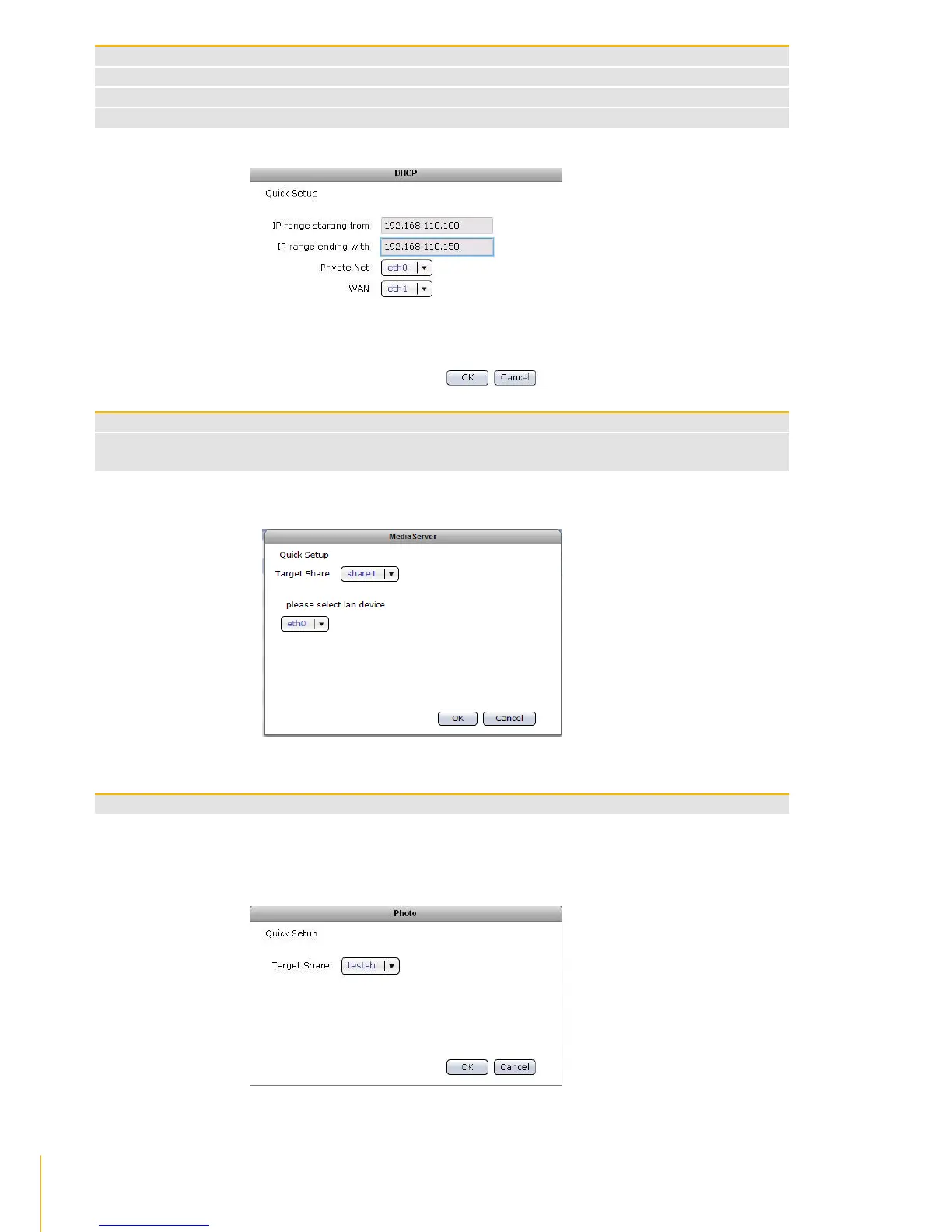
Media Server Options
Target Share
Select the share folder where Media Server service will be enabled
Please select LAN device
Select the network device to be used by Media Server service. The LAN device will be the
dedicated path for media access.
Photo Option
Target Share
Select the share folder that will be used as target location of photo/images.
DHCP Options
IP range starting from
Means the starting address of range of private IP addresses for DHCP
IP range ending with
Means the ending address of range of private IP addresses for DHCP
Private Net
The network device connected to the private network. For example: eth0
WAN
The network device connected to the Internet / WAN. For example: eth1

Table of Contents