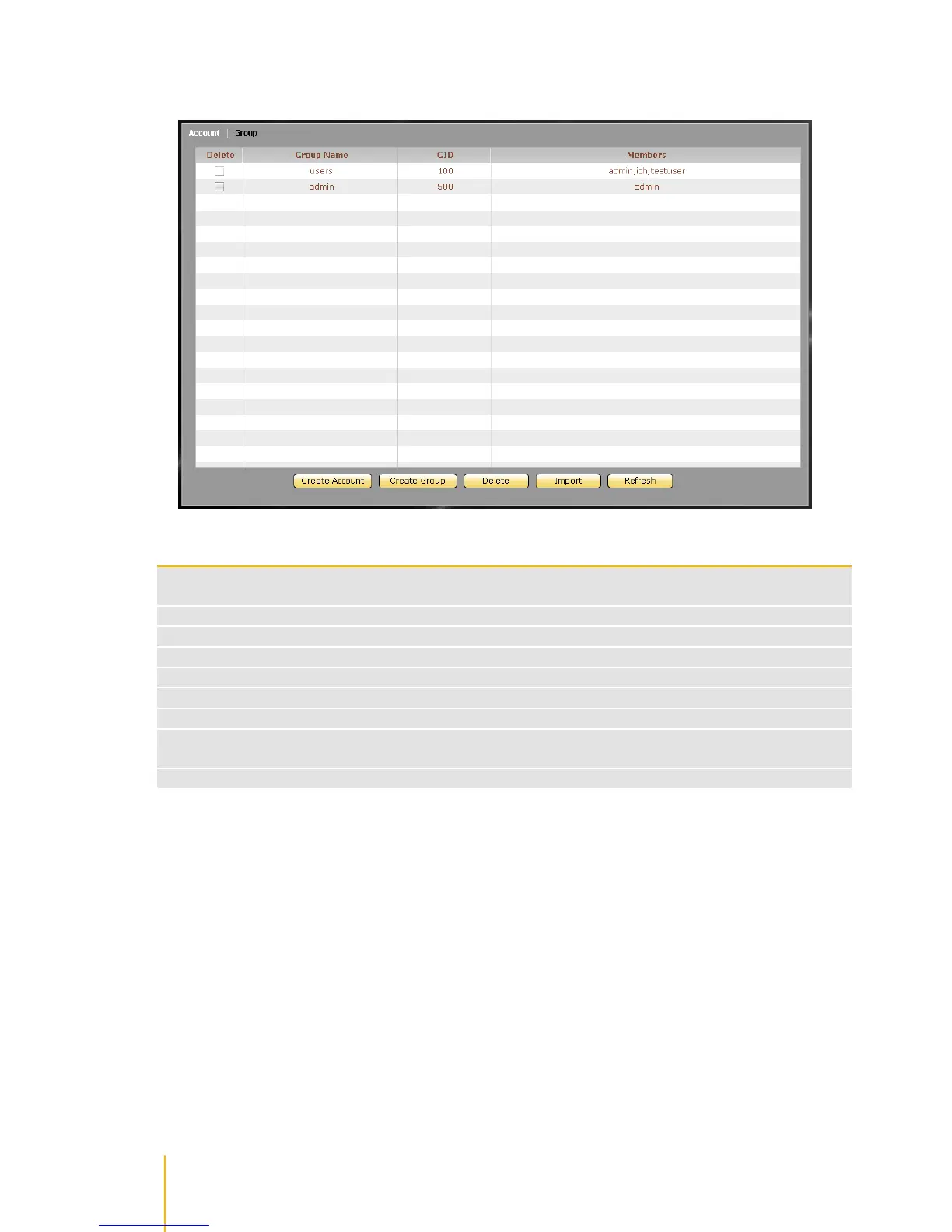
/ actiNAS Manager · Account
Group Information and Options
Used to option to delete the selected group. After checking this option, click the Delete
button.
Shows the group account name
Shows the group ID number
Shows the group‟s user account members
Use this button to create a user account
Use this button to create a group account
Use this button to delete the selected user account or group account
Use this option to import large number of accounts instead of adding an account one by one.
The administrator can type multiple user accounts in the Import Account input box.
Use this button to update the information displayed in the Account and Group list



 To Next Page