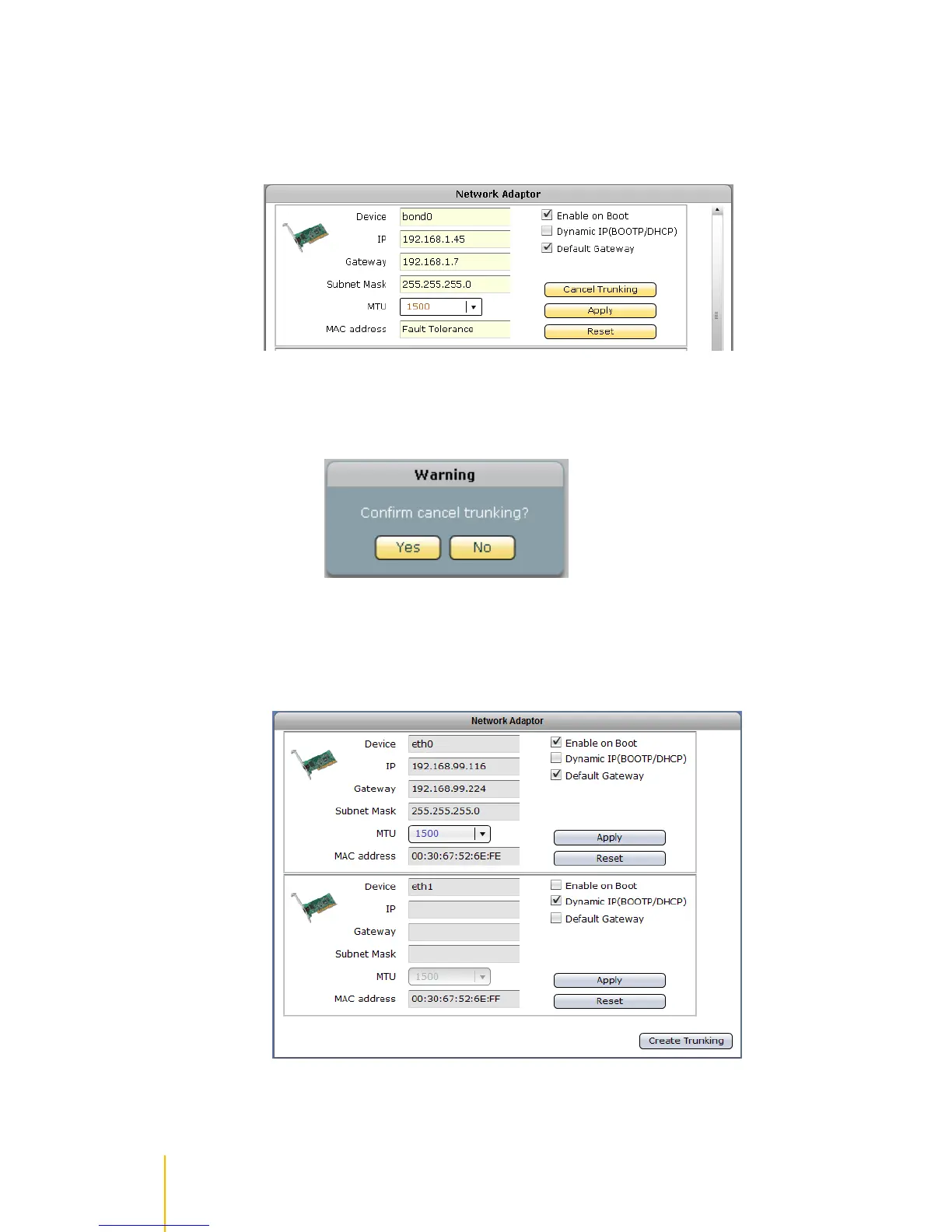
Cancel Network Trunking
Steps to Cancel Trunking Function:
1. Find the device name bond0 then click Cancel Trunking.
2. A warning message will be displayed. Click Yes to proceed.
3. The Trunking function will be cancelled and the network configuration will be restarted. Re-login
to NAS GUI. The network device eth0 will be automatically configured and get the IP address
previously assigned to the Trunking device.



 To Next Page