Storage/Share · / actiNAS Manager
Volume
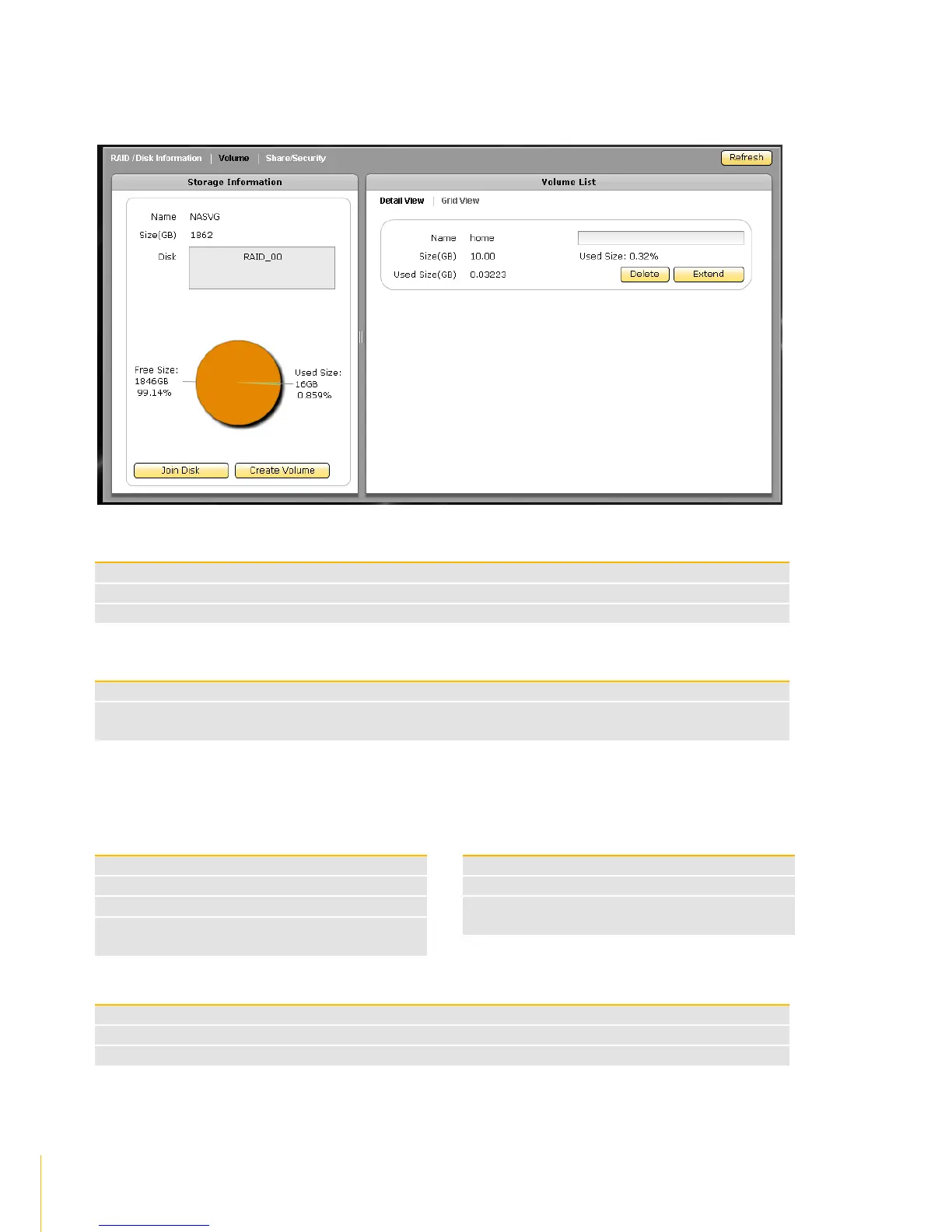
Click the Volume tab. The Volume Configuration screen will be displayed.
Storage Information Screen
The NAS Volume Group default name NASVG
The total capacity of the NASVG
The list of RAID disk(s) joined to the NASVG
Storage Information Options
Used to join a RAID disk to the NASVG
Used to create a new Volume. A Volume is storage space which is shared by several Share
Folders (several Share Folders can be created under a single Volume)
Volume List Screen:There are two types of view provided to display the Volume information: Detail View
and Grid View.
Detail View: has Delete, Extend, and iSCSI buttons
The total Volume capacity in GB
The Volume used capacity in GB
The Volume used capacity as a
percentage of the total Volume capacity
Grid View: displays Volume List in table format
The total Volume capacity in GB
The Volume used capacity in GB
Used to extend the total Volume capacity
Used to setup the Volume as iSCSI target



 To Next Page