Chapter 9: Monitoring Status and Activity ● 121
Configuring Proxy Server Settings
Adaptec Storage Manager uses the Internet to send statistics to your designated contacts. If
your network uses a proxy server to access the Internet, you must provide your proxy server
connection settings.
To configure your proxy server connection settings:
1 In the Enterprise View, select the system you want.
2 On the tool bar, click Configure, point to the system, then click Advanced Statistics.
The Advanced Statistics Manager opens.
3 On the menu bar, select Actions, then click Call Home connection settings.
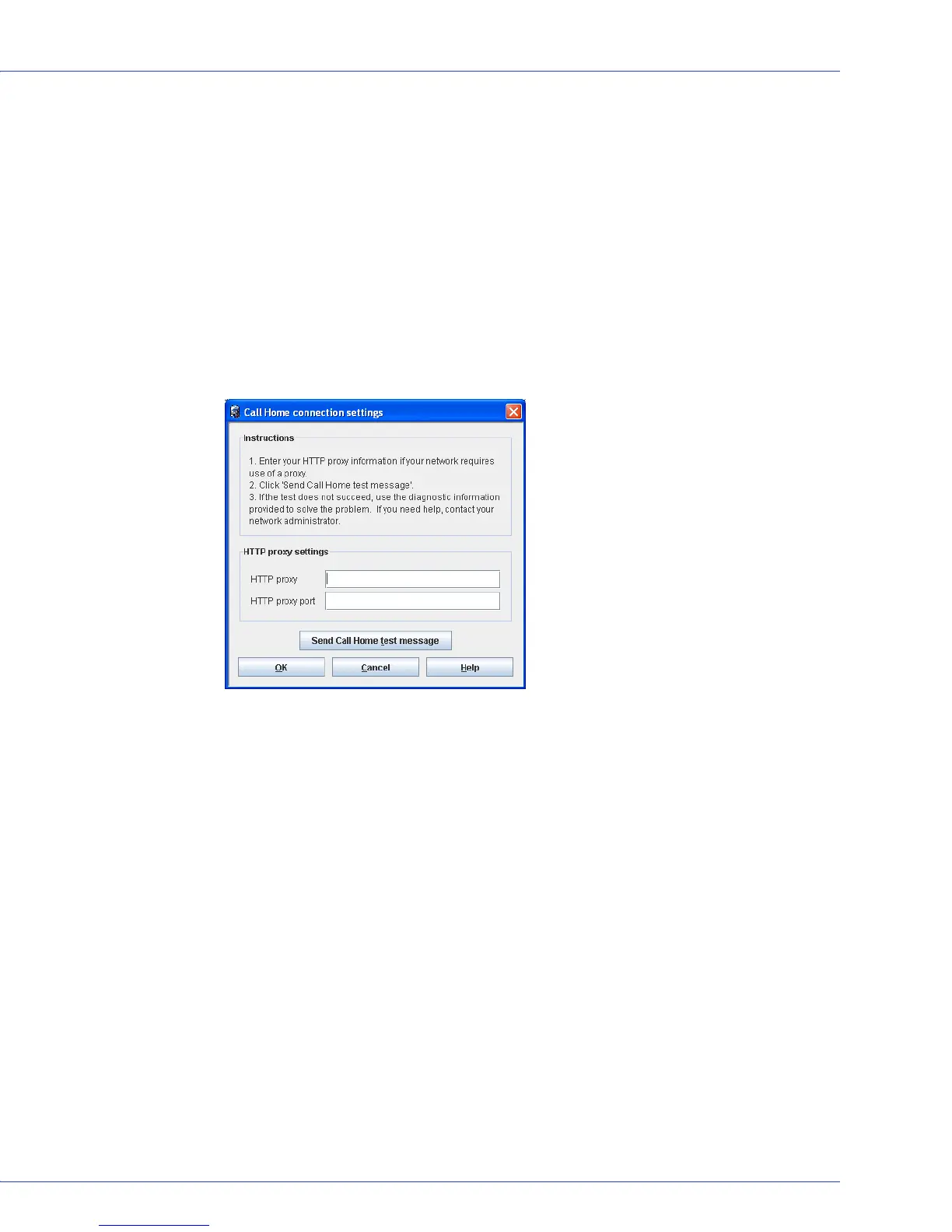
The Call Home connection settings window opens.
4 Enter your HTTP proxy server name and port number.
5 Click OK.
Sending a Test Message
To ensure that your contacts are receiving logged statistics, you can send a test message.
1 In the Enterprise View, select the system you want.
2 On the tool bar, click Configure, point to the system, then click Advanced Statistics.
The Advanced Statistics Manager opens.
3 On the menu bar, select Actions, then click Call Home connection settings.
The Call Home connection settings window opens.
4 Click Send Call Home test message. A message appears indicating either that the test
message was sent successfully or that the test failed.



 To Next Page