Installing Adept ACE Software
Adept Cobra i600/i800 Robot User’s Guide, Rev G 27
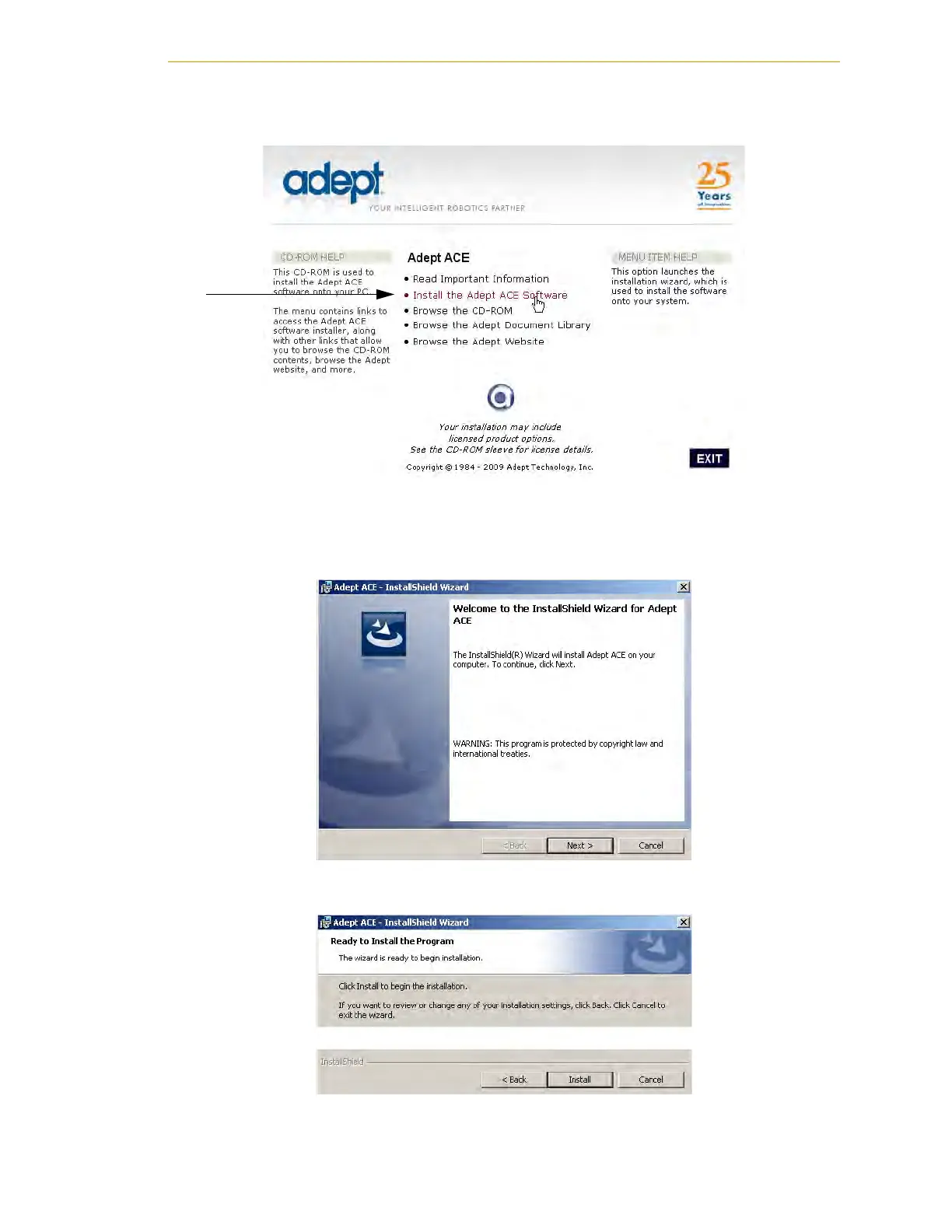
2. From the Adept Software CD-ROM menu, click Install the Adept ACE Software.
Figure 3-2. Adept ACE CD-ROM Startup Menu
3. The Adept ACE Setup wizard opens - see Figure 3-4 and Figure 3-5. Follow the
instructions as you step through the installation process.
Figure 3-3. Setup Welcome Screen
Figure 3-4. Ready-to-Install Screen


 To Next Page
 Loading...