222
ADOBE ILLUSTRATOR CS2
User Guide
Painting tool gallery
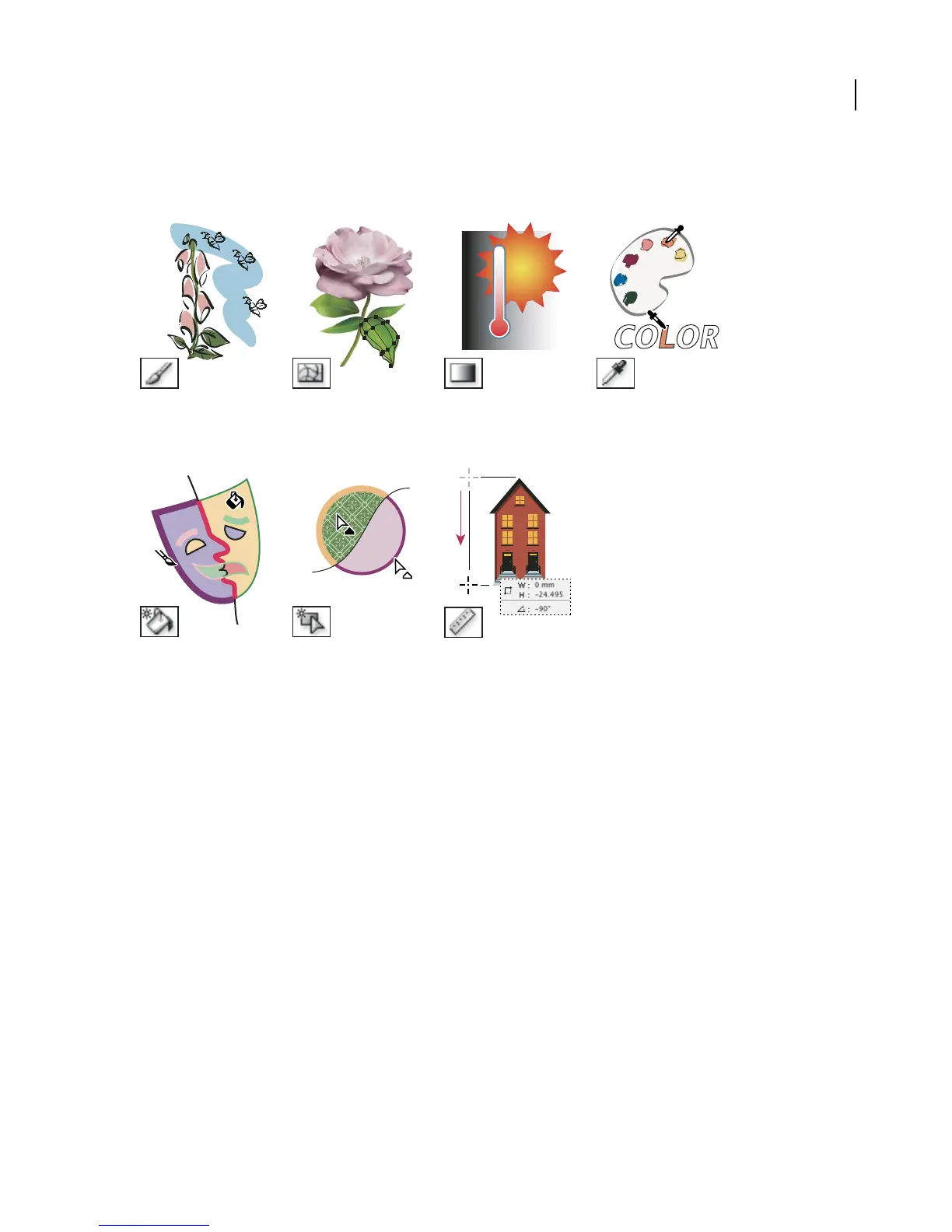
Illustrator provides the following painting tools:
The Paintbrush tool (B)
draws freehand and calli-
graphic lines, as well as art
and patterns on paths.
The Mesh tool (U) creates The Gradient tool (G)
and edits meshes and mesh adjusts the beginning and
envelopes. ending points and angle of
gradients within objects.
The Eyedropper tool (I)
samples and applies color or
type attributes from objects.
The Live Paint Bucket tool
(K) paints faces and edges of
Live Paint groups with the
current paint attributes.
The Live Paint Selection tool
selects faces and edges
within Live Paint groups.
The Measure tool measures
the distance between two
points.
See also
“About the toolbox” on page 29
Fills and strokes
About fills and strokes
A fill is a color, pattern, or gradient inside an object. You can apply fills to open and closed objects and to faces of
Live Paint groups.
A stroke is thevisibleoutlineofanobjectand theedges of aLivePaint group. Youcan controlthe widthand colora
stroke. You can also create dashed strokes and paint stylized strokes using brushes.
Everyobjectinyourartwork canhaveone or more fillsand strokes, or none at all. Thecurrent fill andstrokecolors
are displayed in the toolbox.



 To Next Page