ADOBE ILLUSTRATOR CS2
365
User Guide
• Select the Extra Spaces option if you want Illustrator to replace strings of spaces in the file with tabs. Enter the
number of spaces to be replaced by a tab.
To export text to a text file
1 Using a type tool, select the text you want to export.
2 Choose File > Export.
3 In the Export dialog box, select a location for the file and enter a filename.
4 Choose Text Format (TXT) as the file format.
5 Enter the name of the new text file in the name box, and click Save (Windows) or Export (Mac OS).
6 Choose a platform and encoding method, and click Export.
Area type
To resize a text area
❖ Do one of the following:
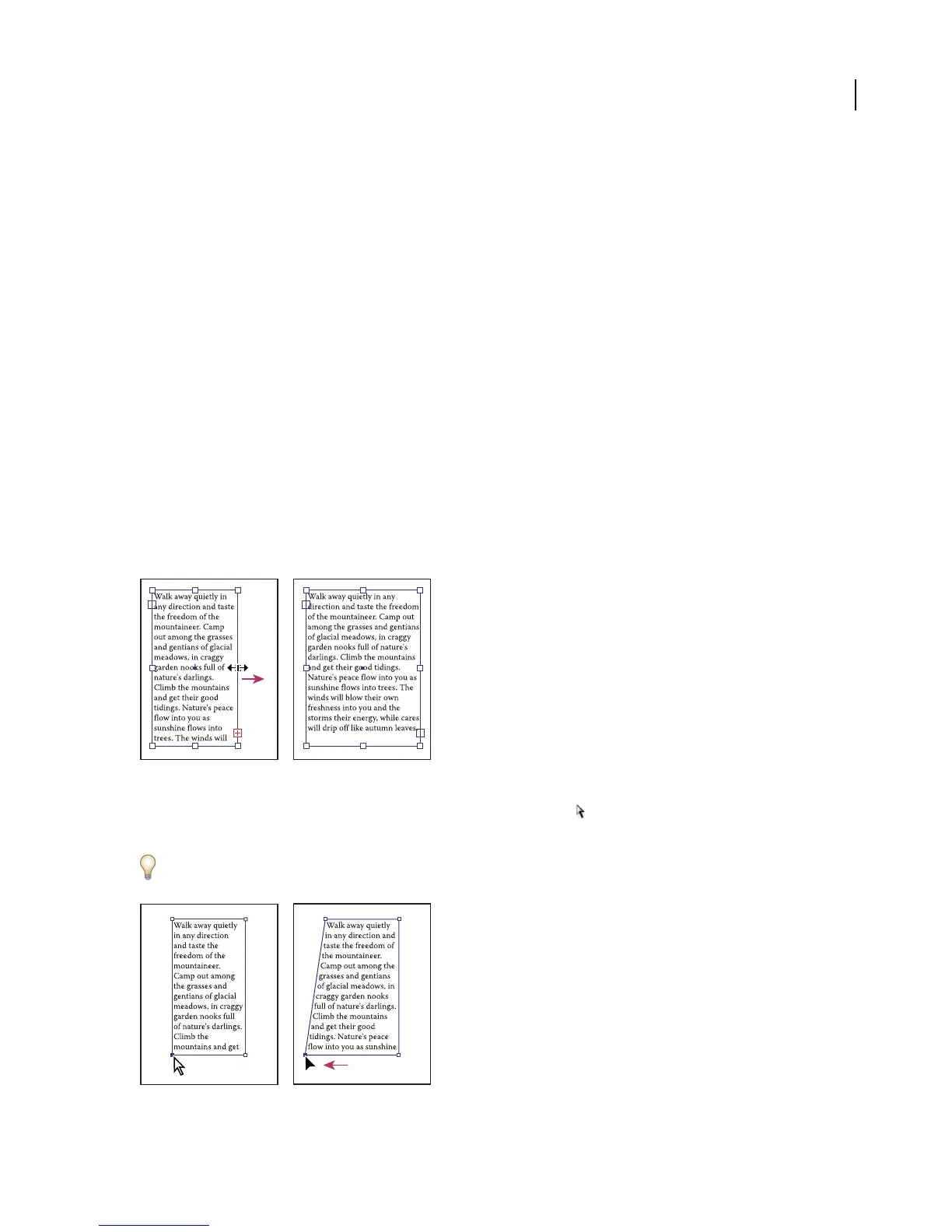
• Select the type object using the Selection tool or Layers palette, and drag a handle on the bounding box.
Resizing a text area with the Selection tool
• Select the edge or corner of the type path with the Direct Selection tool . Then drag to adjust the shape of the
path.
Adjusting the type path using the Direct Selection tool is easiest when you’re in Outline view.
Resizing a type area with the Direct Selection tool



 To Next Page