411
ADOBE ILLUSTRATOR CS2
User Guide
Mojikumi
About mojikumi
Mojikumi specifies Japanese text composition for spacing of Japanese characters, roman characters, punctuation,
special characters, line start, line end, and numbers. You can also specify paragraph indents.
The existing character spacing rules in Illustrator follow the Japanese Industrial Standards (JIS) specification,
JISx4051-1995. You can select from the predefined mojikumi sets provided by Illustrator.
Furthermore, you can create specific mojikumi sets. In a new mojikumi set, you can edit the settings for spacing that
you use a lot, such as the spacing between a period and subsequent opening parenthesis. For example, you might
create an interviewformatinwhich youwanttohaveanemdashbeforeaquestion,and answersenclosedinparen-
theses.
To select a mojikumi set for a paragraph
❖ In the Paragraph palette, choose an option from the Mojikumi Set pop-up menu:
None to turn off the use of mojikumi.
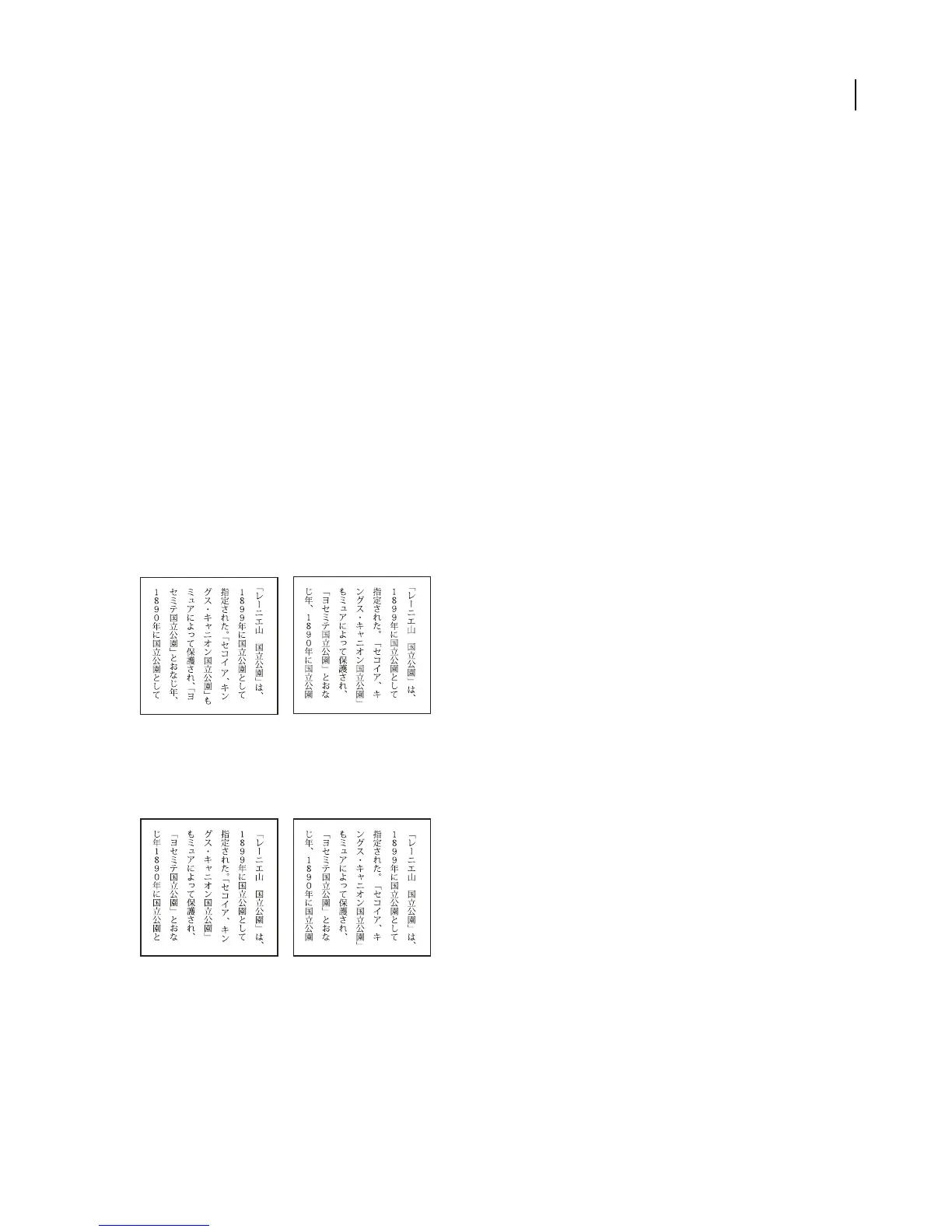
YakumonoHankaku to use half-width spacing for punctuation.
GyoumatsuYakumonoHankaku to use full-width spacing for most characters except the last character in the line.
YakumonoHankaku (left) and GyoumatsuYakumonoHankaku (right)
GyoumatsuYakumonoZenkaku to use full-width spacing for most characters and the last character in the line.
YakumonoZenkaku to use full-width spacing for punctuation.
GyoumatsuYakumonoZenkaku (left) and YakumonoZenkaku (right)
See also
“To display Asian type options” on page 406



 To Next Page