255
ADOBE ILLUSTRATOR CS2
User Guide
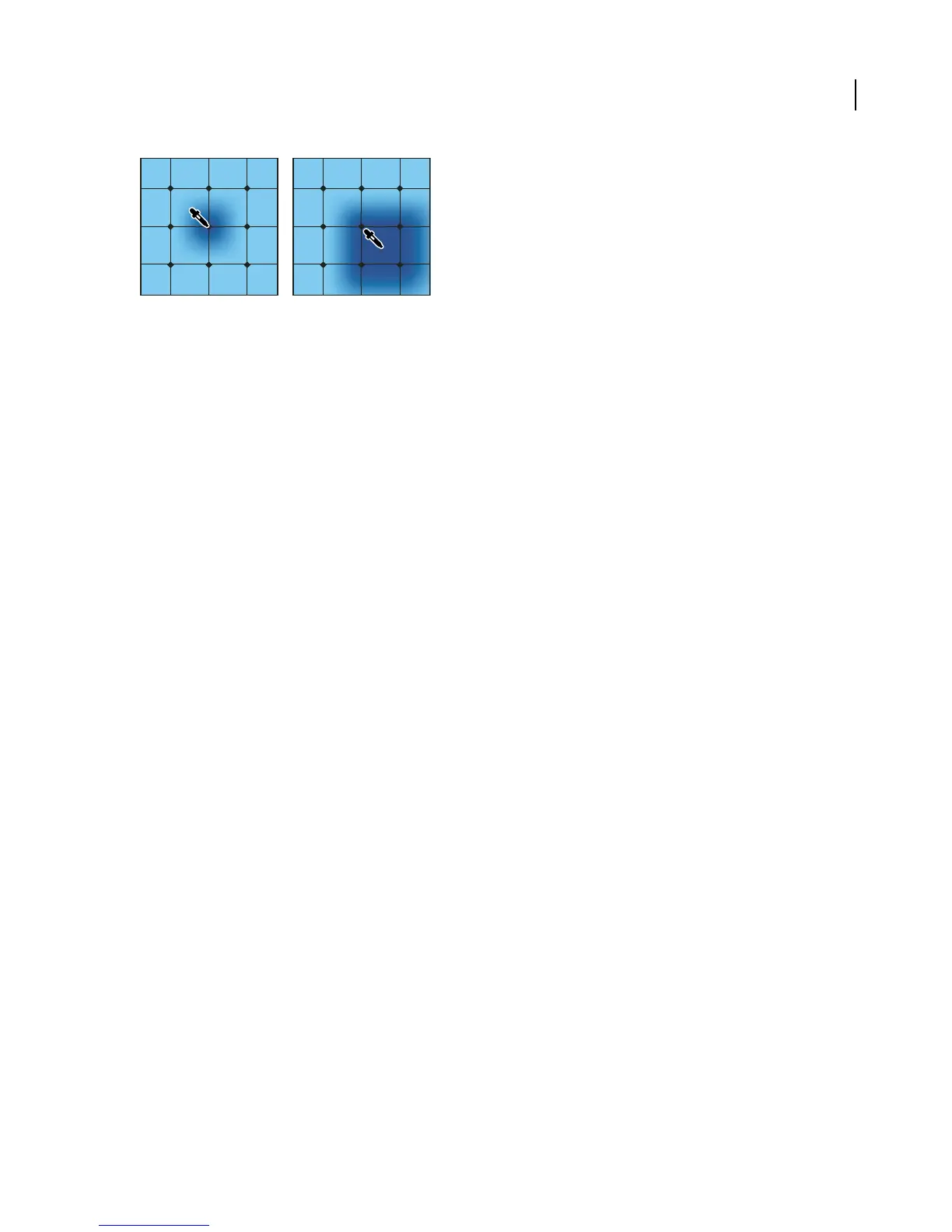
Adding color to a mesh point (left) compared to adding color to a mesh patch (right)
Note: If youassign aspotcolor toameshpoint,Illustrator will convertthe colortoaprocess colorwhenprintingsepara-
tions.
• To convert a mesh object back to a path object, select the mesh object, choose Object > Path > Offset Path, and
then enter zero for the offset value.
Patterns
About patterns
Illustrator comes with many patterns that you can access in the Swatches palette and in the Illustrator Extras folder
on the Illustrator CD. You can also design patterns from scratch with any of the Illustrator tools and customize
existing patterns. Patterns intended for filling objects (fill patterns) differ in design and tiling from patterns intended
to be applied to a path with the Brushes palette (brush patterns). For best results, use fill patterns to fill objects and
brush patterns to outline objects.
When designing patterns, it helps to understand how Adobe Illustrator tiles patterns:
• Patterns tile from left to right from the ruler origin (by default, the bottom left of the artboard) to the opposite side
of the artwork. Typically, only one tile makes up a fill pattern. Brush patterns can consist of up to five tiles—for
the sides, outer corners, inner corners, and the beginning and end of the path. The additional corner tiles enable
brush patterns to flow smoothly at corners. To adjust where all patterns in your artwork begin tiling, you can
change the file’s ruler origin.
• Fill patterns tile perpendicular to the x axis. In contrast, brush patterns tile perpendicular to the path (with the
top of the pattern tile always facing outward). Also, corner tiles rotate 90˚ clockwise each time the path changes
direction.
• Fill and brush patterns also tile differently in relation to the pattern bounding box—an unfilled and unstroked
(non-printing) rectangle backmost in the artwork. For fill patterns, the bounding box acts as a mask; fill patterns
tile only the artwork within the pattern’s bounding box. In contrast, brush patterns tile artwork within the
bounding box and protruding from or grouped with it.
See also
“To apply a color, pattern, or gradient to an object” on page 224



 To Next Page