505
ADOBE ILLUSTRATOR CS2
User Guide
Data-driven graphics
About data-driven graphics
Data-driven graphics make it possible to produce multiple versions of artwork quickly and accurately. Let’s say, for
example, that you need to produce 500 different web banners based on the same template. In the past, you had to
manually populate the template with data (images, text, and so on). With data-driven graphics, you can use a script
referencing a database to generate the web banners for you.
In Illustrator, you can turn any piece of artwork into a template for data-driven graphics. All you need to do is define
which objects on the artboard are dynamic (changeable) using variables. You use variables to change text strings,
linked images, graph data, and the visibility setting of objects in your artwork. In addition, you can create different
sets of variable data in order to easily view what your template will look like when it is rendered.
Data-driven graphics are designed for use in collaborative work environments. Following are some examples of how
data-driven graphics fit into different job roles:
• If you’re a designer, creating a template gives you control over the dynamic elements of your design. When you
hand your template over for production, you can be sure that only the variable data will change.
• If you’re a developer, you can code variables and data sets directly into an XML file. The designer can then import
the variables and data sets into an Illustrator file to create a design based on your specifications.
• If you’re responsible for production, you can use scripts within Illustrator, the Batch command, or a web
production tool such as Adobe GoLive 6.0 to render the final graphics. You can also use a dynamic imaging server
such as Adobe® Graphics Server to further automate the rendering process.
See also
“About data sets” on page 508
“About variable libraries” on page 508
About the Variables palette
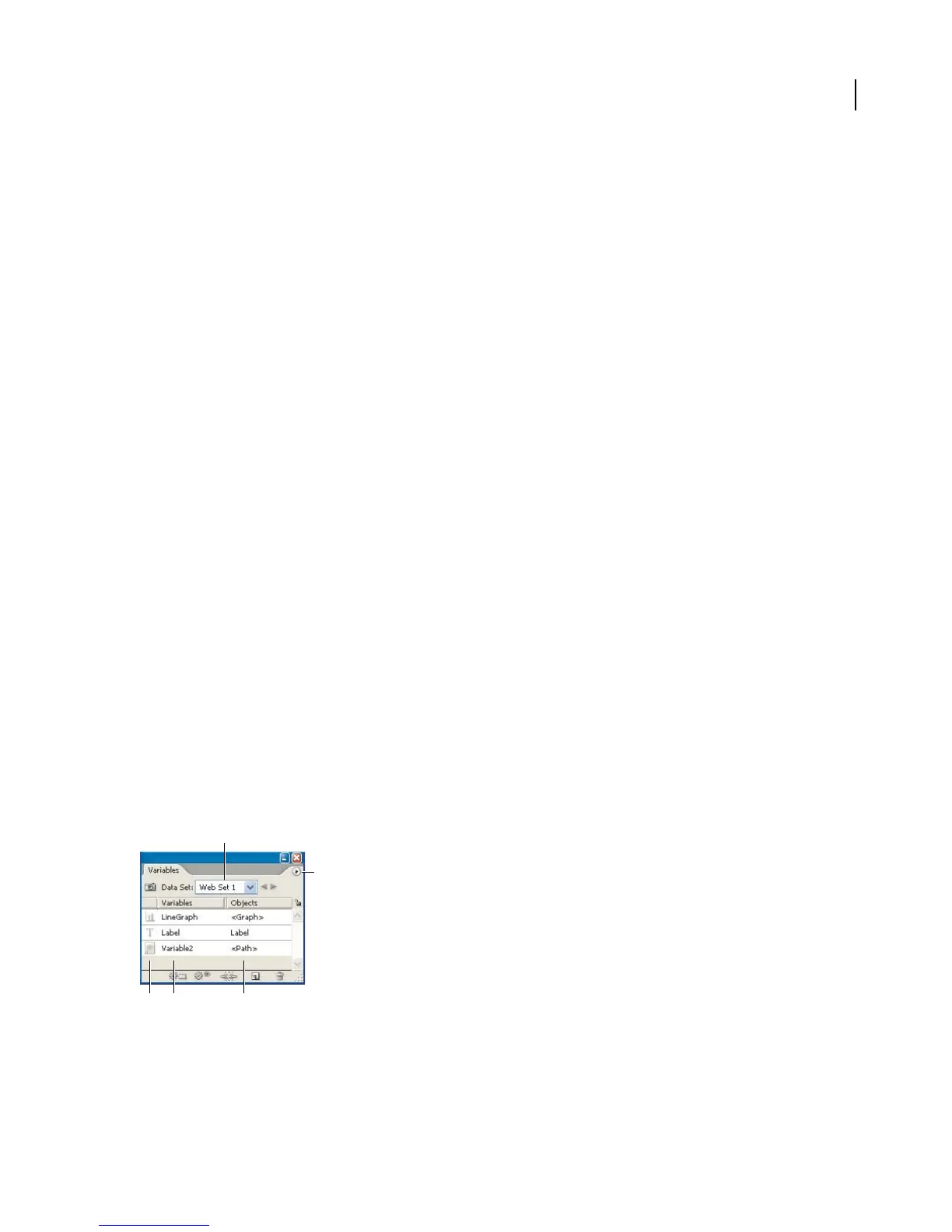
You use the Variables palette to work with variables and data sets. The type and name of each variable in the
document arelistedinthe palette. If thevariableisbound to an object,thenthe Objectscolumndisplaysthe name
of the bound object as it appears in the Layers palette. To display the Variables palette, choose Window > Variables.
A
B
C D E
Variables palette
A. Data set B. Palette menu C. Variable ty pe D. Variable name E. Name of bound object



 To Next Page