441
ADOBE ILLUSTRATOR CS2
User Guide
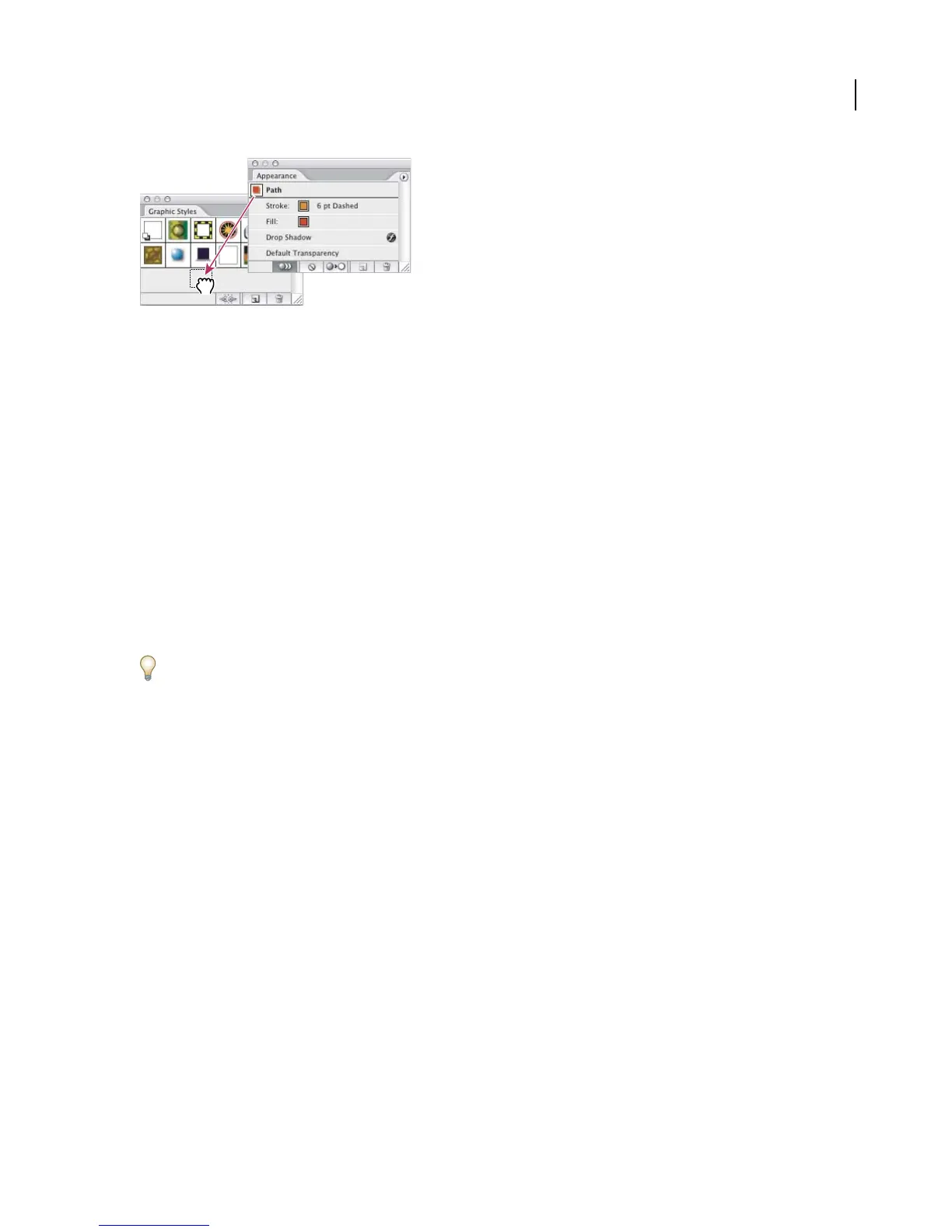
Drag the thumbnail from the Appearance palette to the Graphic Styles palette to save the attributes.
To replace graphic style attributes
• Alt-drag (Windows) or Option-drag (Mac OS) the graphic style you want to use onto the graphic style you want
to replace.
• Select an object or group (or target a layer in the Layers palette) that has the attributes you want to use. Then
Alt-drag (Windows) or Option-drag (Mac OS) the thumbnail at the top of the Appearance palette onto the
graphic style you want to replace in the Graphic Styles palette.
• Select the graphic style you want to replace. Then select artwork (or target an item in the Layers palette) that has
the attributes you want to use, and choose Redefine Graphic Style “Style name”fromtheAppearancepalettemenu.
Thereplacedgraphicstylekeepsitsnamebuttakesonnewappearanceattributes.Alloccurrencesofthegraphicstyle
in the Illustrator document are updated to use the new attributes.
To create a graphic style library
1 Add the graphic styles you want to the Graphic Styles palette, and delete any graphic styles you don’t want.
To select all graphic styles that aren’t used in a document, choose Select All Unused from the Graphic Styles palette
menu.
2 Choose Save Graphic Style Library from the Graphic Style palette menu.
You can save the library anywhere. However, if you save the library file in the default location, the library name will
appear in the Graphic Style Libraries submenu and the Open Graphic Style Library submenu when you restart
Illustrator.
To move graphic styles from a library to the Graphic Styles palette
• Drag one or more graphic styles from the graphic styles library to the Graphic Styles palette.
• Select the graphic styles you want to add, and select Add To Graphic Styles from the library’s palette menu.
• Apply a graphic style to an object in the document. The graphic style is automatically added to the Graphic Styles
palette.
To import all graphic styles from another document
1 Choose Window > Graphic Style Libraries > Other Library or select Open Graphic Style Library > Other Library
from the Graphic Styles palette menu.
2 Select the file from which you want to import graphic styles, and click Open.
The graphic styles appear in a graphic style library palette (not the Graphic Styles palette).



 To Next Page