1569‐PT060EE1 Rev.7 Page43of62
5.5.4 Span calibration
Beforecalibratingthe span,loadthe weighingsystemwith theknownweightexceedingthefull scaleby12.5%and
waituntilthereadingstabilizes.Themoretheknownweightisclosertothefullscalevalue,themoreaccuratethefull
scalecalibrationwillbe.
The system is ready
to carry out the calibration with a known weight corresponding to the value of the weight
currentlyonthescale.
Theoperatorcanmodifytheprocedurebysettingdirectlytheknownweightvalue,usingkeys or
toincreaseordecreasethedisplayedvalue.
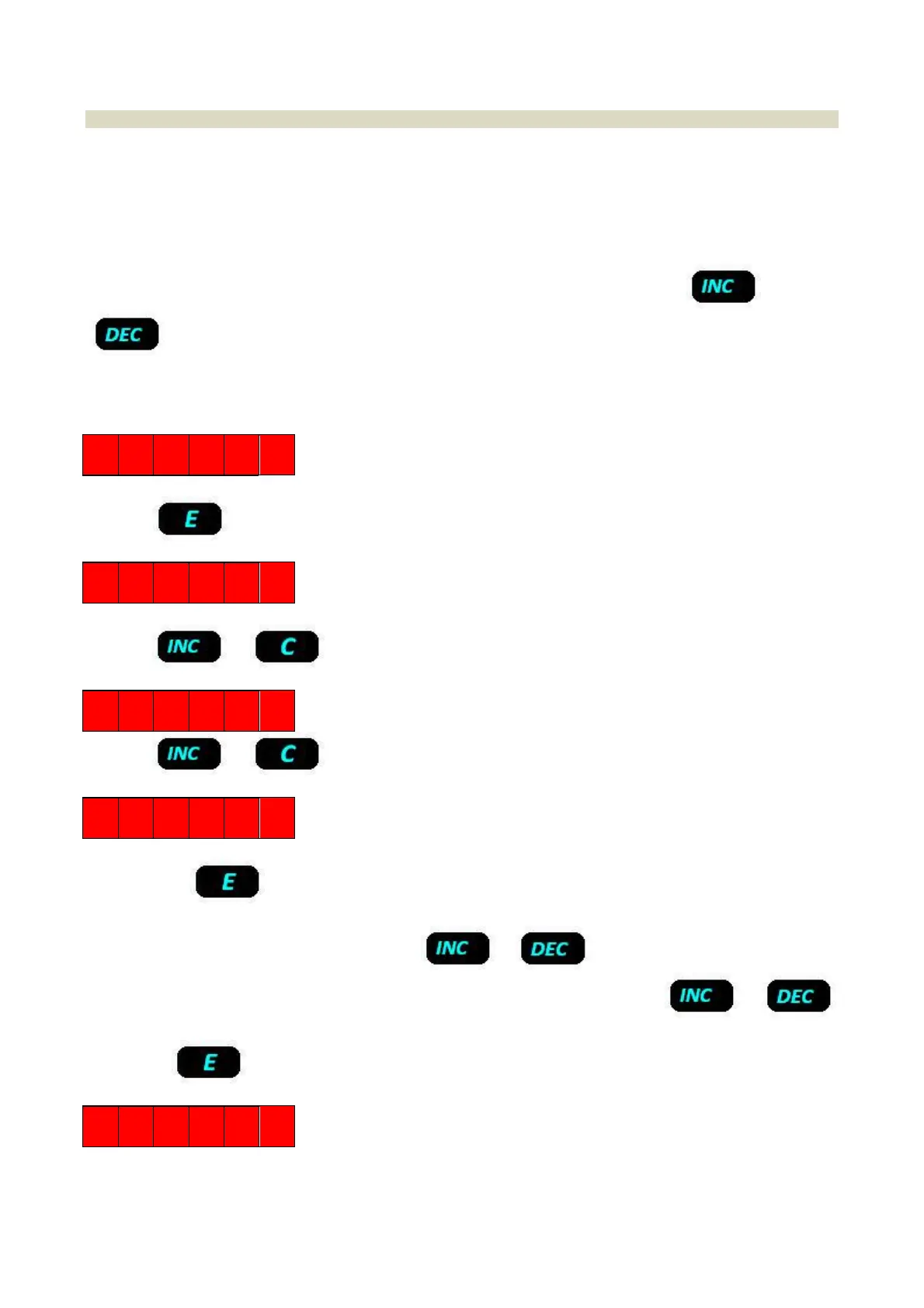
Toaccessthecalibrationmenu,youmustenter
theinstrument’smanagementmenubyselectingthefollowing
function:
C
L
PressKey
O F F S 1
Presskeyortocanceltheoperation.
2 E R O 1
Presskeyor tocanceltheoperation.
S P A N 1
Bypressingkey theinstrumentgoesincalibrationmodeandthedisplayshowsthecalibrationvalueand
functioninprogress,alternatively(SPAN1).
Theoperator canmodify theprocedureusing keys ortoincrease ordecreasethe displayed
value. The value increase or decrease is obtained with division steps, by keeping
key or
pressed,with increasing steps up tomaximum128 divisions. Once the known weight value on thescale is input, by
pressingkeytheinstrumentwillperformthecalibrationanddisplaymessage:
D O N E
Theoperationcanberepeatedafewtimes.
Spancalibrationisthesamealsoforchannel2.


 To Next Page