1569‐PT060EE1 Rev.7 Page44of62
5.5.5 Linearization
Thesystemforeseestheoptiontolinearizethecalibrationcurvethroughinterpolationsinninepoints.
Linearizationwillbeeffectiveonlyiftheerrorcanberepeated.
Toaccessthecalibrationmenu,youmustentertheinstrument’smanagementmenubyselectingthefollowing
function:
C
L
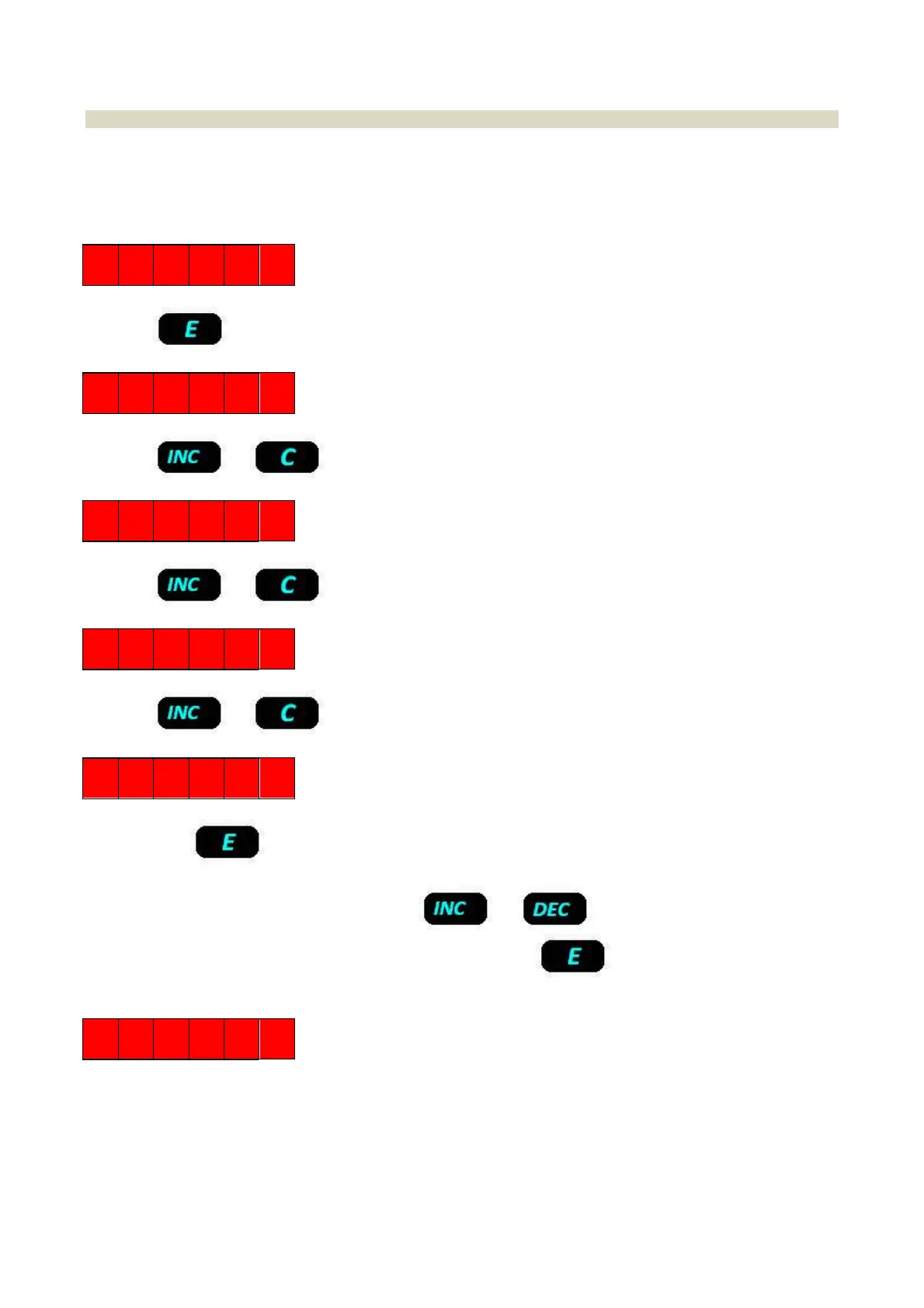
PressKey
O F F S 1
Presskeyortocanceltheoperation.
2 E R O 1
Presskeyortocanceltheoperation.
S P A N 1
Presskeyortocanceltheoperation.
L I N 1 1
Bypressingkeytheinstrumentgoesincalibrationmodeandthedisplayshowsthecalibrationvalueand
functioninprogress,alternatively(LIN1).
Theoperatorcanmodify theprocedureusingkeysortoincreaseordecreasethedisplayed
value. Once the required weight value is input, by pressing keythe instrument
will perform the
calibrationanddisplaymessage:
D O N E
Theprocedureisthesameforalllinearizationpoints.
Makesurethat:
theninelinearizationpointsmustfallbetweenzerocalibrationandfullscalecalibration
theinputvaluesmustalwaysbehigherthanthevaluepreviouslyinputandlowerthanthenextvalue
Subsequentzerocalibrationscancel
thelinearization


 To Next Page