4-20 ADS TRITON+
®
Manual
wireless network. If the value in this field is incorrect, change
it using the Edit button.
z Password This field is read-only and displays the password
associated with the selected Provider. This information is given
to you by your wireless SIM provider to gain access to the
wireless network. If the value in this field is incorrect, change
it using the Edit button.
z Authentication Select PAP for Password Authentication
Protocol in which the Username and Password are used for
communication authentication. Select CHAP for Challenge
Handshake Authentication Protocol in which a challenge string
is used for authentication. Select None in cases where the
authentication protocol is unknown or not required. This
information will be given to you by your wireless SIM
provider. ADS recommends using the default selection, None.
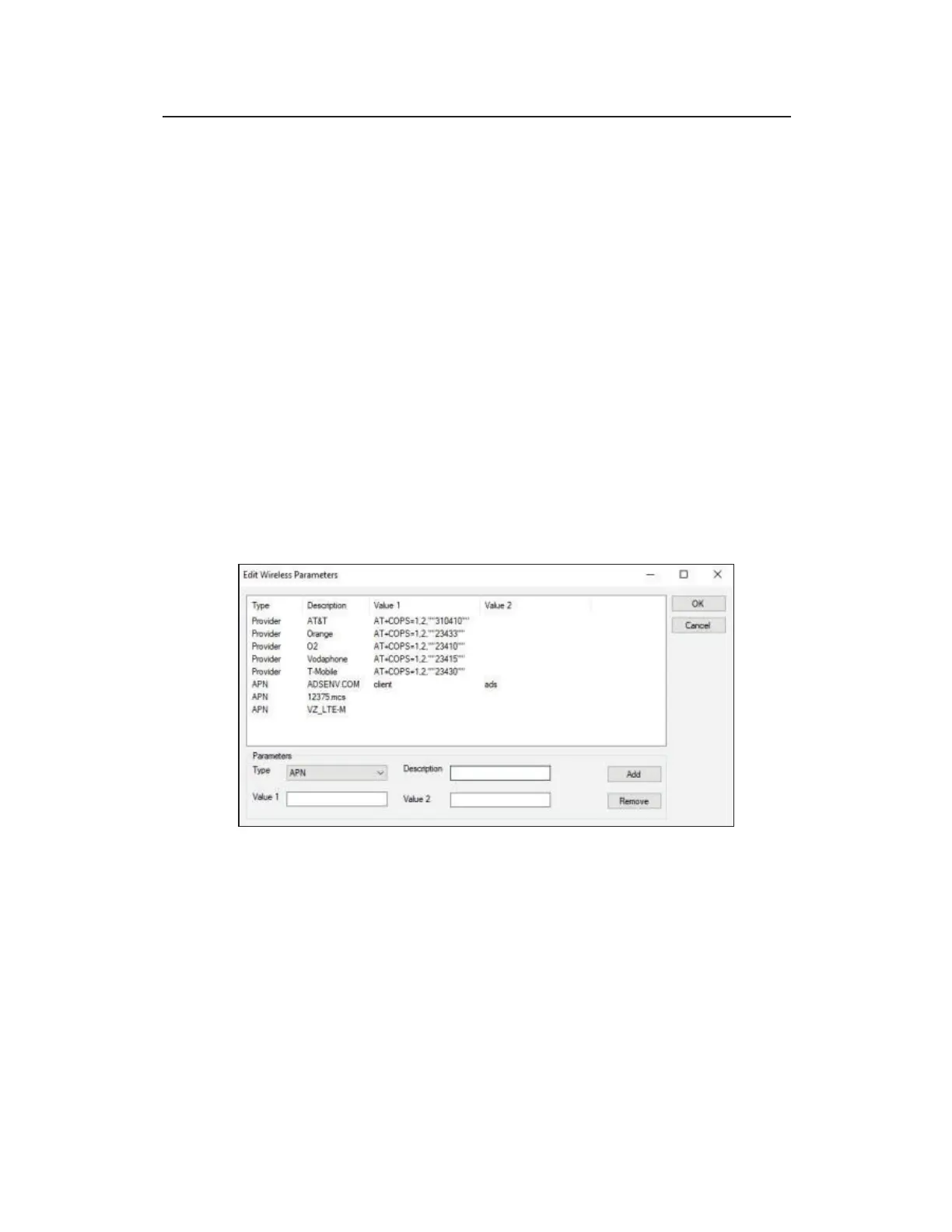
z Edit Select Edit to edit an existing APN or Provider.
Select the Edit button to modify or add an APN
z Highlight the corresponding row and then edit the Parameters
listed at the lower portion of the screen.
z Add a new VPN (SIM host) or Provider by entering the correct
Parameter information and then choosing the Add button
Type Select APN from the drop-down list. If an existing
APN requires modification, select the appropriate APN
from the Type column in the table of available APNs and
providers.



 To Next Page