Configuration and Activation 4-21
Description Enter the name of the APN or edit the
existing name as necessary.
Value 1 (Username) Enter or edit the wireless carrier’s
Username, if applicable
Value 2 (Password) Enter or edit the wireless carrier’s
Password, if applicable.
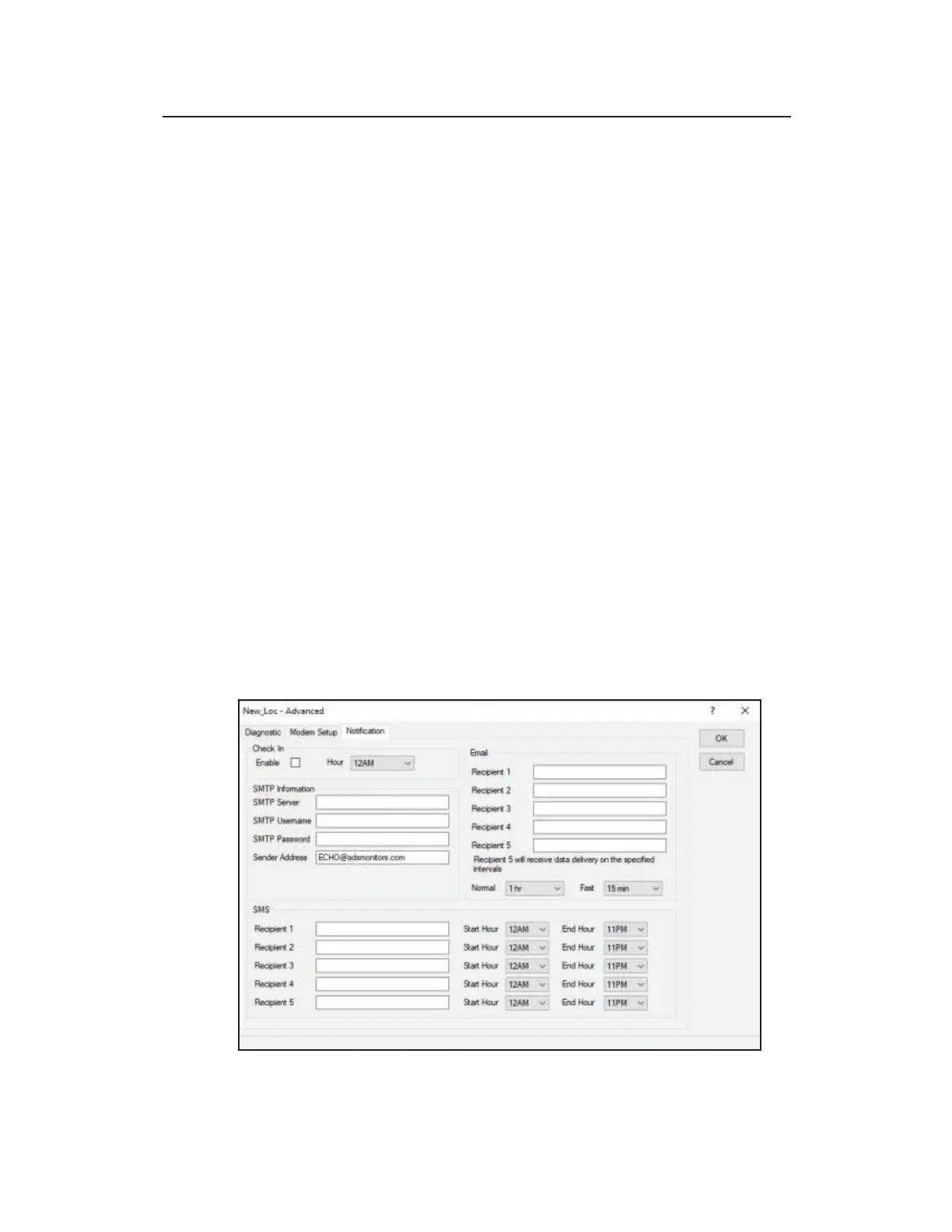
Editing the Advanced Device – Notification Tab
TRITON+ monitors can provide alarm notifications through email
and cellular phones with text messaging (SMS) capability. The
Notification tab allows users to configure up to five (5) email and
phone numbers to receive email or SMS alerts directly from the
monitor when the following conditions arise:
z Alarm events, when configured
z Alarm Return-to-Normal, when configured
z Daily Check-in (optional)
Text messages from the TRITON+ contain basic information
concerning the event; emails include this basic event information as
well as the last (i.e., most recent) few readings from the monitor.
Advanced Device – Notification tab



 To Next Page