Sensor Installation and Connection 5-77
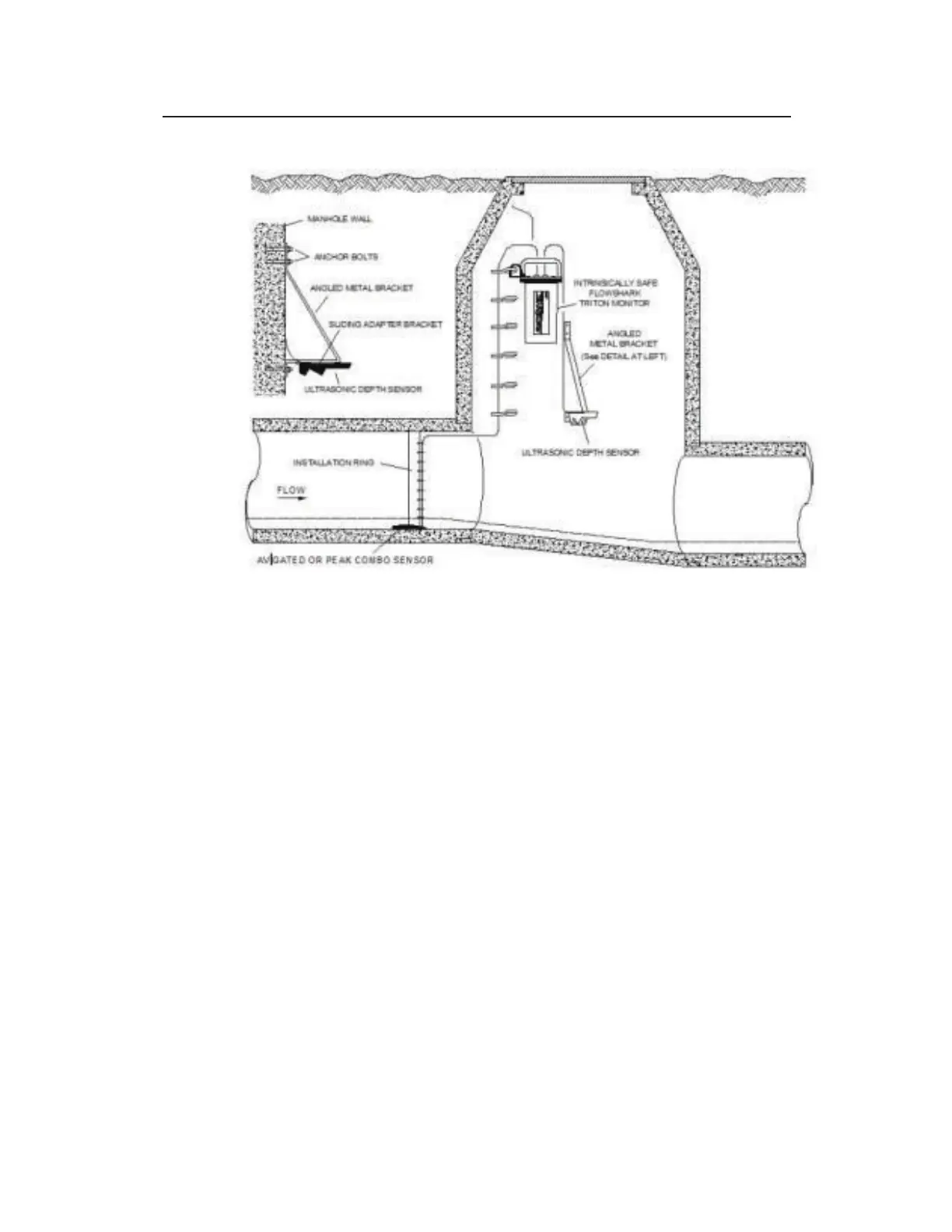
Surcharge Mount
1. Determine the appropriate height at which to mount the
Ultrasonic Depth Sensor portion of the surcharge bracket
(ADS p/n I40-0010). The sensor attaches to the sliding adapter
bracket (ADS p/n 8000-0299) that slides into the groves of the
mounting plate at the lower portion of the surcharge bracket.
When making this determination, keep in mind that the
maximum range of the sensor is 10 feet (3.05 m).
2. Press the bracket firmly against the manhole wall.
3. Identify the three pre-drilled holes at the top of the bracket, and
spot drill the manhole wall through the middle hole with a drill.
4. Remove the bracket, and drill and mount a ¼-inch x 2 ¼-inch
(M6 x 55-mm) anchor bolt.
5. Secure the top of the bracket to the manhole wall with a washer
and nut.
6. Push up on the bottom portion of the bracket until the sensor
portion of the bracket is level.
7. Hold the bracket firmly in place against the manhole wall.



 To Next Page