6-34 ADS TRITON+ Manual
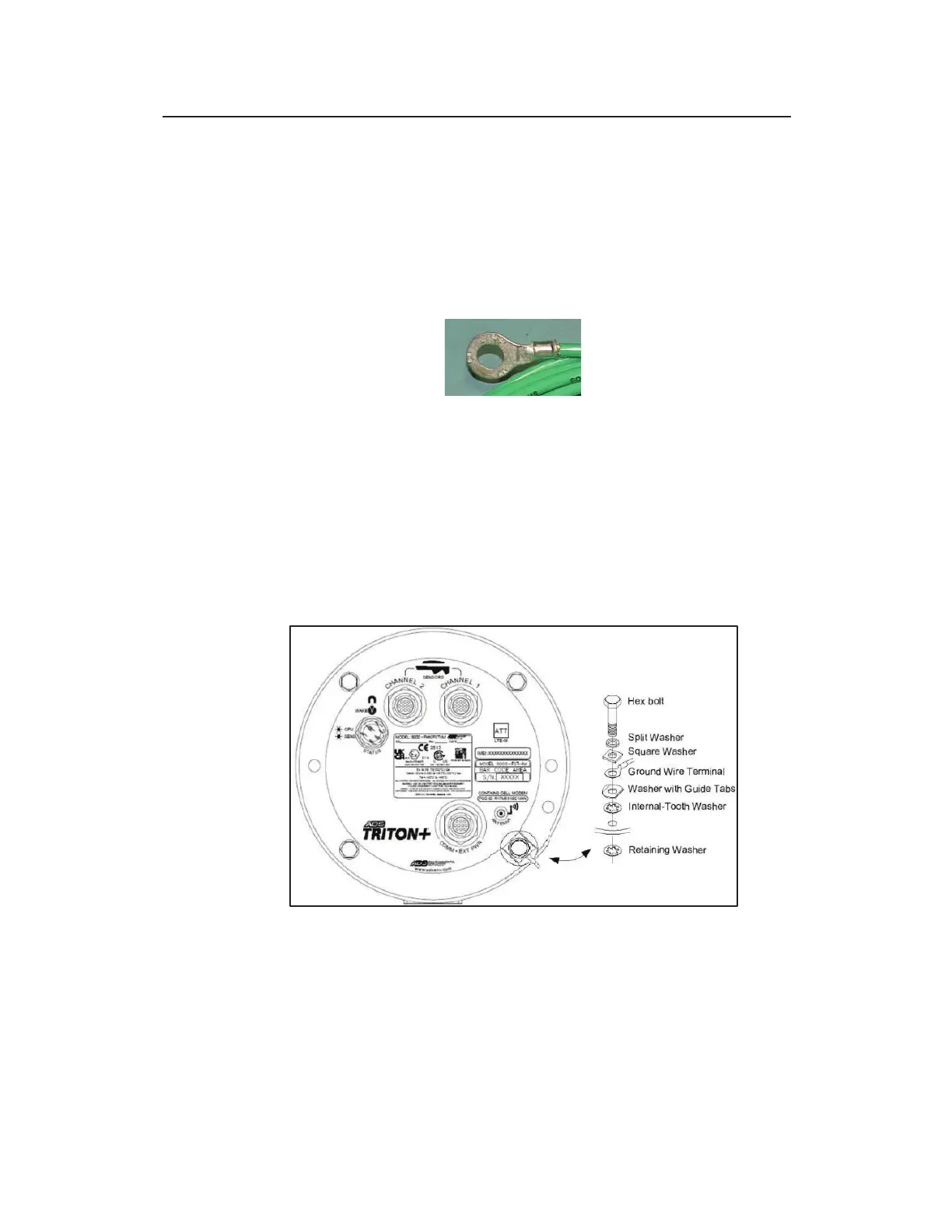
15. Slide the ring terminal from the ground wire onto the bolt (with
the crimp barrel on the ring terminal facing the head of the
bolt), and then slide the washer with the guide tabs and the
internal-tooth washer back onto the bolt. Make sure the ground
wire is exiting one of the sides of the washer that is not turned
up. The ring terminal should be seated flat against the washer
with the guide tabs.
Ground wire ring terminal from ground cable
16. Slide the new retaining washer (from the external power
grounding kit) in between the monitor top and the canister,
positioning it so that it is properly aligned with the bolt hole.
17. Insert the bolt with the stacked washers and ring terminal back
through both the hole in the monitor top and the new retaining
washer back until it contacts the threads in the hole on top of
the canister.
Bolt with ring terminal and washers inserted through monitor top and secured
with the retaining washer
18. Tighten the bolt to approximately 30 inch-pounds (2.50 foot-
pounds/ 3.39 Nm) to fully secure the ground connection facility
and the ground wire, as well as the top to the canister.



 To Next Page