10-4 ADS TRITON+ Manual
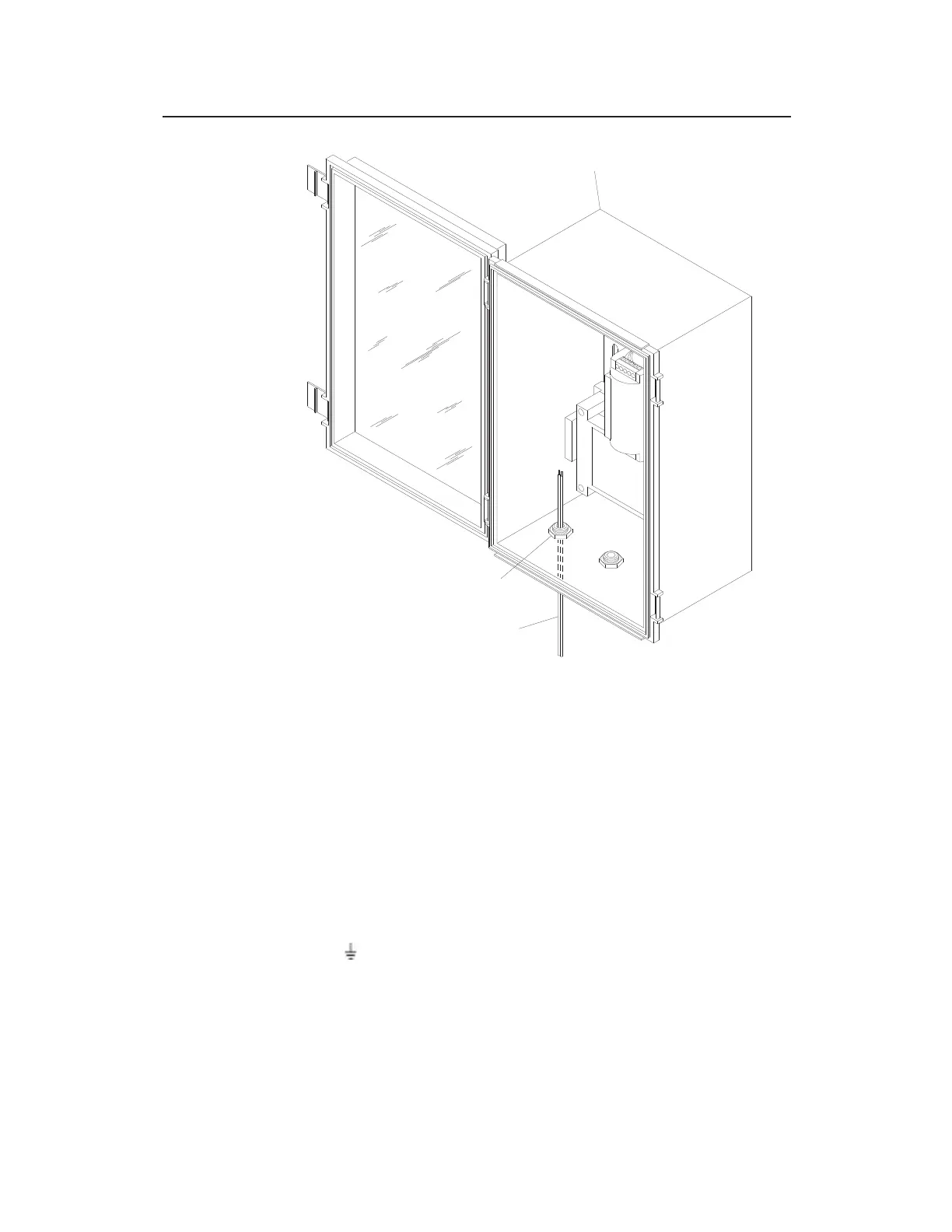
Running RS-485 cable through left cable gland in XBUS
3. Loosen the screws on the terminal connector.
4. Make sure the wires from the cable are stripped and separated.
5. Insert the negative wire (D-) from the cable into the negative
(-) terminal on the connector (refer to the label adjacent to the
port) and tighten the terminal screw.
6. Insert the positive wire (D+) from the cable into the positive
(+) terminal on the connector and tighten the terminal screw.
7. Insert the ground wire (GND/SHL) from the cable into the
ground ( ) terminal on the connector and tighten the terminal
screw.
XBUS
CABLE GLAND
RS-485 CABLE



 To Next Page