AIMB-584 User Manual 14
2.1 Introduction
You can access most of the connectors from the top of the board as it is being
installed in the chassis. If you have a number of cards installed or have a packed
chassis, you may need to partially remove the card to make all the connections.
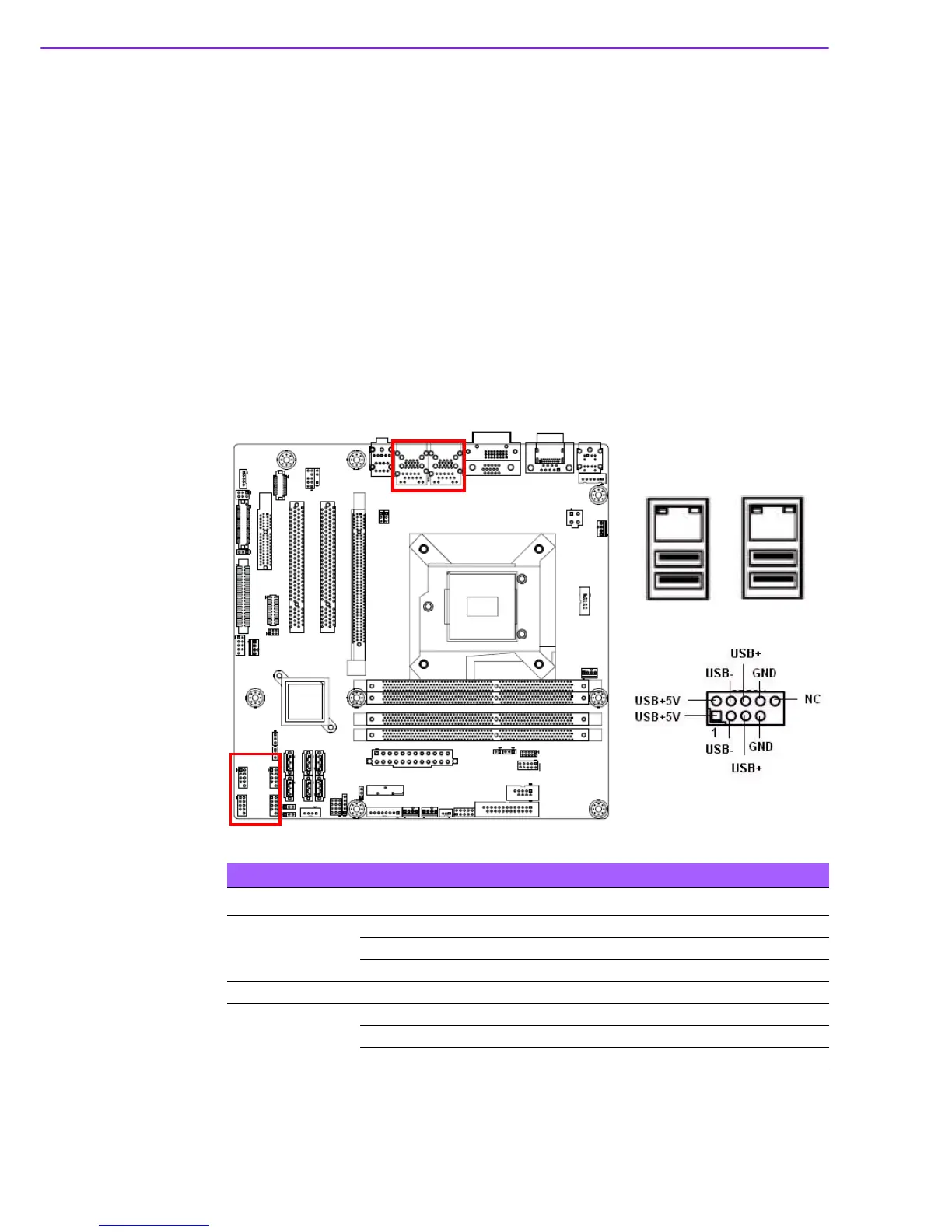
2.2 USB Ports (LAN1_USB01/LAN2_USB23/USB45/
USB89/USB1011/USB1213)
The AIMB-584 provides up to 12 USB ports. The USB interface complies with USB
Specification Rev 2.0 supporting transmission rates up to 480 Mbps and Rev 3.0 sup-
porting transmission rate up to 5 Gbps and is fuse protected. The USB interface can
be disabled in the system BIOS setup.
The AIMB-584 is equipped with two high-performance 1000 Mbps Ethernet LAN
adapters, both of which are supported by all major network operating systems. The
RJ-45 jacks on the rear panel provides convenient LAN connection.
Table 2.1: LAN LED Indicator
LAN Mode LAN Indicator
LAN1 indicator
LED1 (Right) off for mal-link; Link (On) / Active (Flash)
LED2 (Left) 100 Mbps (On) / 10 Mbps (Off)
LED2 (Left) 1000 Mbps (On)
LAN2 indicator
LED1 (Right) off for mal-link; Link (On) / Active (Flash)
LED2 (Left) 100 Mbps (On) / 10 Mbps (Off)
LED2 (Left) 1000 Mbps (On)













 To Next Page