17 AIMB-584 User Manual
Chapter 2 Connecting Peripherals
2.5 Serial Ports (COM1~COM6)
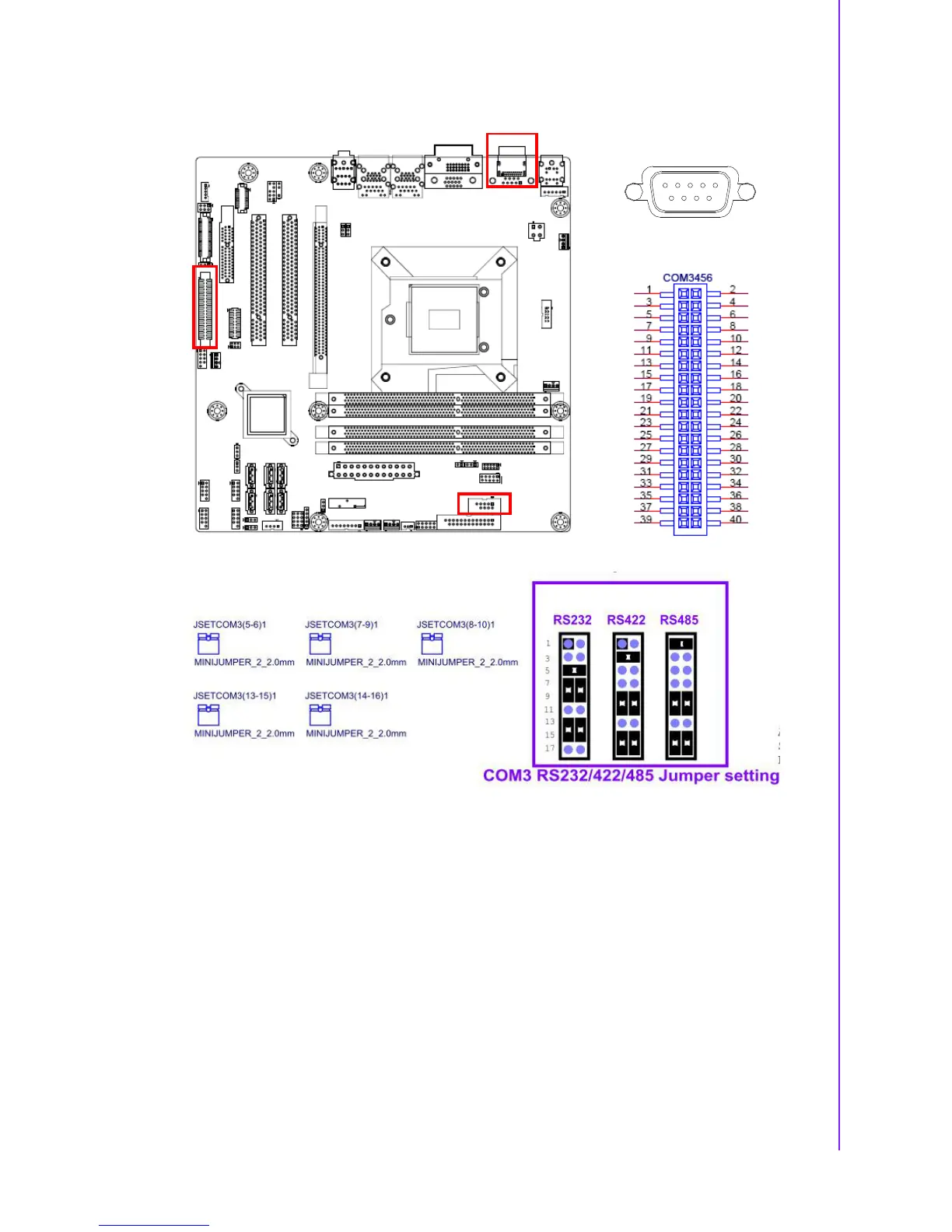
AIMB-584 supports six serial ports. COM1, COM2, COM4-6 supports RS-232. COM3
supports RS-232/422/485 (with 5V/12V power). JSETCOM3 is used to select the RS-
232/422/485 mode for COM3.
These ports can connect to serial devices, such as a mouse or a printer, or to a com-
munications network.
The IRQ and address ranges for both ports are fixed. However, if you want to disable
the port or change these parameters later, you can do this in the system BIOS setup.
Different devices implement the RS-232 standards in different ways. If you have
problems with a serial device, be sure to check the pin assignments for the connec-
tor.













 To Next Page