AES 7707 RF Subscriber 27
Part No. 40-7707 Rev. 3a 10/23/2017
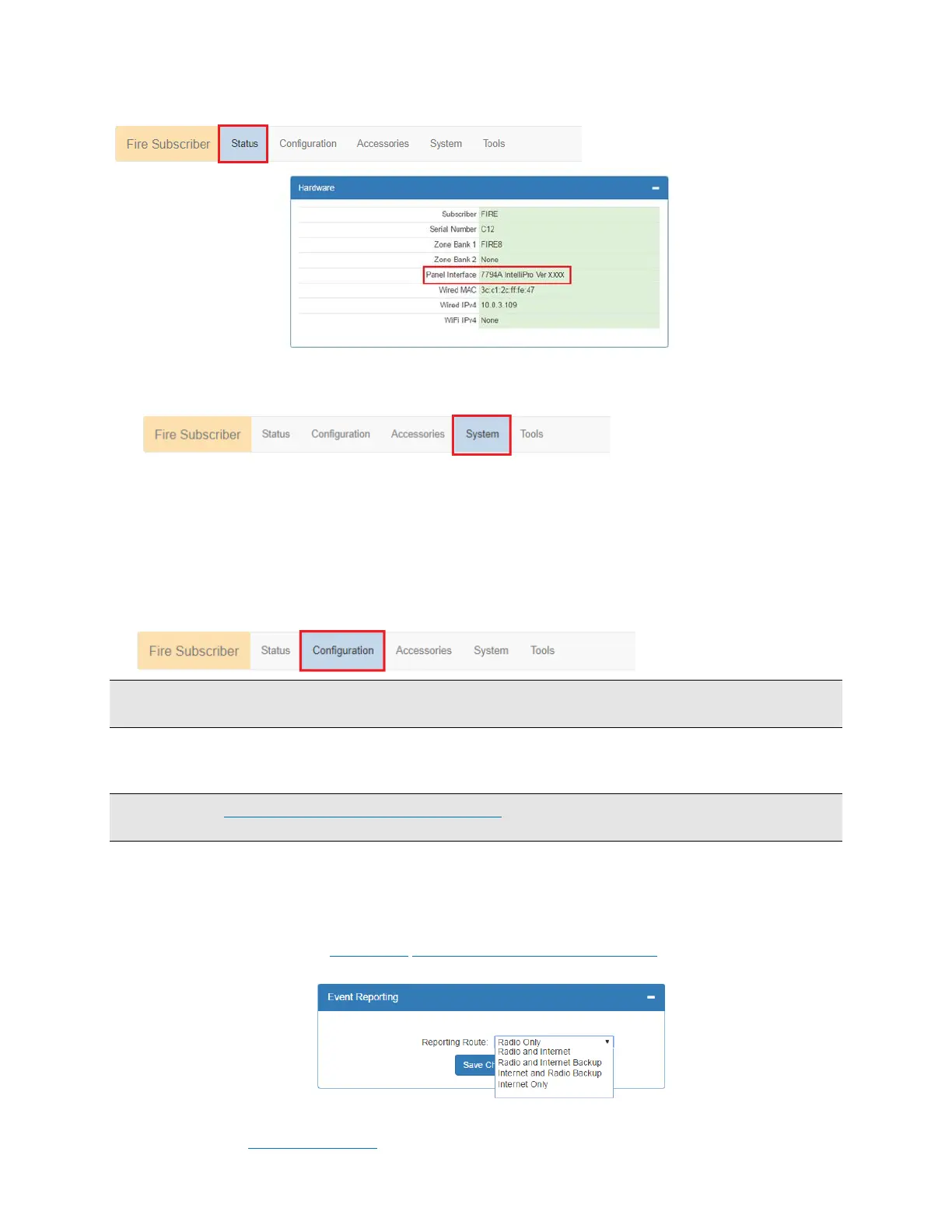
The 7794A IntelliPro software version (when installed) is visible in the Status tab window under Hardware.
8.7 Change Login Password
1. Select the System tab as shown highlighted in red below:
2. Place the cursor in the Current Password text box, then type the current password.
3. In the New Password text box, type the new password. Type the new password again into the Confirm box
and click Change Password.
8.8 Subscriber Configuration
Subscriber ID
Subscriber ID and is set in the Configuration tab.
1. Select the Configuration tab shown highlighted in the following figure:
Note: Remote programming of ID and Cipher Code is not possible. The ID number entered must be unique from
any other ID number in the system.
2. Change the Sub ID by entering a 4 character hex (0-9 and A-F) identification number. Valid values are
0001 to FFFF.
Important! See Programming Options (UL Notice to Users) which starts on page 23 for software settings
permitted for the following parameters.
Event Reporting Route
1. From the main menu, click the Configuration tab.
2. In the Event Reporting panel click the Reporting Route dropdown and select the path for the subscriber
to communicate. Refer to Section 7.3 System Communication Configuration for diagrams showing each
Reporting Route selection.
Complete the configuration using the links shown below for the Event Reporting path selected for the Subscriber:
Radio Only: Radio Configuration (refer also to the AES Mesh Radio Network diagram on page 20)


 To Next Page