AES 7707 RF Subscriber 37
Part No. 40-7707 Rev. 3a 10/23/2017
3. Click the Save Change button.
4. Click Update.
8.18 Subscriber Status Check
General
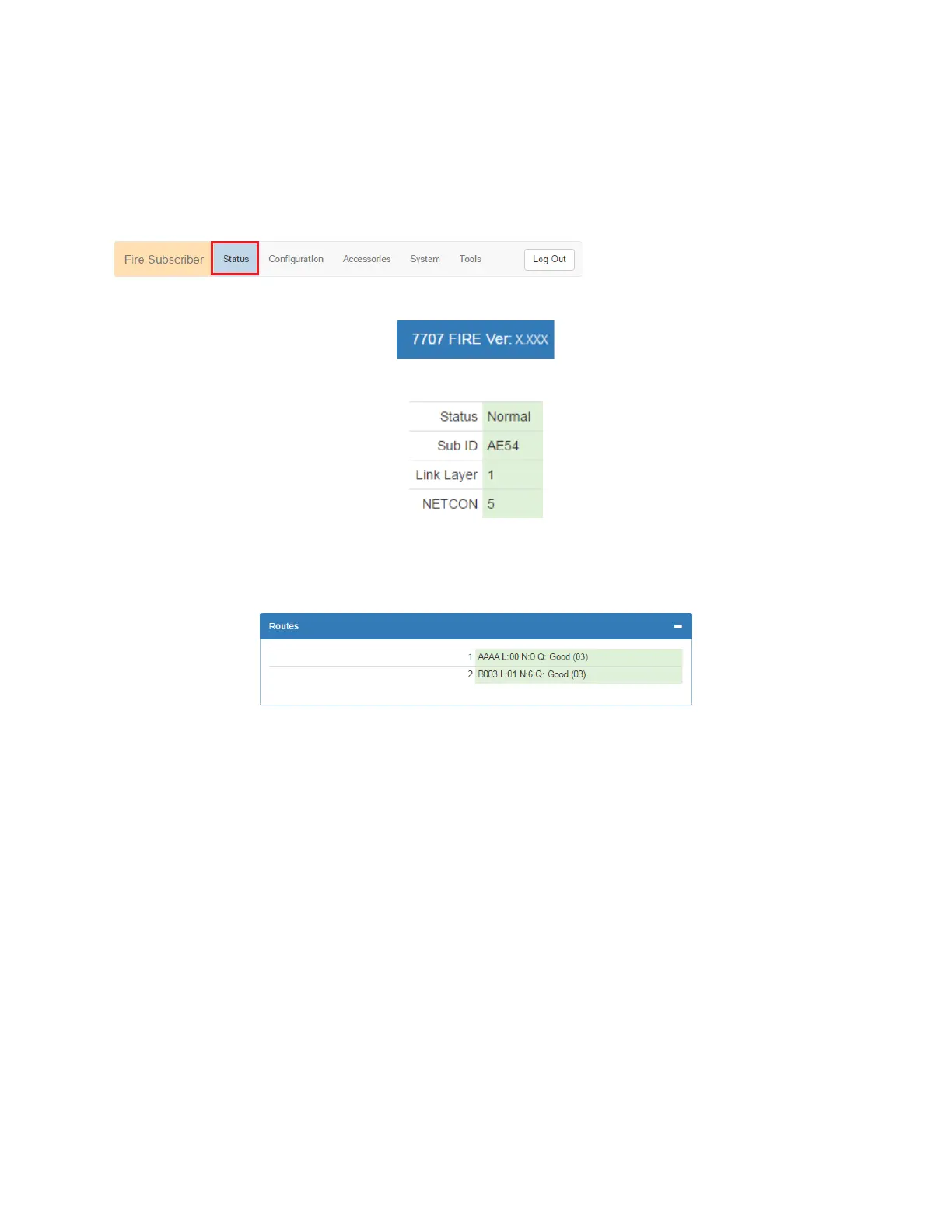
Information about the Model 7707 Subscriber is shown in the Status panel. The Subscriber model, firmware
version, and status can be viewed by selecting the Status tab as shown in red below:
The Subscriber model number and software version are displayed:
The Status page shows any faults, as well as the unit (subscriber) RF ID, Link Layer, and NetCon values:
Faults are displayed below the status panel.
Routing Table
The Subscriber routing table is displayed in the Routes panel as shown below. Up to eight routes may be included:
Hardware
Information about the Subscriber type, serial number, zone input configuration, alarm panel type, and IP addresses
are shown in the Hardware panel.
Model type – The Model 7707, a Fire Subscriber, displays as type FIRE.
Serial Number – A unique serial number is assigned to each Model 7707 Subscriber at the factory.
Zone Bank details – A zone bank can have a zone input card connected, or it may be empty depending on
how the Model 7707 is configured. When no zone input card is present, the zone bank displays None.
Panel Interface – 7794A IntelliPro
Wired MAC/Wired IPv4 – The Media Access Control (MAC) address (which is the physical address) is a
unique network identifier assigned to the Model 7707 Subscriber.
WiFi IPv4 – The address of a USB WiFi adapter (optional, supplied by others) used for wireless
connection to the Subscriber during configuration is shown.
8.19 Tools
The Tools tab provides access to the following:
Text Messages
Alarm History
RF Traffic
IP Traffic
RF Antenna Test


 To Next Page