AES 7707 RF Subscriber 38
Part No. 40-7707 Rev. 3a 10/23/2017
Ping
System Activity Log
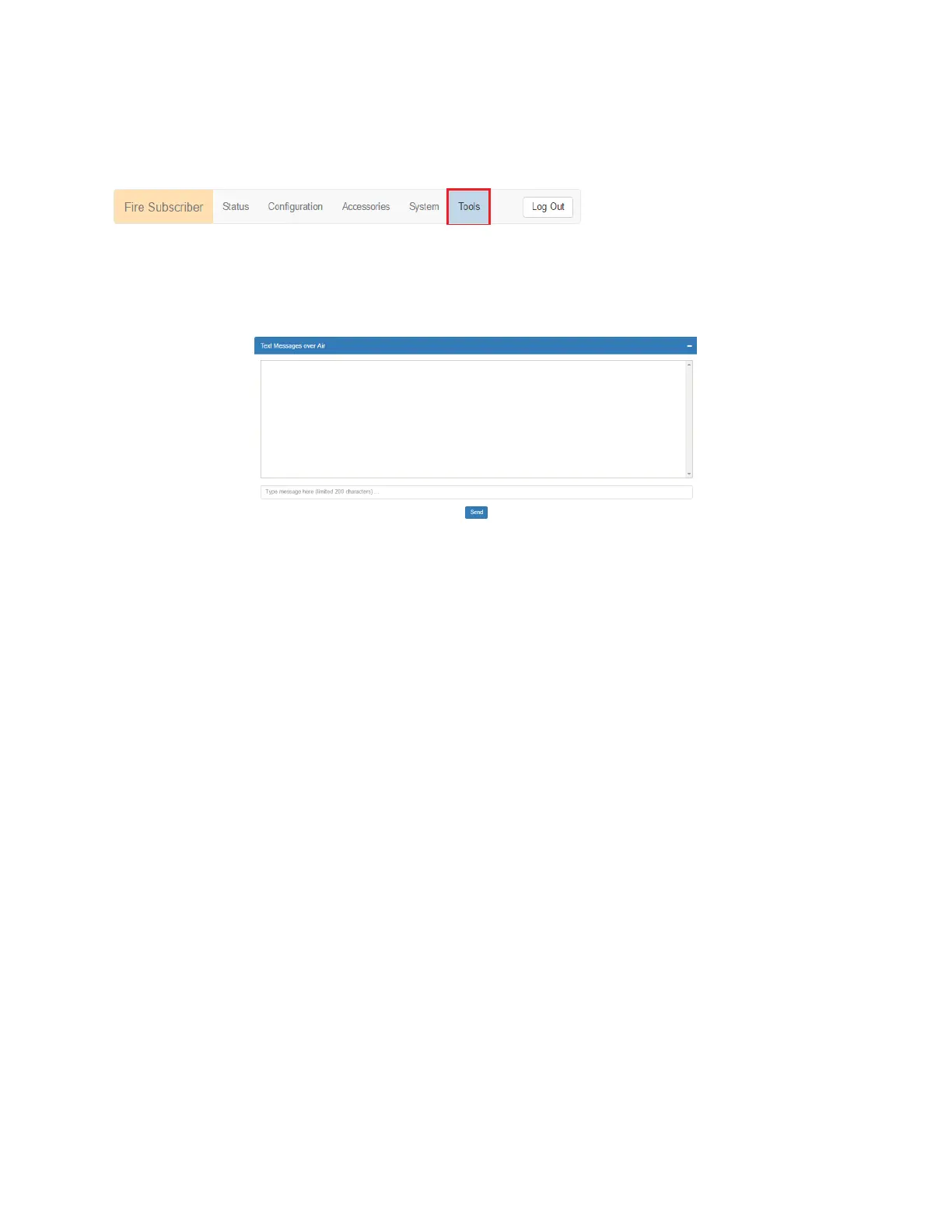
To access these features, select the Tools tab as shown in red below:
Text Message
A text message can be sent from the 7707 Subscriber to the central monitoring station. Messages from the central
station can also be received.
In the Text Messages panel, use the message line at the bottom of the panel to enter the message. Messages have a
200-character limit. Click the Send button to transmit the message.
Alarm History
Messages sent from the Model 7707 Subscriber, or the alarm panel connected to the Model 7707 Subscriber, are
displayed in the Alarm History user interface panel.
RF Traffic
Receive and transmit traffic to/from the Subscriber can be viewed using the RF Traffic panel. Traffic from other
subscribers can also be viewed.
IP Traffic
Messages that are sent to and from the Subscriber, and which are used for debugging purposes, are displayed in the
IP Traffic panel.
RF Antenna Test
The RF Antenna Test turns the transceiver transmitter on for approximately 5 seconds and allows use of RF test
equipment, such as a SWR meter or power meter. This function allows you to check transceiver RF power output,
coaxial cable connections, antenna tuning, and other parameters.
Ping
The ping utility checks network connectivity of the Subscriber. Enter a network address on the form line and click
Submit to verify the connection.
System Activity Log
The System Activity Log shows 7707 subscriber information used diagnostic purposes.
8.20 IP Configuration
The IP address of the Subscriber is set in the Configuration tab under the Advanced Conf. Fixed (static) or
automatically assigned (DHCP) addresses may be used. DHCP addressing is the default setting.
Select the IP Configuration tab.
IP Address – DHCP
The Subscriber is set to Dynamic Host Configuration Protocol (DHCP) by default. An address is automatically
obtained when the Subscriber is connected to a network, or if already connected, when the Subscriber is powered on.
IP Address – Static
When Static is selected, the form expands to show:


 To Next Page