AES 7707 RF Subscriber 34
Part No. 40-7707 Rev. 3a 10/23/2017
returning the System Status display screen.
Unit ID and Serial Number
Note: The Subscriber ID can be viewed but cannot be set through the System Messages display. Use the
configuration web page to change the Subscriber ID.
Link Layer and NetCon
Press the MENU button once to advance to the Local Status Check screen, where Subscriber Link Layer and
NetCon values are displayed.
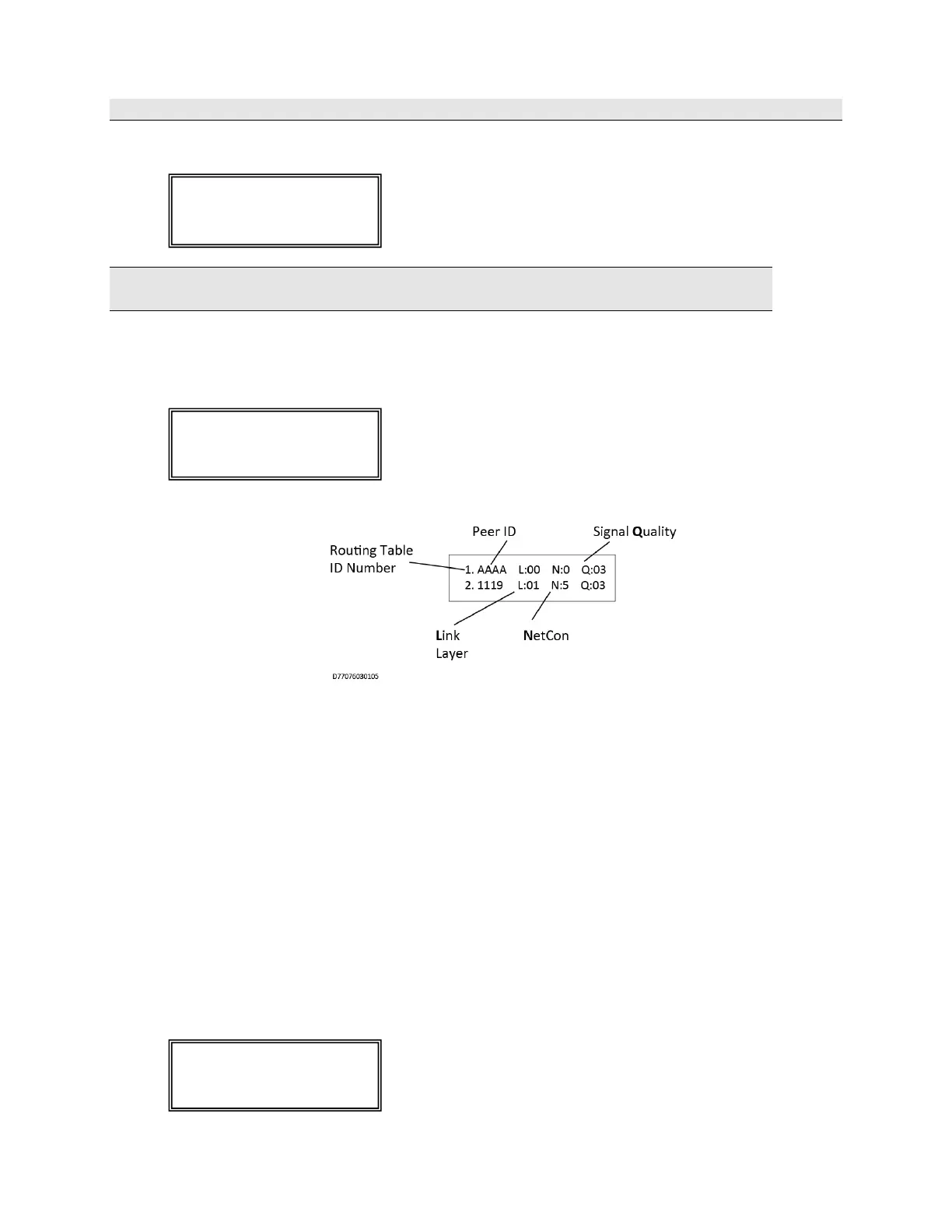
Press the MENU button once to advance to the Routing Table Display screen:
A total of four display screens are available to show the routing table. Up to eight peers, subscribers, or IP
Links may be listed in the table. Each screen displays two subscribers. The total number of display screens
will vary depending on the total number of peers listed (a number from 1 to 8). Press the MENU button
once to advance to the next routing table screen.
Routing Table ID#: A routing table lists up to eight other subscribers ID#'s or IP Links in a table. The
purpose of the list is to select a peer for passing off data packets. The table is sorted with the best quality
Subscriber placed at preference location 1. Quality is a measure of the neighbor Subscriber's ability to pass
data packets.
L: Link Layer as reported by last transmission from the peer ID# shown.
N: NetCon (NETwork CONnectivity) – An internal rating used in the automatic positioning of this
unit in the network. A NetCon value of 5 is required for a subscriber that is compliant with UL-864,
10th Edition.
Q: Signal Quality – The first digit is either an 8 or a 0 (zero). The second digit is a measure of how
old the data is (a 3 is assigned to the newest data; a 1 is assigned to older data). Routing preference is
given to strong, recently heard subscribers (03) versus weaker subscribers heard a long time ago (81).
Route Table


 To Next Page