AES 7707 RF Subscriber 43
Part No. 40-7707 Rev. 3a 10/23/2017
be grayed out in the interface. The two options cannot be changed.
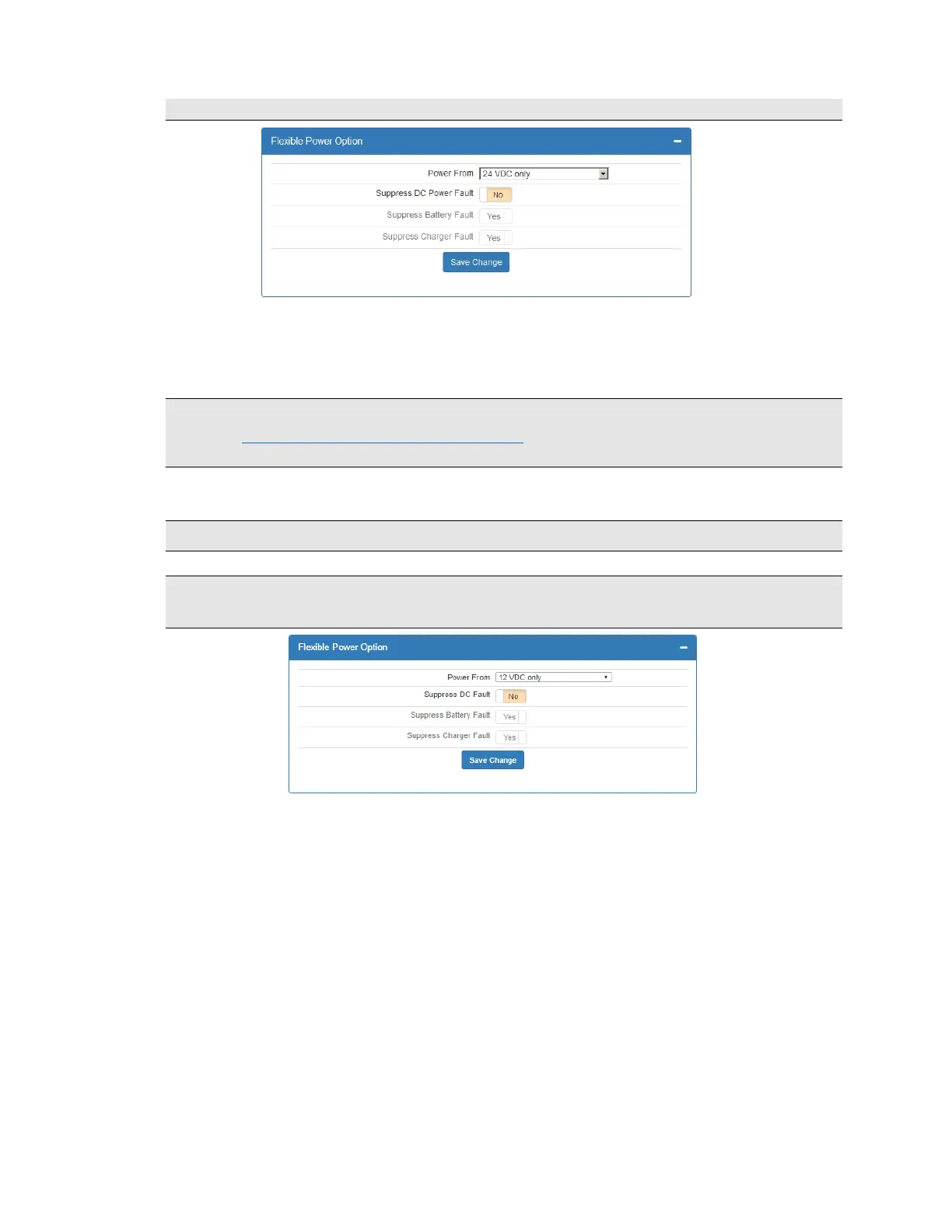
Suppress DC Power Fault
Important! UL-864 compliant Fire Alarm installations require Suppress DC Power Fault to be set to
No. See the Programming Options (UL Notice to Users) which starts on page 23 for software settings
permitted for the following parameter.
Set Suppress DC Power Fault to Yes/No by clicking the Suppress DC Power Fault switch.
Power From: 12 V DC Only
Important! 12 V DC Only setting is not allowed for UL-864 compliant fire alarm installations.
Note: Selecting the 12 V DC only option causes Suppress Battery Fault and Suppress
Charger Fault to be grayed out in the interface. The two options cannot be changed.
11. Reporting
11.1 AES Mesh Network
The 7707 Subscriber can eliminate the need for POTS telephone lines by communicating with the 7705i MultiNet
using the AES mesh radio network.
11.2 Compatible Receiver
The 7707 Subscriber is compatible with the AES Corp. Model 7705i MultiNet Receiver.
12. Testing
Some of the tests to be performed at the installation site require a response from a person at the central station:
Trigger alarm conditions: Confirm that the proper message is received at the Central Station.
Cause fault conditions: Confirm that the proper message is received at the Central Station.
If any 7794A IntelliPro is installed, activate the alarm panel connected to the 7794A and confirm
that the 7794A handles alarm panel messages.


 To Next Page