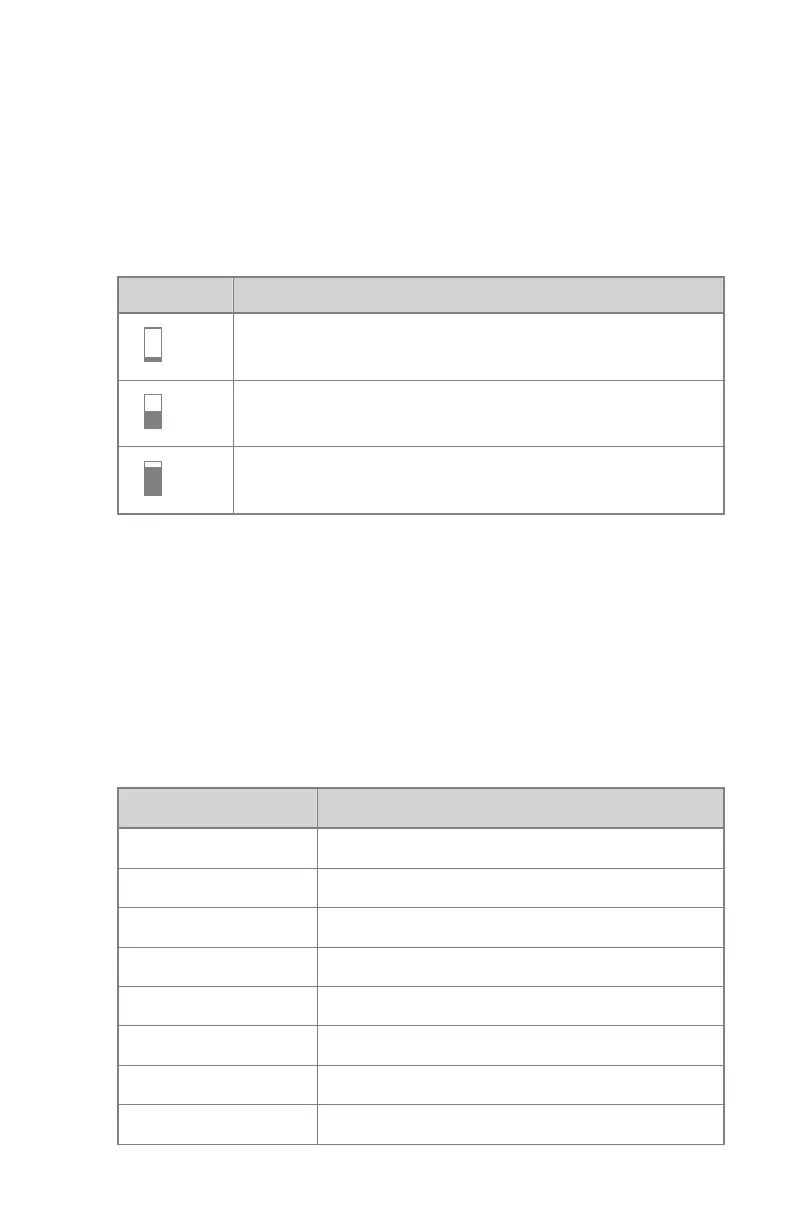
Dose
Each of these buttons allows adjustment of the AEC cut-off dose (low dose,
middle dose and high dose), depending on configuration at installation time
and on the selected patient age group. Each time a button is selected
(highlighted), the others are automatically deselected.
Table 21: Automatic filter
Dose
low dose
middle dose
high dose
Density
These buttons are used to adjust the AEC cut-off dose (and patient entrance
dose accordingly).
Density can be increased and decreased in a range of -4 to +4. Each step is a
change of one exposure step. An exposure step is a change of approximately
-20% or +25% in dose. When disabled, the density range number appears in
black.
Table 22: Dose variation compared to reference dose
Density
Dose
-4 0.41
-3 0.51
-2 0.64
-1 0.80
0 1 (reference dose)
+1 1.25
+2 1.56
+3 1.95
116 | Valory (system with floor mounted column) | Software Console
0426A EN 20220804 1858



 To Next Page