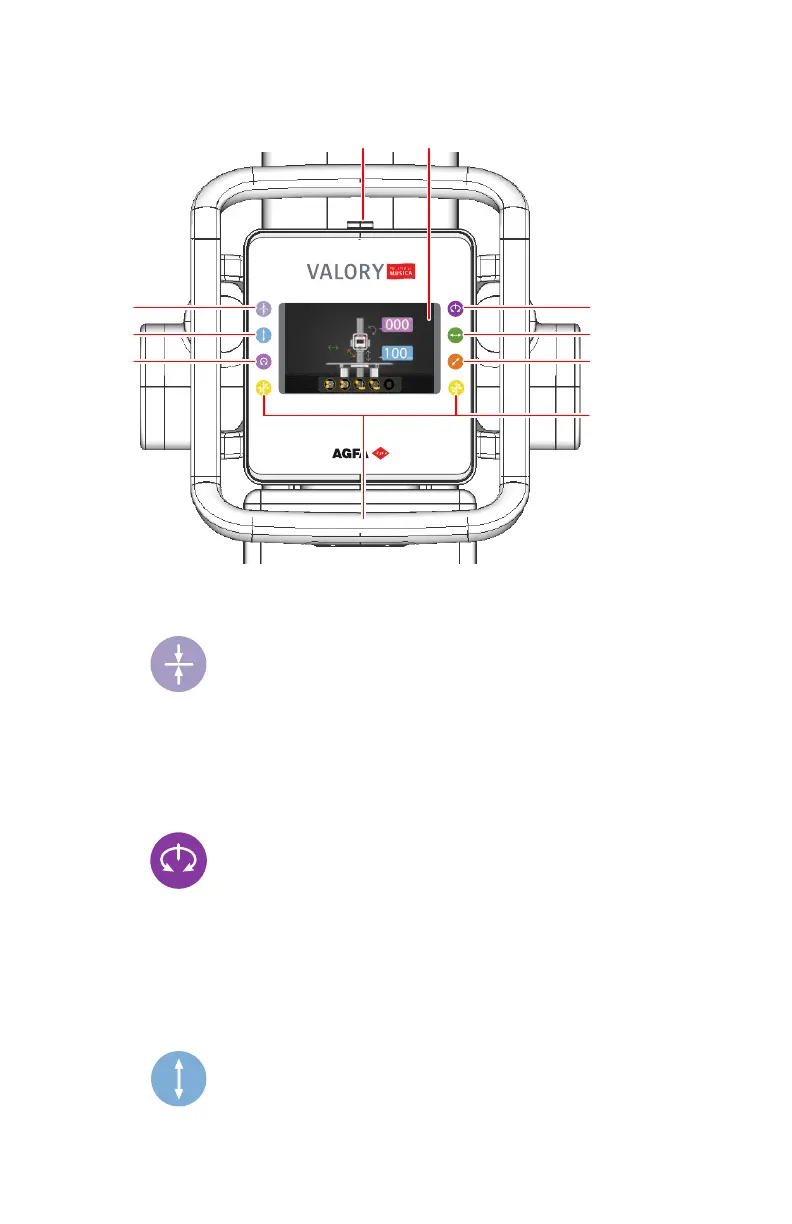
X-ray tube head unit
1.
Emergency stop button
2.
Tube head display showing positioning parameters and status information.
3.
Figure 6: Position tracking button
Activate/deactivate automatic centering and position tracking of the
radiographic table.
Enable/disable a stop position at the center of the radiographic wall stand.
4.
Figure 7: Beta rotation button
Release the brake for rotating the X-ray tube around a vertical axis (beta
rotation).
A stop position for centering on the radiographic wall stand is enabled if
the position tracking button has been pushed.
5.
Figure 8: Vertical movement button
20
| Valory (system with floor mounted column) | Introduction
0426A EN 20220804 1858



 To Next Page