274 1290 Infinity Quaternary Pump User Manual
13 LAN Configuration
Automatic configuration with Bootp
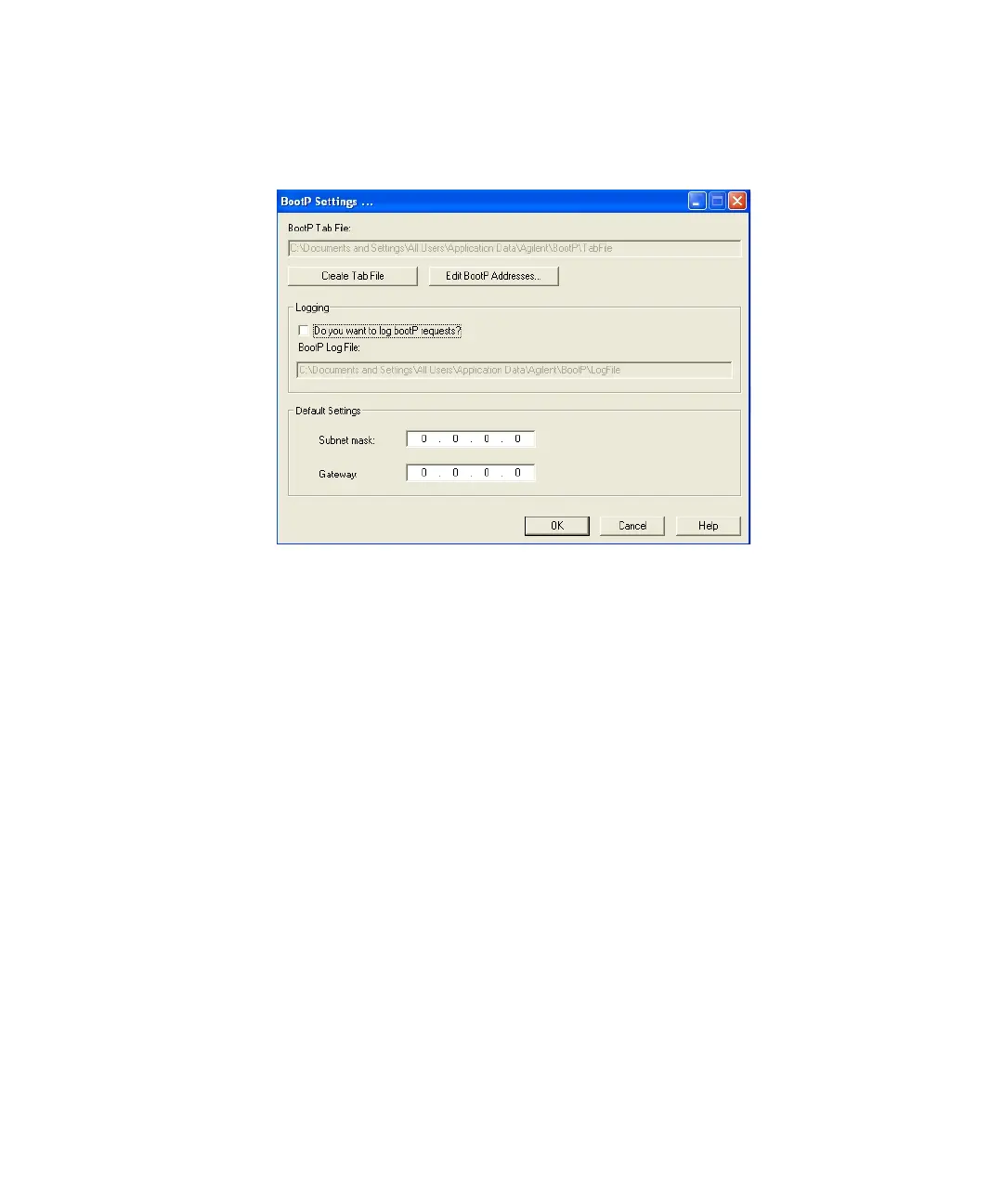
11 Files load; when finished, the BootP Settings screen appears.
Figure 45 BootP Settings screen
12 In the Default Settings part of the screen, if known, you can enter the
subnet mask and gateway.
Defaults can be used:
• The default subnet mask is 255.255.255.0
• The default gateway is 192.168.254.11
13 On the BootP Settings screen, click OK. The Agilent BootP Service Setup
screen indicates completion.
14 Click Finish to exit the Agilent BootP Service Setup screen.
15 Remove the DVD from the drive.
This completes installation.
16 Start BootP Service in the Windows® services: On the Windows®
desktop click right on Computer icon, select Manage > Services and
Applications > Services. Select the Agilent BootP Service and click Start.













 To Next Page