Replacing Assemblies 6
16900A, 16902A, and 16903A Service Guide 57
• “To remove and replace the CPU tray" on page 53
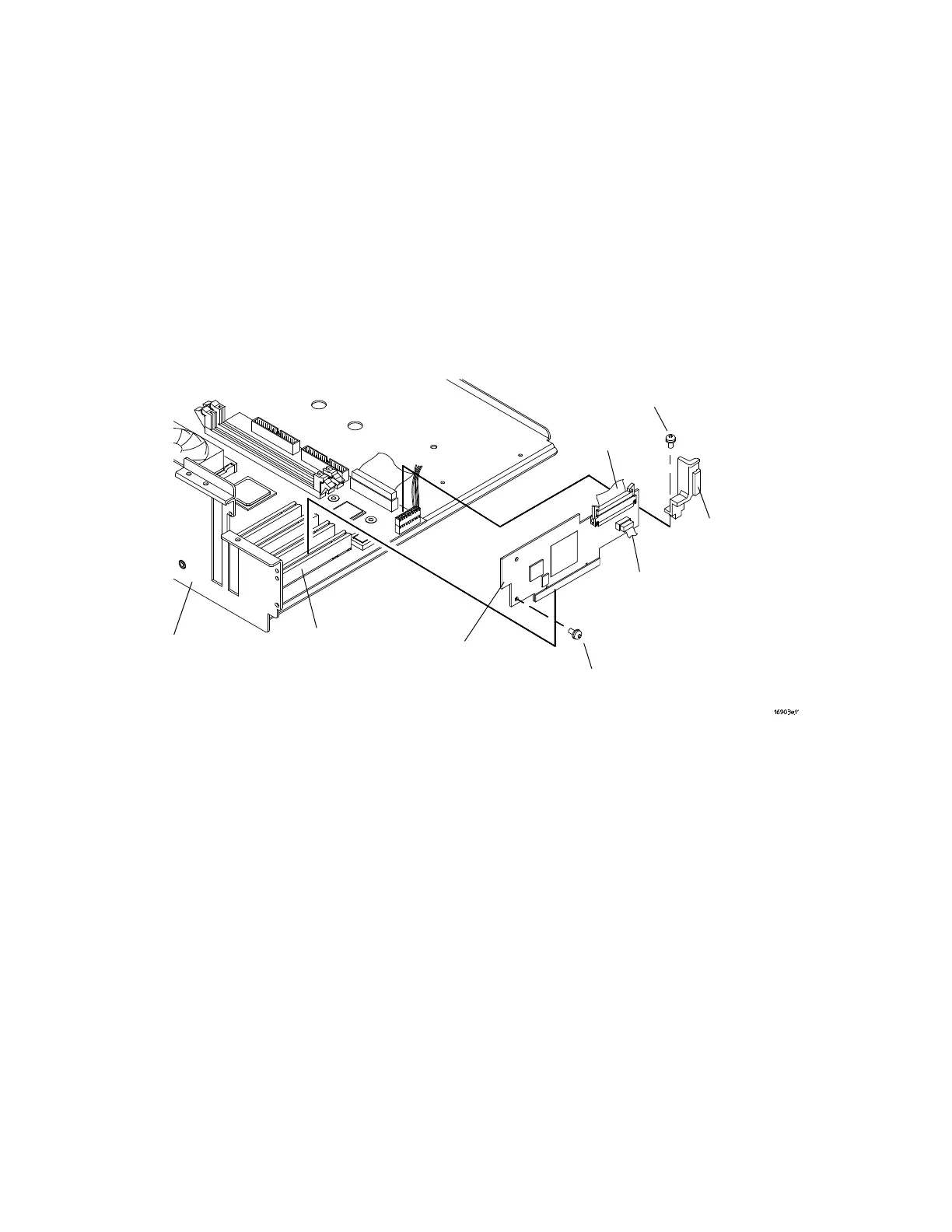
2 Using a Torx T10 screwdriver, remove the 2 screws that
secure the PCI board to the CPU tray.
3 Disconnect the CPU/touch screen cable and PCI cable.
4 Use a Torx T10 screwdriver to remove the PCI board
retainer
5 Pull the board up to disconnect it from the PCI socket on
the motherboard.
6 Reverse this procedure to install the PCI board.
T-10 Screws (2)
T-10 Screw
PCI Board
Retainer
16903A
CPU Tray
PCI Socket on
Motherboard
PCI Cable
Touch Screen
Cable
PCI Board







 To Next Page