17
MT- S
2.4GHZ FH4T RADIO SYSTEM USER'S GUIDE
Telemetry System with Sanwa Synchronized Link Support
PROGRAMMING MENU STRUCTURE OVERVIEW
GENERAL
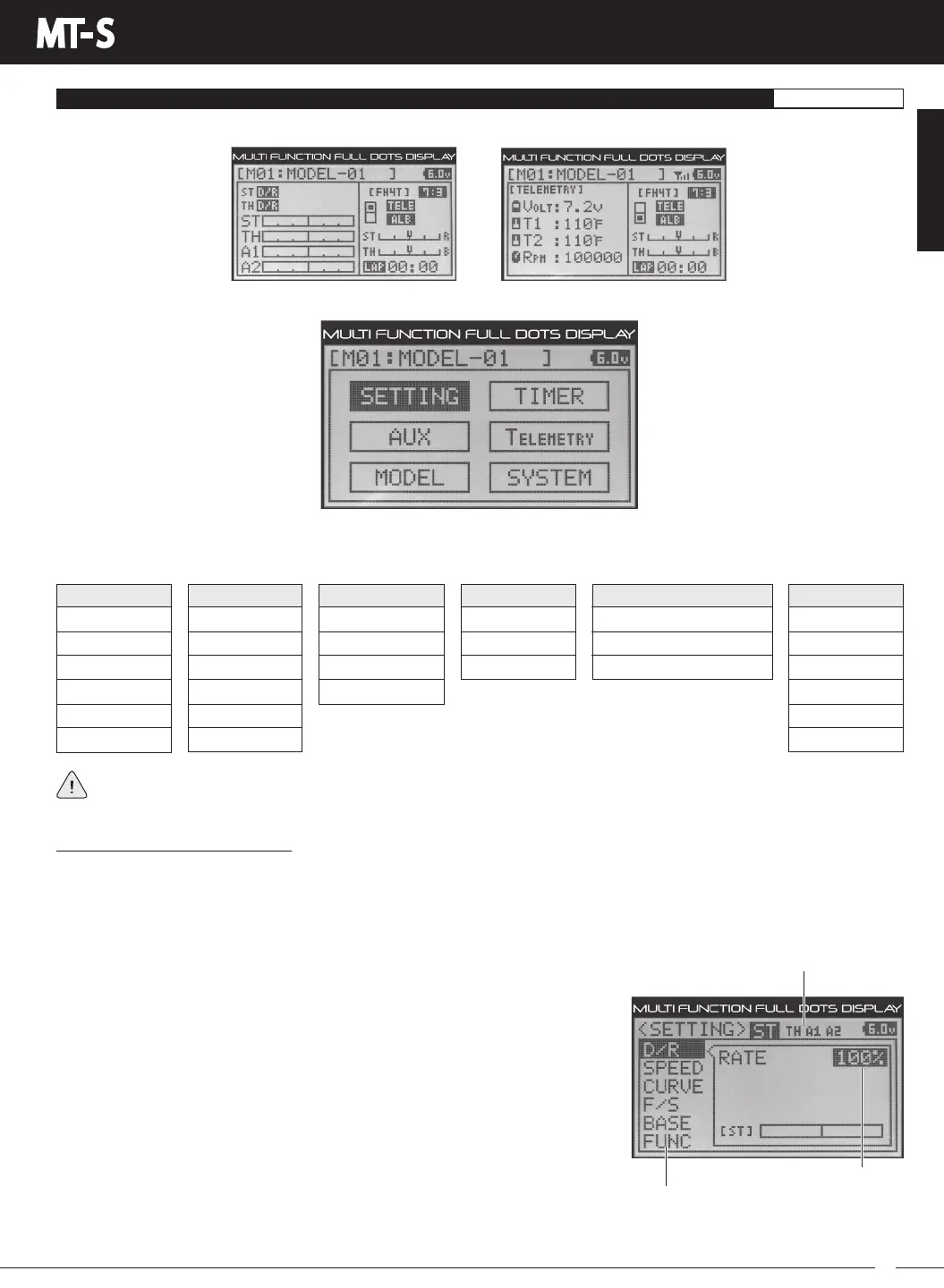
The MT-S features a PROGRAMMING screen that is accessed by pressing the ENTER key from either the STATUS screen or
theTELEMETRYscreen.
SETTING
D/R
SPEED
CURVE
F/S
BASE
FUNC
AUX
STEP
POINT
4WS
MOA
AUX MIX
CODE
MODEL
MODEL SELECT
MODEL NAME
MODELCOPY
MODEL CLEAR
TIMER
LAP
INT
DOWN
SYSTEM
BIND
KEYASSIGN
BUZZER
BATTERY
LCD
VR ADJUST
TELEMETRY
LOGGER
ALERT SETTING
TELEMETRYSETTING
Press ENTER Key
OR
The PROGRAMMING screen contains all of the MT-S's various Programming Menus, categorized into six different menus.
To access these menus, press the UP or DOWN keys to highlight the desired menu, then press ENTER key to open the
selected menu.
Some Programming Menus contain more sub-menus than those shown, and those sub-menus will vary depending
onthechannelselected.Forexample,TheFUNC>STmenucontainstheTRIMmenu,however,theFUNC>THmenu
containstheTRIMmenu,inadditiontoThrottle-specificprogramming,suchastheALB,OFFSETandTHTYPEmenus.
Navigating Programming Menus:
When you open a Programming Menu, the cursor will flash over the Channel/Options along the top of the Programming
Menu screen, which consists of either four channels (ST, TH, A1 and A2) or other options (CH, SET, etc.).
To Select the Desired Channel or Option - When the cursor is flashing over a channel or option, press the UP or DOWN
keys to highlight the desired channel or option you want to make programming changes to, then press the ENTER key to
select it. The cursor will stop flashing and the first Programming Value that can
be changed will be highlighted.
To Change Programming Values - After selecting the desired channel or
option, the cursor will stop flashing and the first Programming Value that can be
changed will be highlighted. Press the UP or DOWN keys to select the desired
Programming Value you want to change, then press the ENTER key. The cursor
will flash over the selected Programming Value. Press the UP or DOWN keys to
change the highlighted Programming Value.
To Select Another Channel or Option - At any time you want to select another
channel or option to make programming changes to, press the BACK key until
thecursorisflashingoveroneofthefourchannelsoroptions.Youcanthenpress
the UP or DOWN keys to highlight another channel or option, then press the
ENTER key to select it.
To Select Another Programming Menu - Press either the ENTER key or the
BACK key so that no cursor is flashing. Press the UP or DOWN keys to highlight
thedesiredProgrammingMenu,thenpresstheENTERkeytoopenit.Youcanthenselectthedesiredchanneloroptionand
change the desired Programming Value as described above.
GENERAL
Channel/Options
Programming Menus
Programming Values



 To Next Page