46
MT- S
2.4GHZ FH4T RADIO SYSTEM USER'S GUIDE
Telemetry System with Sanwa Synchronized Link Support
Section Continued on Next Page
LAP
INT
DOWN
PG. 46
PG. 48
PG. 49
MENU
PAGE #
MENU DESCRIPTION
Program the Lap Timer, Target Time and Goal Time
Program the Interval Timer and Goal Time
Program the Countdown Timer
The following Programming Menus are available within the TIMER menu:
To access the various TIMER menu Programming Menus, turn the transmitter
ON, then press the ENTER key to open the PROGRAMMING screen.
Press the UP or DOWN keys to highlight the TIMER menu, then press the ENTER
key to open the TIMER menu.
TIMER MENU OVERVIEW TIMER
LAP MENU
LAP TIMER
TIMER
The Lap Timer function allows you to measure and record times for up to 99 Laps. The number of Laps completed is displayed
in the LAP menu, and when a Lap is completed, the Lap Time is displayed momentarily on the STATUS screen. An Alarm (Goal
Time) is featured that will sound when you reach your Goal Time and, if desired, the Interval Timer (Target Time) can be
programmed within the Lap Timer to alert you of your Target Time separately from your Goal Time.
Changing the Timer Type:
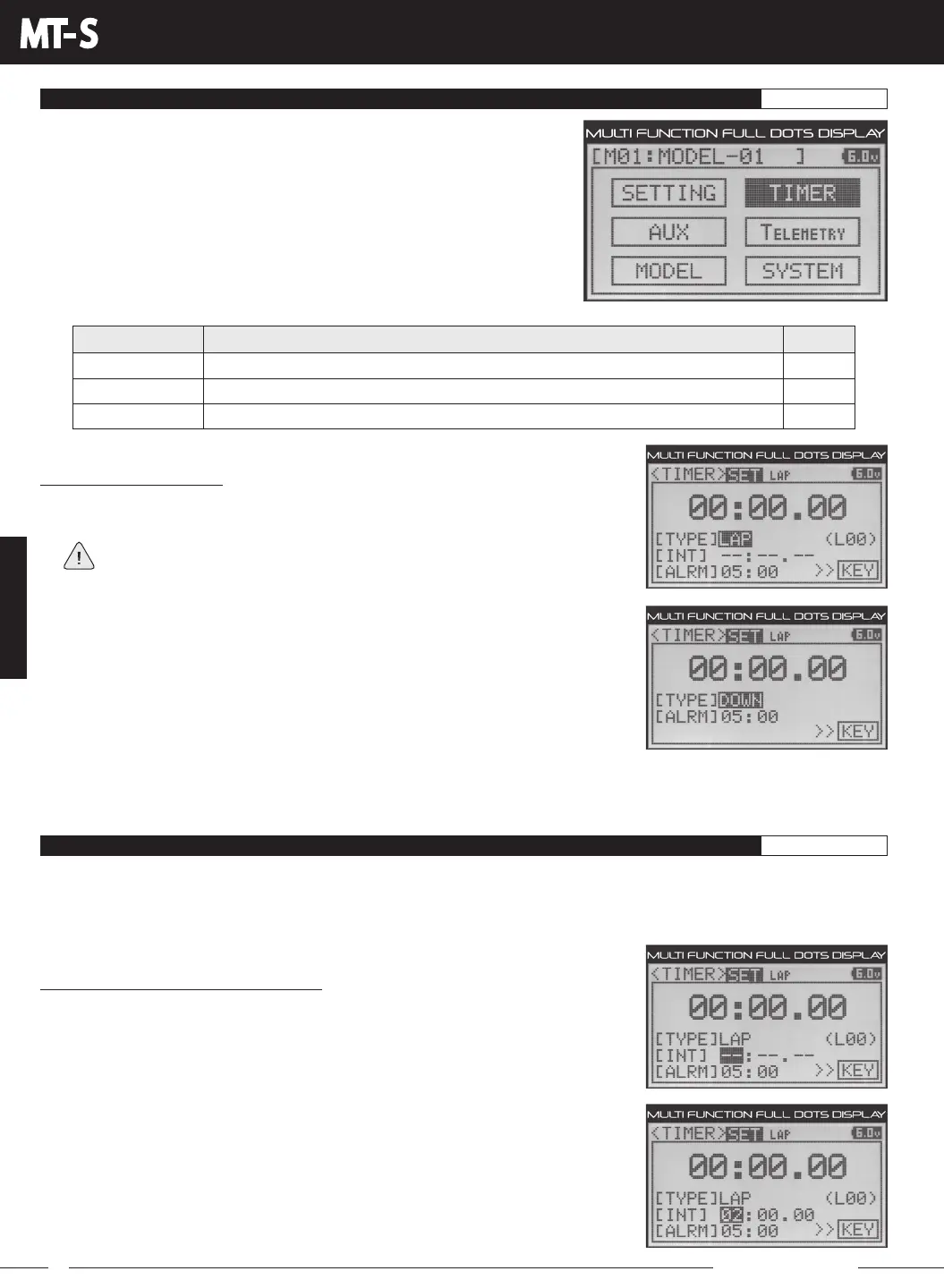
1) From within the TIMER menu, press the UP or DOWN keys to highlight the TIMER SET
option, then press the ENTER key to open the TIMER SET menu.
If the cursor isn't flashing over Channel/Options, press the BACK key.
2) PresstheUPorDOWNkeystohighlightTYPELAP.
3) Press the ENTER key, then press the UP or DOWN keys to choose the desired Timer
Type. Choose from LAP (Lap Timer), INT (Interval Timer) or DOWN (Countdown Timer).
To program the Lap Timer function, see the LAP Menu section below. To program the Interval Timer function, see the INT Menu
section on pages 48 and 49. To program the Countdown Timer function, see the DOWN Menu section on pages 49 and 50. To
learn how to view Lap Times, see the Viewing Lap Times section on page 50.
Setting the Interval Timer (Target Time):
1) FollowingthestepsintheChangingtheTimerTypesectionabove,choosetheTYPE
LAP option.
2) From within the TIMER menu, press the UP or DOWN keys to highlight INT --.
3) Press the ENTER key, then press the UP or DOWN keys to set the desired Interval
Timer Minutes value.



 To Next Page