26
MT- S
2.4GHZ FH4T RADIO SYSTEM USER'S GUIDE
Telemetry System with Sanwa Synchronized Link Support
Section Continued on Next Page
EPA MENU
[
End Point Adjustment
]
BASE MENU
SERVO REVERSING, SUBTRIM AND END POINT ADJUSTMENT
SETTING
End Point Adjustment percentage values should not be Increased to the point where
your linkages and servos bind when moved all the way to the Right or Left (or High or Low).
Binding will cause the servos to 'buzz', resulting in a quicker loss of receiver battery power
and eventual damage to the servos or to your model.
IMPORTANT: Before making End Point Adjustments, the servo horn needs to be centered. Install the servo horn onto the
servo, making sure it's as close to being centered as possible, then use the Servo Sub-Trim function to center the servo arm
exactly. For more information, see the SUB-T Menu section on the previous page.
Selecting the Menu and Channel:
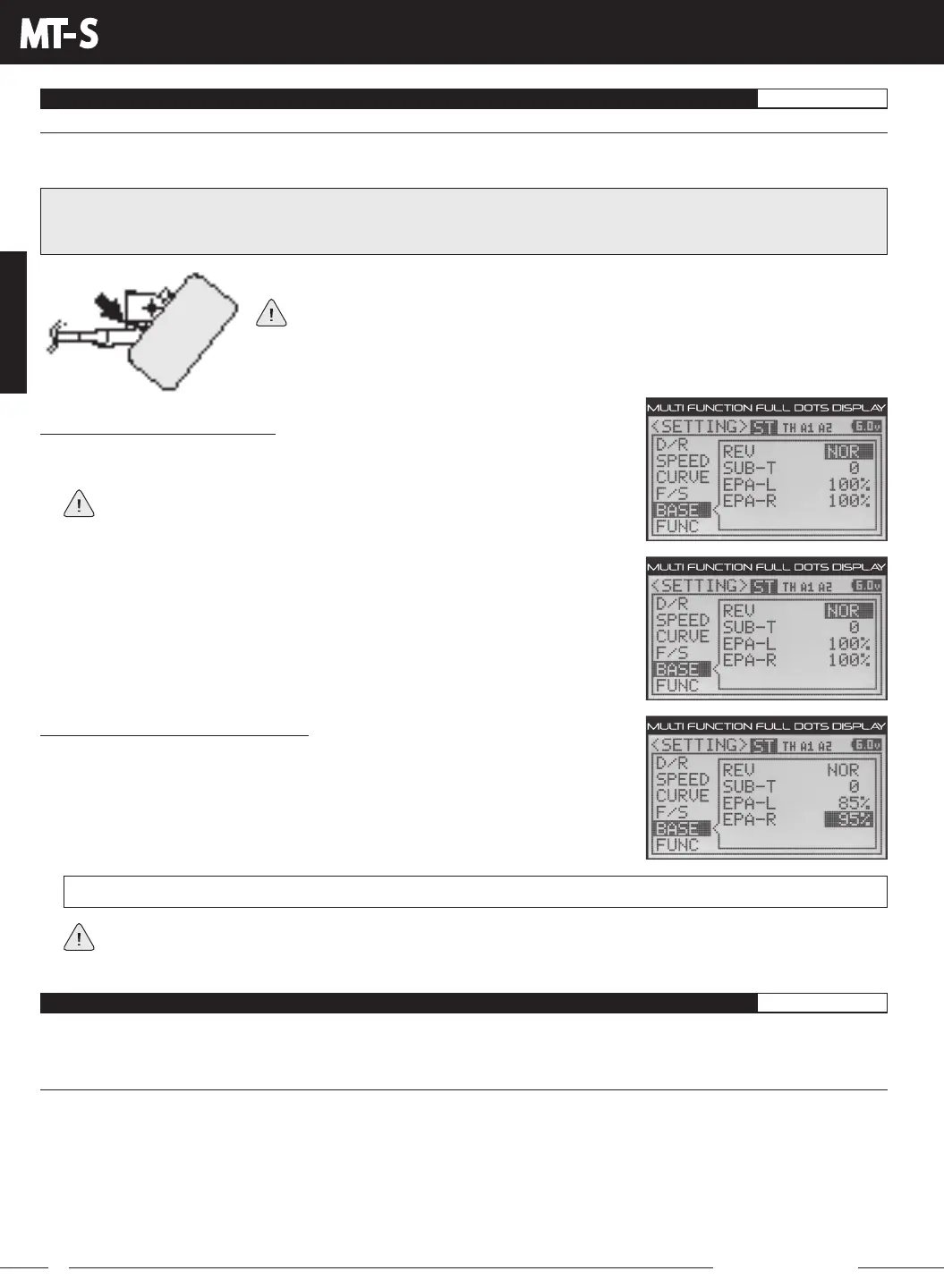
1) From within the SETTING menu, press the UP or DOWN keys to highlight the BASE
menu. BASE ST REV NOR will be highlighted.
If the cursor is flashing over Channel/Options, press the ENTER key to stop the
cursor flashing, then press the UP or DOWN keys to select the BASE menu.
Changing the EPA Percentage Values:
1) Press the DOWN key to highlight the EPA percentage value you want to
change.
2) Press the ENTER key, then press the UP or DOWN keys to Increase or Decrease the
End Point Adjustment percentage value. Increasing the percentage value will Increase
servo travel in that direction and Decreasing the percentage value will Decrease
servo travel in the that direction.
If you're using an ESC, the Throttle High and the Throttle Brake End Point Adjustment percentage values are both
generally set to 100%, although the Throttle High direction may need to be Increased to achieve full power. In some
cases, Throttle and Brake End Point Adjustments can also be set directly via the Electronic Speed Control.
BASE EPA setting range is 0% to 150%. The default setting for all channels is 100%.
FUNC MENU
TRIM, ANTILOCK BRAKE, THROTTLE OFFSET AND THROTTLE TYPE
SETTING
The FUNC menu contains Trim, Anti-Lock Brake, Throttle Offset and Throttle Type function programming in one convenient
Programming Menu.
TRIM MENU
[
Servo Trim
]
The Trim function allows you to view the current Trim value for each of the four channels and, if desired, allows you to change
the Trim values using the UP and DOWN keys from within the TRIM menu. For example, if you don't Assign Auxiliary 1 Trim to
a Trim Switch, you can still Trim the Auxiliary 1 channel from within the TRIM menu.
The MT-S features Digital Trim Memory. Any amount of Trim that you set during use using the Trim Switches or through the
TRIM menu is automatically stored in memory for that specific channel and for that specific model. The Trim values for the
selected model will automatically be loaded when the transmitter is turned ON.
Each time you move a Trim Switch a short audible Tone is heard. When the Trim value reaches 0 (Centered), a longer audible
Tone sounds. This indicates to you that the Trim is centered without the need to look at the transmitter.
The End Point Adjustment function can be adjusted for the Steering channel (Right and Left), the Throttle channel (High and
Brake), the Auxiliary 1 channel (High and Low) and the Auxiliary 2 channel (High and Low).
2) Press the BACK key so that the cursor is flashing over Channel/Options.
3) Press the UP or DOWN keys to highlight the desired channel you would like to
change the EPA value for, then press the ENTER key.



 To Next Page