24
MT- S
2.4GHZ FH4T RADIO SYSTEM USER'S GUIDE
Telemetry System with Sanwa Synchronized Link Support
F
/
S MENU
FAIL SAFE
SETTING
Setting the Receiver Battery Voltage Fail Safe Function, Continued:
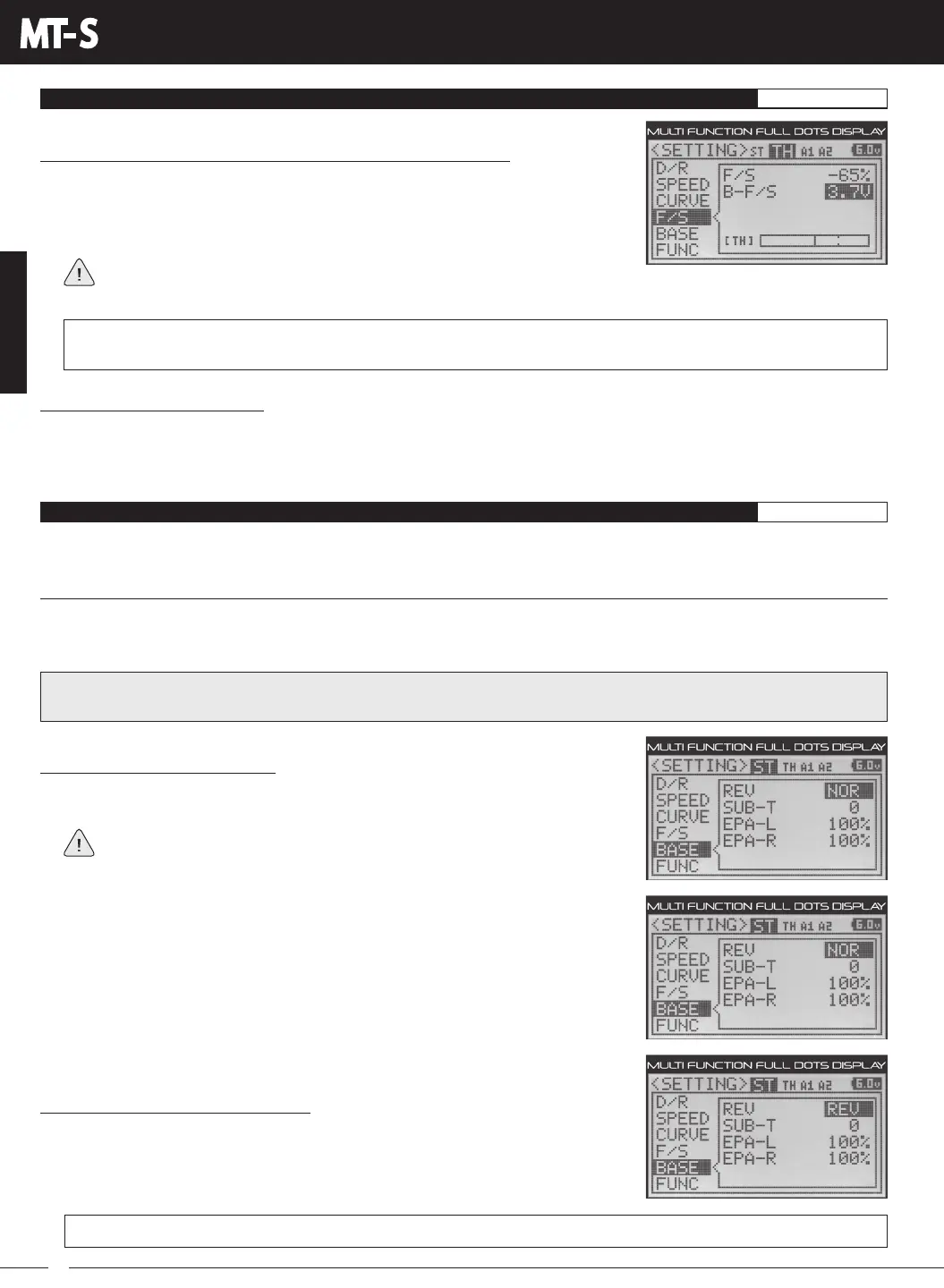
3) Press the ENTER key, then press the UP or DOWN keys to choose the desired
Receiver Battery Fail Safe Voltage value. Many factors, such as the current draw of
your servos and how many servos you're using, etc., will determine what value to use.
A good starting point would be 3.7V.
F/S B-F/S setting range for FH4T receivers is OFF and 3.5V to 7.4V. F/S B-F/S setting range for FH3 receivers is OFF and
3.5V to 5.0V. The default setting is OFF regardless of the Modulation Type chosen.
BASE MENU
SERVO REVERSING, SUBTRIM AND END POINT ADJUSTMENT
SETTING
The BASE menu contains Servo Reversing, Servo Sub-Trim and End Point Adjustment function programming in one convenient
Programming Menu.
REV MENU
[
Servo Reversing
]
The Servo Reversing function allows you to electronically switch the direction of servo travel. For example, if you rotate the
Steering Wheel to the Right, and the Steering servo moves to the Left, you can use the Servo Reversing function to make
the Steering servo move to the Left. The Servo Reversing function is available for all four channels.
Selecting the Menu and Channel:
1) From within the SETTING menu, press the UP or DOWN keys to highlight the BASE
menu. BASE ST REV NOR will be highlighted.
If the cursor is flashing over Channel/Options, press the ENTER key to stop the
cursor flashing, then press the UP or DOWN keys to select the BASE menu.
2) Press the BACK key so that the cursor is flashing over Channel/Options.
3) Press the UP or DOWN keys to highlight the desired channel you would like to
change the Servo Reversing value for, then press the ENTER key.
If it appears your servos are slow or not producing adequate torque when the
Receiver Battery Voltage value is reached, Increase the Receiver Battery Voltage value. Conversely, if your servos are still
operating normally when the Receiver Battery Voltage value is reached, it's safe to Decrease the Receiver Battery Voltage value.
Changing the Servo Reversing Values:
1) Press the ENTER key, then press the UP or DOWN keys to choose the desired Servo
Reversing value. Choose from either NOR (Normal) or REV (Reverse).
BASE REV setting range is NOR and REV. The default setting for all channels is NOR.
Checking the Fail Safe Settings:
1) Make sure that both the transmitter and receiver are turned ON.
2) While someone is holding your model, turn the transmitter OFF. The servos should react correctly based on the Fail Safe
values chosen.
IMPORTANT: When you change the direction of servo travel, the servo horn may no longer be centered. If this occurs, use
the Servo Sub-Trim function to center the servo horn. For more information, see the SUB-T Menu section on page 25.



 To Next Page