53
MT- S
2.4GHZ FH4T RADIO SYSTEM USER'S GUIDE
Telemetry System with Sanwa Synchronized Link Support
Section Continued on Next Page
TELEMETRY MENU
TELEMETRY SETTING MENU
CHANGE TELEMETRY SETTINGS
TELEMETRY
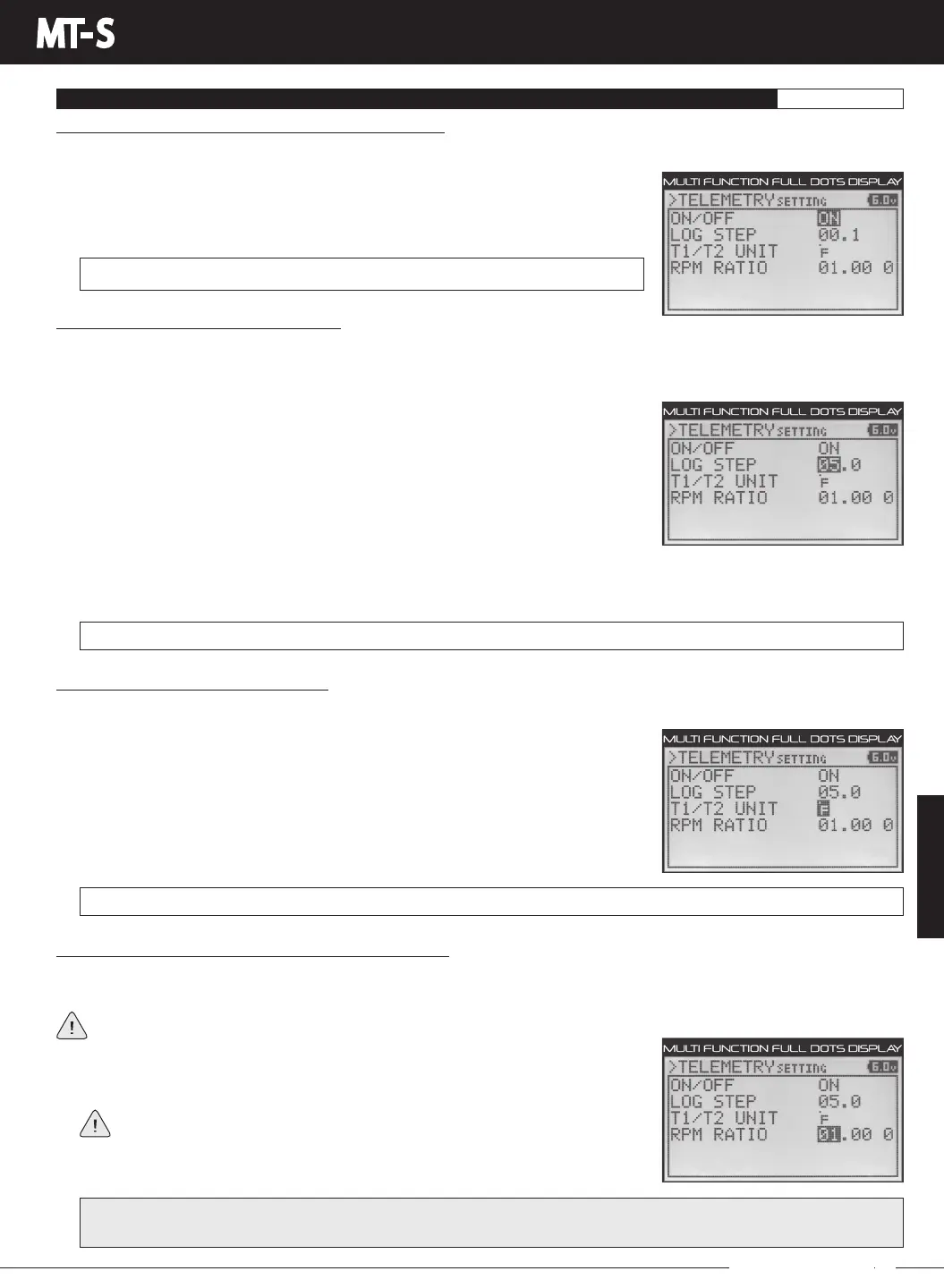
3) Press the ENTER key, then press the UP or DOWN keys to choose the desired option,
either ON or OFF. When ON is selected, the Telemetry System is turned ON. When
OFF is selected, the Telemetry System is turned OFF.
TELEMETRYSETTINGON/OFFsettingrangeisONorOFF.ThedefaultsettingisON.
Changing the Telemetry Log Step Value:
The Telemetry Log Step value can be changed to customize how much Telemetry Data and the time interval Telemetry Data is
recorded at. The Telemetry Log can store up to 120 separate entries. If the Log Step value is set to 00.1 seconds, the Telemetry
Log can record for 12 seconds. If the Log Step value is set to 45.1 seconds, the Telemetry Log can record for 90 minutes.
TELEMETRYSETTINGLOGSTEPsettingrangeis00.1to45.9.Thedefaultsettingis00.1.
1) FromwithintheTELEMETRYSETTINGSmenu,presstheUPorDOWNkeystohighlight
LOG STEP 00.1.
2) Press the ENTER key, then press the UP or DOWN keys to change the first Telemetry
Log Step value.
3) Press the ENTER key, then scroll DOWN to highlight the second Log Step value.
Press the ENTER key a second time, then scroll UP or DOWN to choose the desired
second Log Step value.
TELEMETRYSETTINGT1/T2UNITsettingrangeºFandºC.ThedefaultsettingisºF.
1) FromwithintheTELEMETRYSETTINGSmenu,presstheUPorDOWNkeystohighlight
T1/T2 UNIT Fº.
2) Press the ENTER key, then press the UP or DOWN keys to change the Temperature
Unit value. Choose from Fº (Fahrenheit) or Cº (Celsius).
Changing the Ratio Value (Calibrating the RPM Sensor):
The Ratio value can be changed to allow you to read actual motor or engine RPM even though your RPM sensor may be
mounted to your model's spur gear and not to your motor's pinion gear or your engine's flywheel.
This Ratio value only needs to be changed if your RPM sensor isn't mounted directly to your motor's pinion gear or your
engine's flywheel.
1) FromwithintheTELEMETRYSETTINGSmenu,presstheUPorDOWNkeystohighlight
RPM RATIO 01.00 0.
The Ratio value is the gear ratio between the two gears that your RPM sensor
is mounted to. For example, if your RPM sensor is mounted to your spur gear,
the Ratio value will be the gear ratio of your spur gear and pinion gear.
IMPORTANT: To calculate the gear ratio, divide the number of teeth in the spur gear by the number of teeth in the pinion
gear. For example, if your spur gear is 60T and your pinion gear is 14T, the gear ratio is 60 / 14 = 4.28.
Turning the Telemetry System ON and OFF, Continued:
2) PresstheENTERkeytoopentheTELEMETRYSETTINGmenu.ON/OFFONwillbehighlighted.
Changing the Temperature Unit Value:
If desired, the Temperature Unit value can be changed from Fahrenheit to Celsius. This setting changes both Temperature 1
and Temperature 2 Unit values. They cannot be changed independently.
Programming a lower Telemetry Log Step value results in narrower, higher resolution readings, but for a shorter period of
time. Programming a higher Telemetry Log Step value results in broader, lower resolution readings, but for a longer period
of time.



 To Next Page