A
L
B
E
D
O
T
e
l
e
c
o
m
-
J
o
a
n
d
’
À
u
s
t
r
i
a
,
1
1
2
-
B
a
r
c
e
l
o
n
a
-
0
8
0
1
8
-
w
w
w
.
a
l
b
e
d
o
t
e
l
e
c
o
m
.
c
o
m
User Guide
4
information given by the event LEDs. Or depending on the operation mode they
may also summarize results from test Port C. If any event LEDs for a test port is in
‘red’ status, the port summary led will be set to ‘red’. If any event LED is ‘orange’
but there is no ‘red’ event, the summary led will be set to ‘orange. The ‘green’ col-
our is used when no events are found in the input signal. Finally, the LED is
switched off when the port is disabled.
The information supplied by the LEDs is also available in the screen so that there is not
information loss when users access to the unit remotely (See section 11.5).
Users willing to use a mouse and keyboard are allowed to do so by connecting these
devices to the USB port placed in the platform connector panel (See section 1.2.2).
There is a single button in xGenius that is used to switch the unit on and off. If the tester
is in off status, push to switch it on. If the tester is on, use this key to switch it off (long
push). The on / off button is also used for some other purposes like the test unit
software upgrade (See section 1.5).
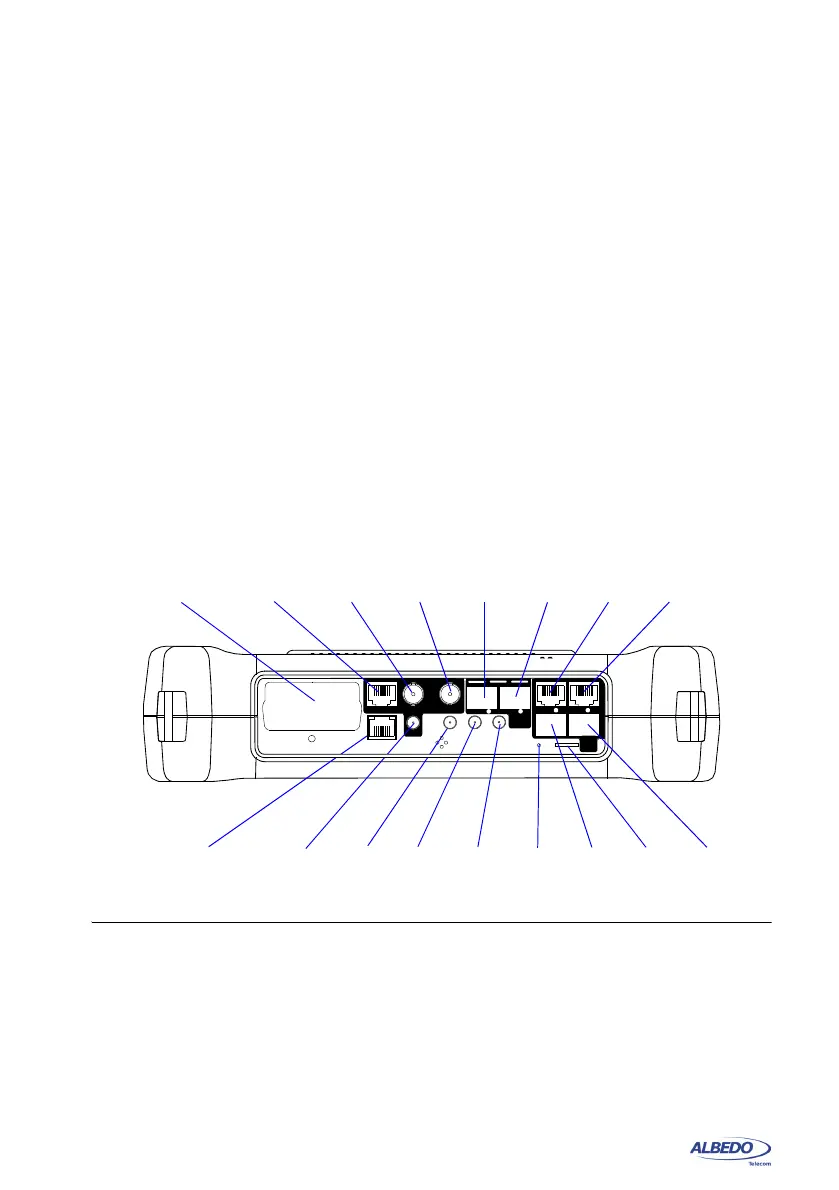
1.2.1. Test Connector Panel
xGenius is connected to the DUT / SUT through the test connector panel. Ports and
elements included in this panel are described in the following list:
• RJ-45 Port A. This is the primary 10/100/1000BASE-T port for Ethernet transmit
and receive.
• RJ-45 Port B. This is the secondary 10/100/1000BASE-T port for Ethernet trans-
mit and receive. This port is identical to the RJ-45 Port A in appearance but it pro-
vides only a subset of the features available for Port A. Port B supports monitor
and loopback operation but it does not include traffic generation.
Figure 1.2: Test connector panel. Connection to the DUT / SUT is done in this panel.
SFP+
Port A
SFP+
Port B
RJ-45
Port A
RJ-45
Port B
REF IN
GNSS
REF OUT
PPS RX
Port
B
Port
A
RJ-45
Port C TX/RX
RJ-45
REF IN/OUT
BNC
Port C TX
SMA
GNSS
Micro SD
SMB
SMB
SMB
1 PPS RX
Card
ETH
1Gb/s
Port
B
Port
A
ETH
10Gb/s
TX/RX
RX TX
REF IN/OUT
PHM
SLOT
SFP
Port B
SFP
Port A
Hardware
resetREF OUT
REF IN
BNC
Port C RX
PHM
Slot



 To Next Page