A
L
B
E
D
O
T
e
l
e
c
o
m
-
J
o
a
n
d
’
À
u
s
t
r
i
a
,
1
1
2
-
B
a
r
c
e
l
o
n
a
-
0
8
0
1
8
-
w
w
w
.
a
l
b
e
d
o
t
e
l
e
c
o
m
.
c
o
m
User Guide
24
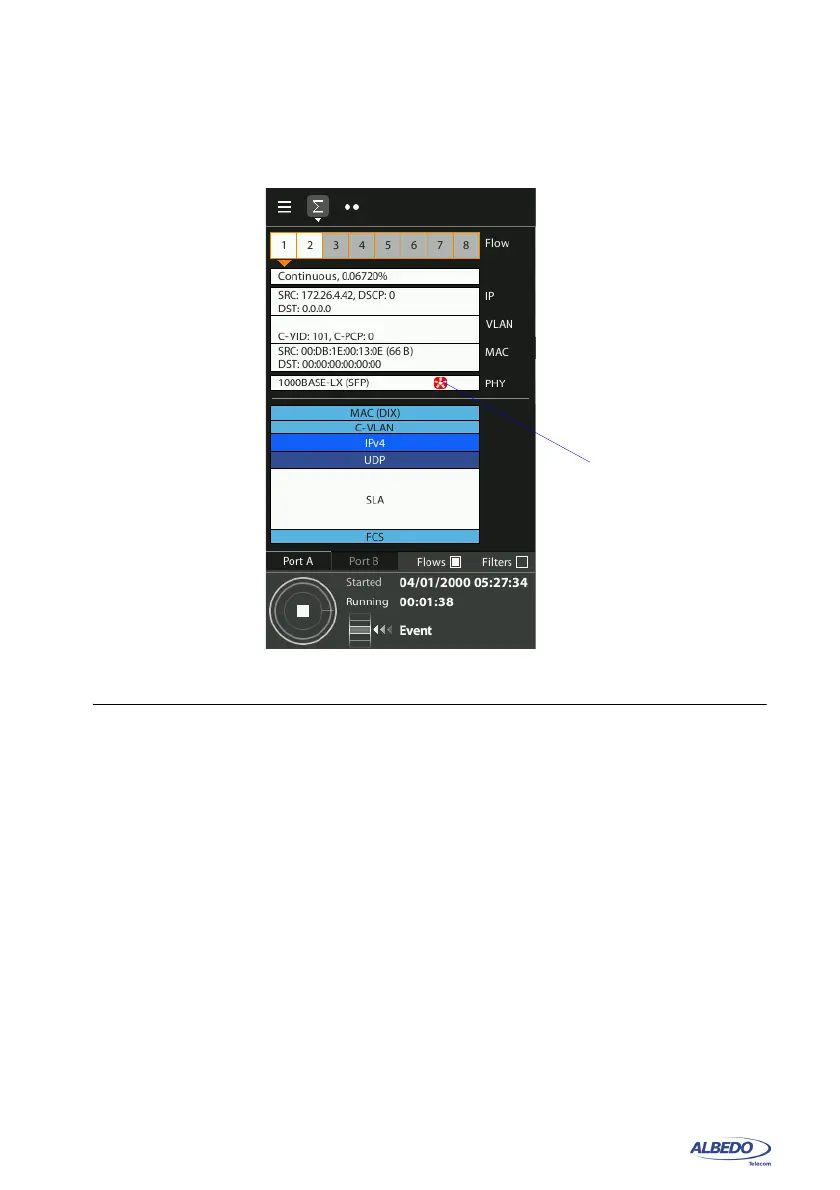
Current on / off status of the optical transmitter is always available from the Summary
tab and in the notification area on the top of the screen.
2.2.3. Configuring Port A and Port B Auto-negotiation Parameters
Many Ethernet ports use auto-negotiation to negotiate speed, duplex operation and
other parameters with the peer interface. Ethernet auto-negotiation can be enabled or
not in the test unit. If auto-negotiation is enabled, the user decides whether to restrict
the available bit-rates. If the user decides to disable auto-negotiation, then the bit rate
is forced to a user configurable value.
It should be noticed that Ethernet international standards (and specifically the IEEE
802.3) either does not define any auto-negotiation mechanism for some interfaces or it
explicitly forbids not auto-negotiated operation in some interfaces. For example, There
is no auto-negotiation for 10 Gb/s interfaces. SFP+ are always configured to a forced
10 Gb/s bit rate in full duplex mode. On the other hand, auto-negotiation is mandatory
Figure 2.2: Laser on indication in the xGenius Summary panel.
Laser on
indication



 To Next Page