Connection to the Network
21
endpoint mode is compatible with Ethernet network testing. Many users (carriers and
service providers) are offering Ethernet services like Ethernet Private Lines (EPLs) or
Ethernet Private LANs (EPLANs) and they prefer to avoid making any decision
concerning IP addressing. They also prefer to avoid generation of any IP stack protocol
(ICMP, ARP, DHCP, PPP) within their administrative domains. For these users, the
Ethernet Endpoint mode is the most appropriate.
2.2.1. Configuring the Connector
Both Port A and Port B have one Electrical (RJ-45), one SFP port and one SFP+
connector each. Which one is enabled at any moment is a user decision. The SFP /
SFP+ is used to connect the equipment to an optical interface.
The procedure for configuring the connector (RJ-45 or SFP / SFP+) is the following
1. From the Home panel, go to CONFIG,
The port setup panel is displayed.
2. Select either Port A or Port B to enter in the port specific configuration.
3. Go to Physical to enter in the physical settings configuration panel.
4. Select Connector to display the available options for the port connector.
Note: If Connector is configured to SFP, then the actual port in use will depend on
the speed and auto-negotiation settings. For example, if auto-negotiation is disa-
bled and the bit rate is forced to 10G, the selected port will be the 10 Gb/s connec-
tor. If auto-negotiation is disabled the port will be the one corresponding to the
1 Gb/s rate since there is no 10 Gb/s auto-negotiation for optical interfaces.
5. Choose the right connector.
Note that Port A and Port B do not need to be both optical or electrical at the same
time. The test unit is compatible with operation requiring conversion between opti-
cal and electrical transmission if all other operation conditions are met.
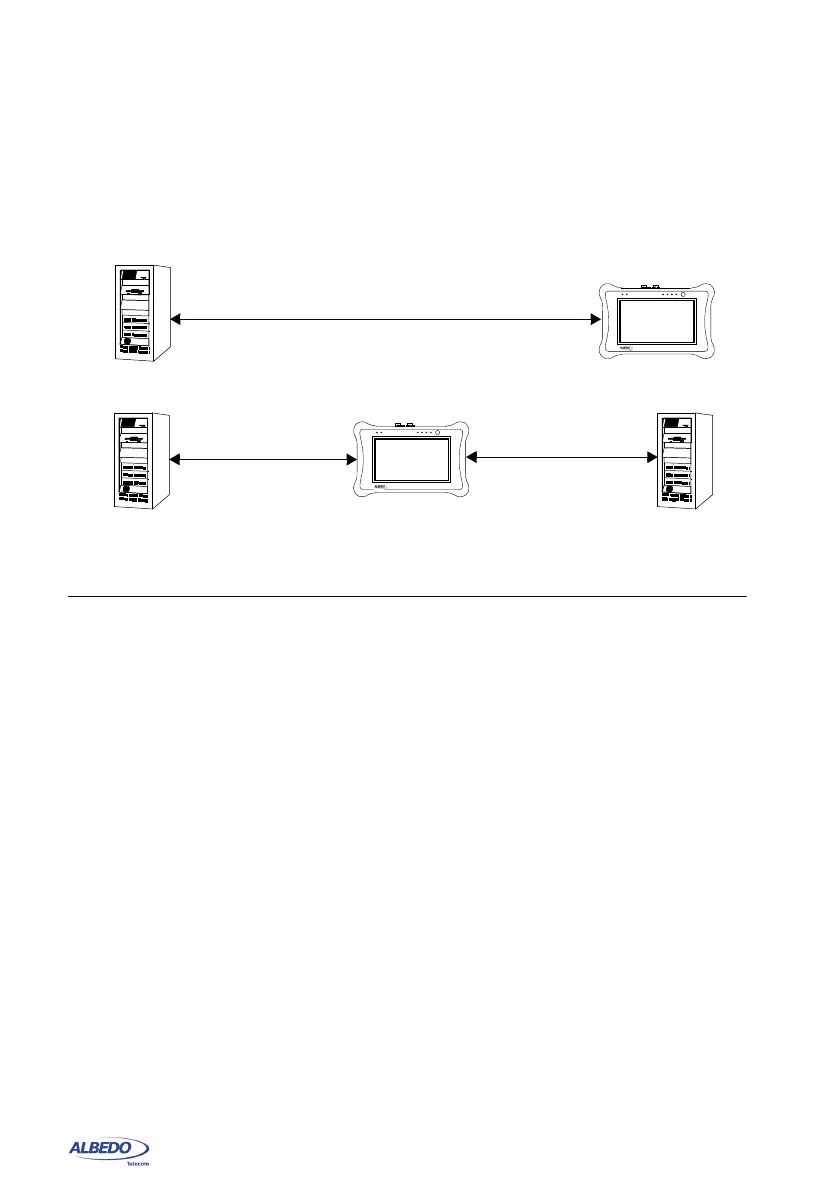
Figure 2.1: Basic connection setup for xGenius testers: (a) Ethernet and IP endpoint
operation modes. (b) Ethernet / IP through mode.
DUT / SUT
Tester
Port A, Port B
DUT / SUT
Tester
DUT / SUT
Port A
Port B
(a)
(b)
xGenius
xGenius



 To Next Page