A
L
B
E
D
O
T
e
l
e
c
o
m
-
J
o
a
n
d
’
À
u
s
t
r
i
a
,
1
1
2
-
B
a
r
c
e
l
o
n
a
-
0
8
0
1
8
-
w
w
w
.
a
l
b
e
d
o
t
e
l
e
c
o
m
.
c
o
m
User Guide
32
It must be remembered that while a port is operating in loopback mode (or even in
monitor mode) it still replies to some basic network protocols like ARP or ICMP echo
request (ping) messages. Of course, ARP and ICMP echo requests are also looped if
the port is configured to do so.
2.6.Testing with an External Clock Reference
Some tests performed by xGenius require a clock reference. Moreover, it is possible
that the user is interested in setting the transmission timing source of Port A / Port B
transmitters to something different to the default configuration. Clock reference
configuration for tests that require an external timing source is carried out through the
Reference clock menu. The source timing candidates are the following ones:
Loop ICMP packets Chooses whether to loop ICMP packets. If ICMP loop is
disabled, all ICMP frames (IP protocol number 1) will be
discarded.
Use this setting to avoid ICMP packet proliferation in the
network.
Table 2.8: Reference Clock Panel
Result Description
Input clock Enables the user to choose between different reference clock
inputs, including the internal clock input. The specific clock
input list depends on the hardware configuration and the cur-
rent operation mode of your test unit
Table 2.7: Local Ethernet / IP Profile
Result Description
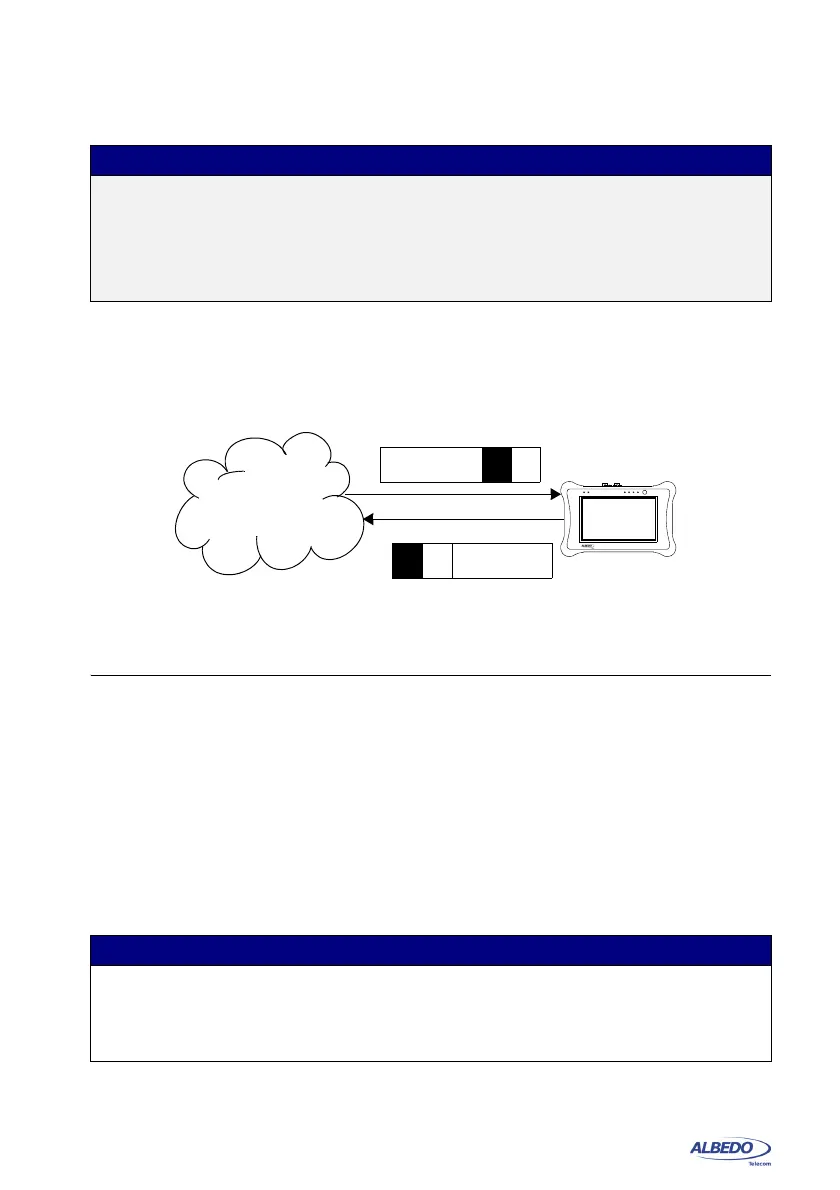
Figure 2.4: This figure illustrates the loop-back operation (MAC loop). Source and
destination addresses are swapped so that they can be processed in the normal way by
intermediate switches.
DUT / SUT
Traffic
reflector
D
S
D
S
xGenius



 To Next Page