A
L
B
E
D
O
T
e
l
e
c
o
m
-
J
o
a
n
d
’
À
u
s
t
r
i
a
,
1
1
2
-
B
a
r
c
e
l
o
n
a
-
0
8
0
1
8
-
w
w
w
.
a
l
b
e
d
o
t
e
l
e
c
o
m
.
c
o
m
User Guide
10
scroll up and down to browse the list. An scroll bar shows the current position in the
menu if there is no room to display all items at the same time.
Configuration and result panels are conceptually different to menus even if both kinds
of items could be displayed under the same higher level menu. For this reason they are
displayed in a different way. While menus are described with black characters
configuration and result panels are displayed in blue characters. The second difference
is that only menus are displayed in the menu hierarchy (Navigation tab).
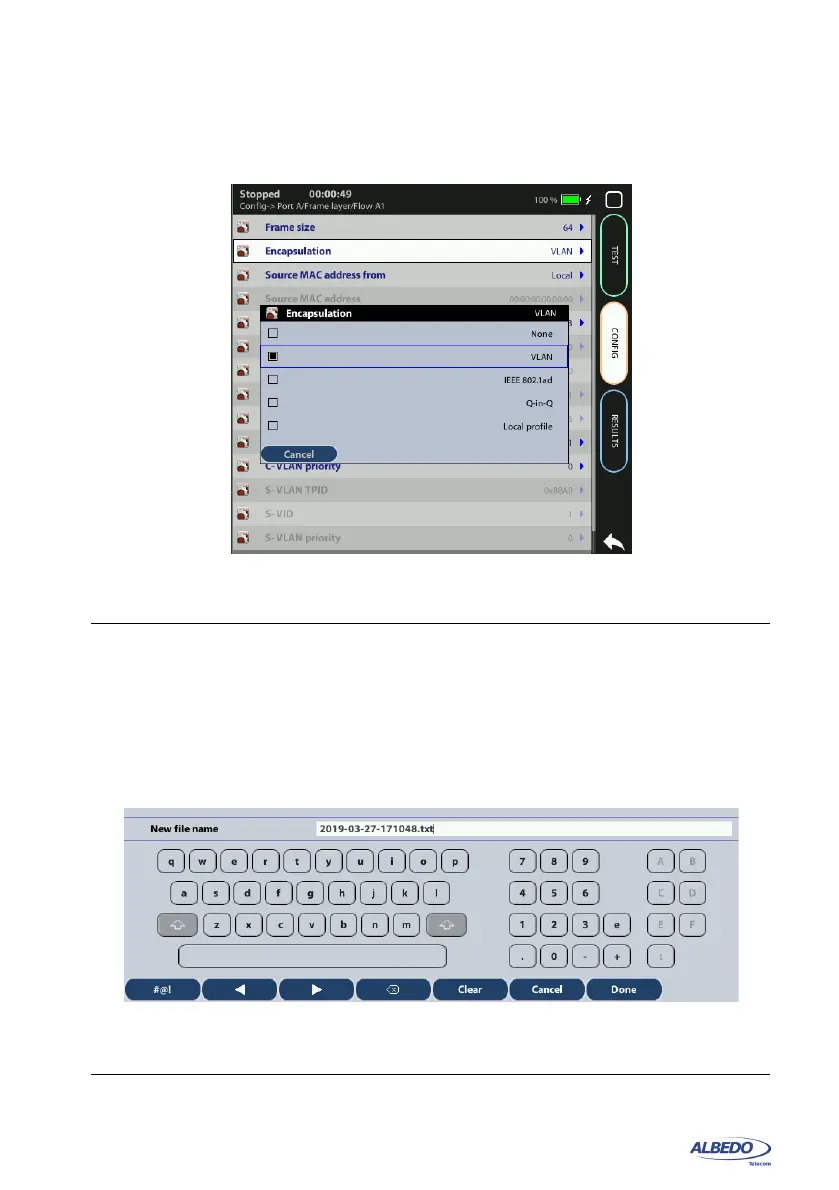
Figure 1.6: xGenius selection panel to enable users to choose between different Ethernet
encapsulations
Figure 1.7: Data input keyboard. The keyboard is used to enter alphanumeric, numeric
and hexadecimal characters.



 To Next Page