A
L
B
E
D
O
T
e
l
e
c
o
m
-
J
o
a
n
d
’
À
u
s
t
r
i
a
,
1
1
2
-
B
a
r
c
e
l
o
n
a
-
0
8
0
1
8
-
w
w
w
.
a
l
b
e
d
o
t
e
l
e
c
o
m
.
c
o
m
User Guide
58
6. Go to Cable
The Ethernet cable test result panel is displayed
7. Run the test by pressing the run button and wait a few seconds to the end of the
measurement.
8. Check the Fault, Crosstalk, Distance (m.), Crossover, Polarity, Skew (ns.) and Wir-
ing test results for each MDI-n.
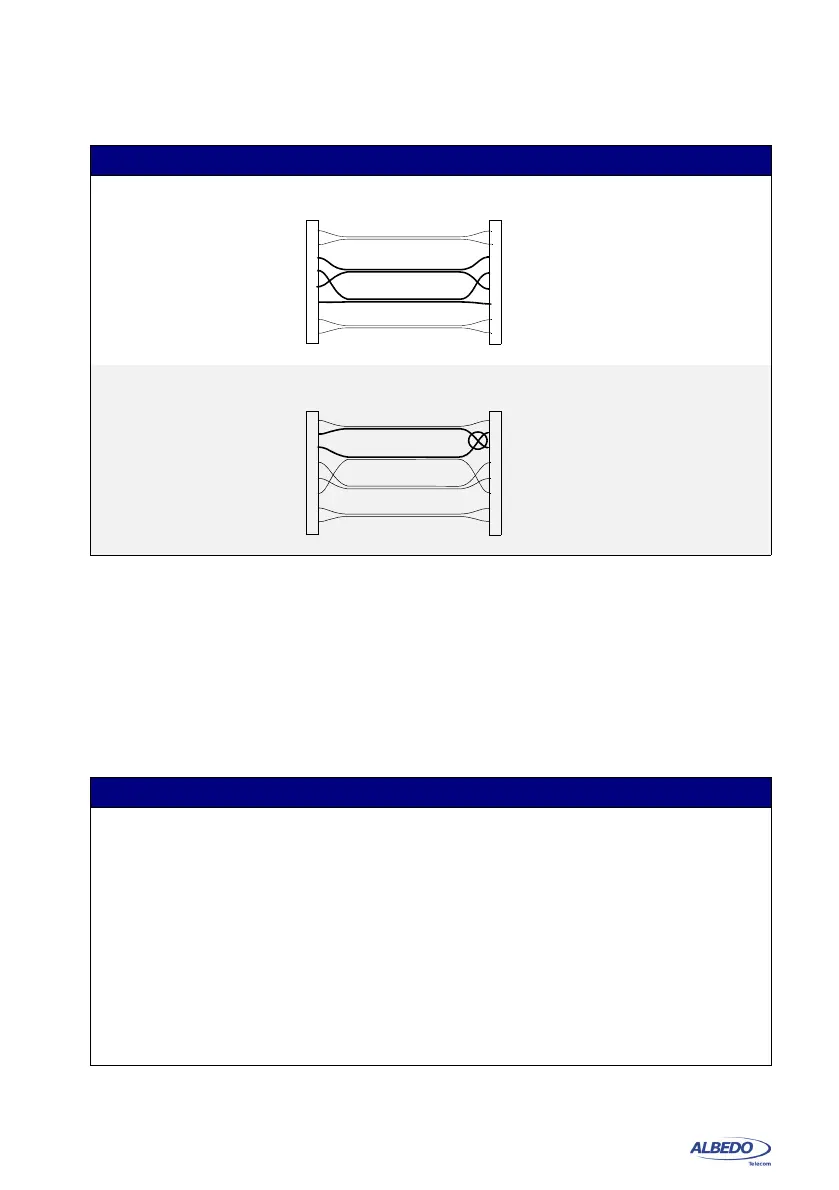
Swapped pair, con-
nections are OK but
wires of the same
connection are
twisted in different
pairs.
No fault is detected in any
pair (Fault displays OK for
all MDIs) but if the cable is
long enough it will result in
large crosstalk between
coupled pairs.
Miswired cable The diagnostic of the cable
shows crosstalk between
the MDIs corresponding to
pairs 2 and 3.
Table 3.4: Cable test results
Result Description
Fault Displays information about faults found in the corresponding
MDI. In case a fault is found the Fault indication could be
either Open or Short.
• Open means that it has been found an open circuit in the
remote end. An open circuit is declared when the imped-
ance in the remote end is very large (the reflection coeffi-
cient is close to 1).
• Short means that it has been found a short circuit in the
remote end. The short circuit is declared if the impedance
in the remote end is zero or close to zero (the reflection
coefficient is close to -1).
Table 3.3: Common cable wiring problems
Description Diagram Diagnostic



 To Next Page