Getting to know your telephone
8AL91446ENAA ed02 34 /113
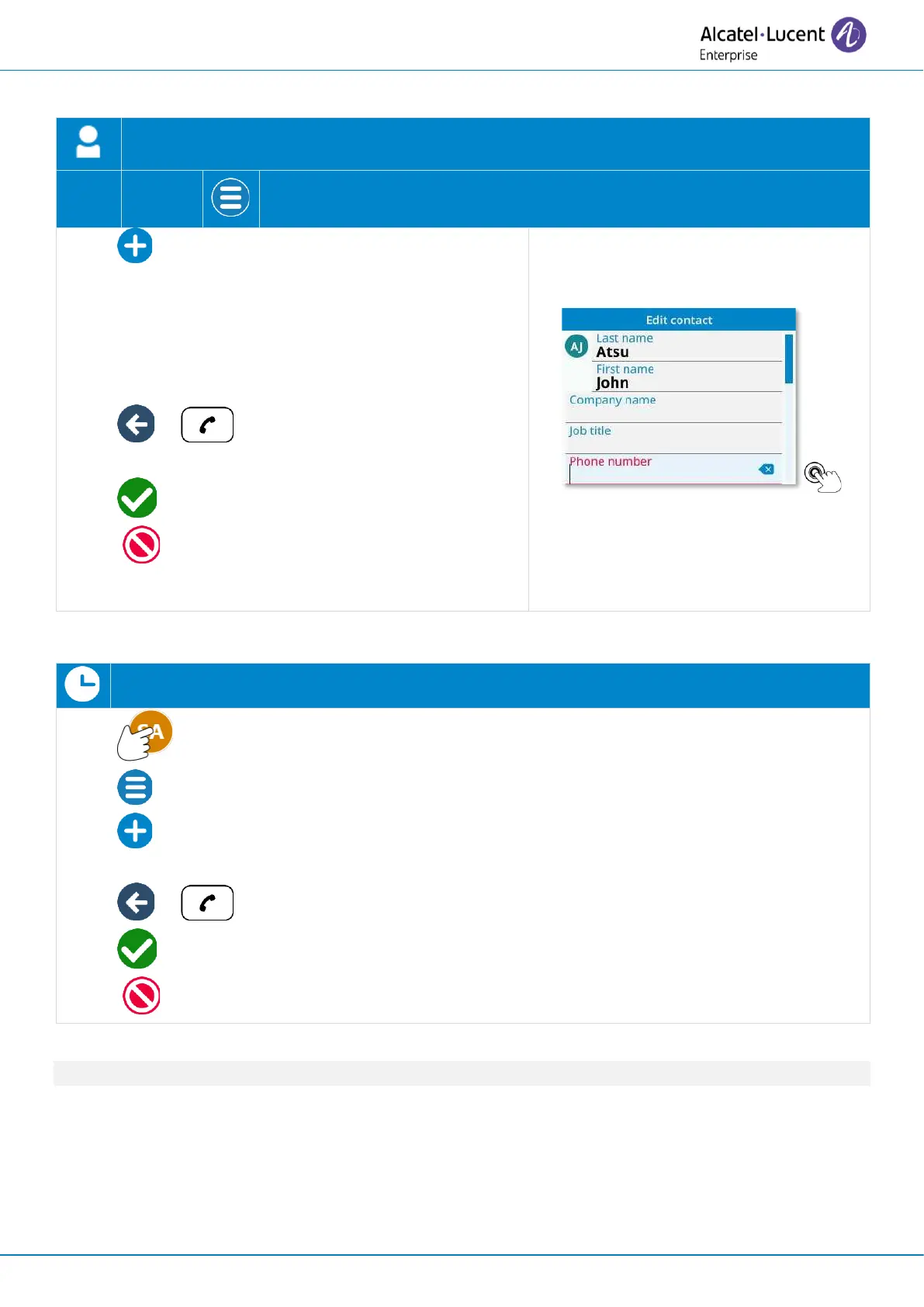
2.12.2 Create a new contact
Open the user local menu: Contact.
• New contact: select the add new contact
icon.
• Add information about your contact. Red fields
are mandatory (at least the name and number).
Edit a field by selecting it (tap on it or press the
softkey at right or left of the field to modify).
• or : exit edit mode to save or cancel
modification (ALE-300 only).
: save the contact in your local directory
( : to go back without saving).
2.12.3 Add a contact from the call log to your local directory
Open the user local menu: Call log.
• Open the contact card by selecting the avatar (left side).
• Open context menu (ALE-300 only).
• Add contact: copy the contact card to your local directory.
Modify the contact card if necessary.
• or : exit edit mode to save or cancel modification (ALE-300 only).
: save the contact in your local directory
( : to go back without saving).
If the contact is already in your local directory, the contact card will be edited.



 To Next Page