2.4.3 DHCP VLAN
The ALE Myriad Series phones support VLAN discovery via DHCP. The predefined Option 43→ Option 58 is
used to supply the VLAN ID by default. And Option 58 has higher priority than Option 132.
2.5 Wi-Fi
Wi-Fi feature enables you to connect the phones to the organization’s wireless network. The wireless
network is more convenient and cost-effective than the wired network. Wi-Fi feature is applicable to the ALE
Myriad Series phones.
When the Wi-Fi feature is enabled, the IP phone will automatically scan the available wireless networks. All
the available wireless networks will display in scanning list on the phone screen.
You can store up to 5 frequently used wireless networks on your phone.
You can configure for the ALE Myriad Series phones: Basic Setting → Wi-Fi → Wi-Fi Manager (phone user
interface).
Note: To use Wi-Fi feature on the ALE Myriad Series phones M3/M5/M7, make sure the Wi-Fi USB dongle is
properly connected to the USB port on the phone. The Wi-Fi USB dongle should be purchased separately.
For M8, Wi-Fi is built-in. Wi-Fi USB dongle which is connected to the phone USB port is not supported for
M8.
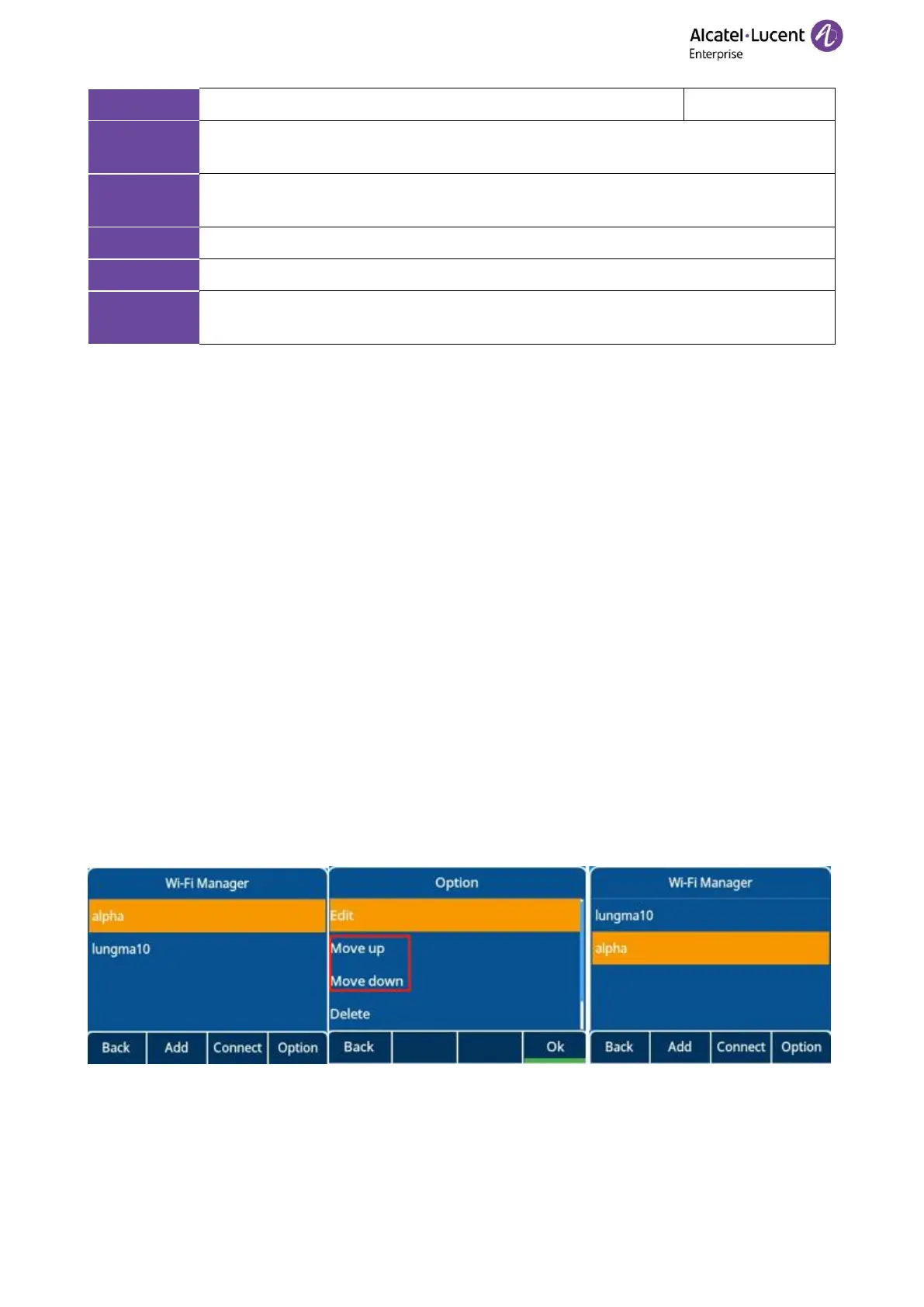
The M3/M5/M7/M8 phones support storing up to 5 frequently used wireless networks on your phone and
specifying the priority for them. You can configure the priority of AP by pressing the “Move up” or “Move
down” button as indicated in the following screenshots.
The phones also provide the Wi-Fi status showing the information of currently connected Wi-Fi.














 To Next Page