Identifier GUID-18204C76-DF75-4DB8-BD6F-EFA74576AAD7
Status Translated
装回键盘
警告: 拆装计算机内部组件之前,请阅读计算机附带的安全信息,并遵循拆装计算机内部组件之前中的步骤。拆装计算机
内部组件之后,请遵循 拆装计算机内部组件之后中的说明。有关其他最佳安全操作信息,请参阅 www.dell.com/
regulatory_compliance 上的 Regulatory Compliance(管制标准)主页。
Identifier GUID-7002DD57-0B43-4EEA-97E7-FE851126B77C
Status In Translation
Procedure
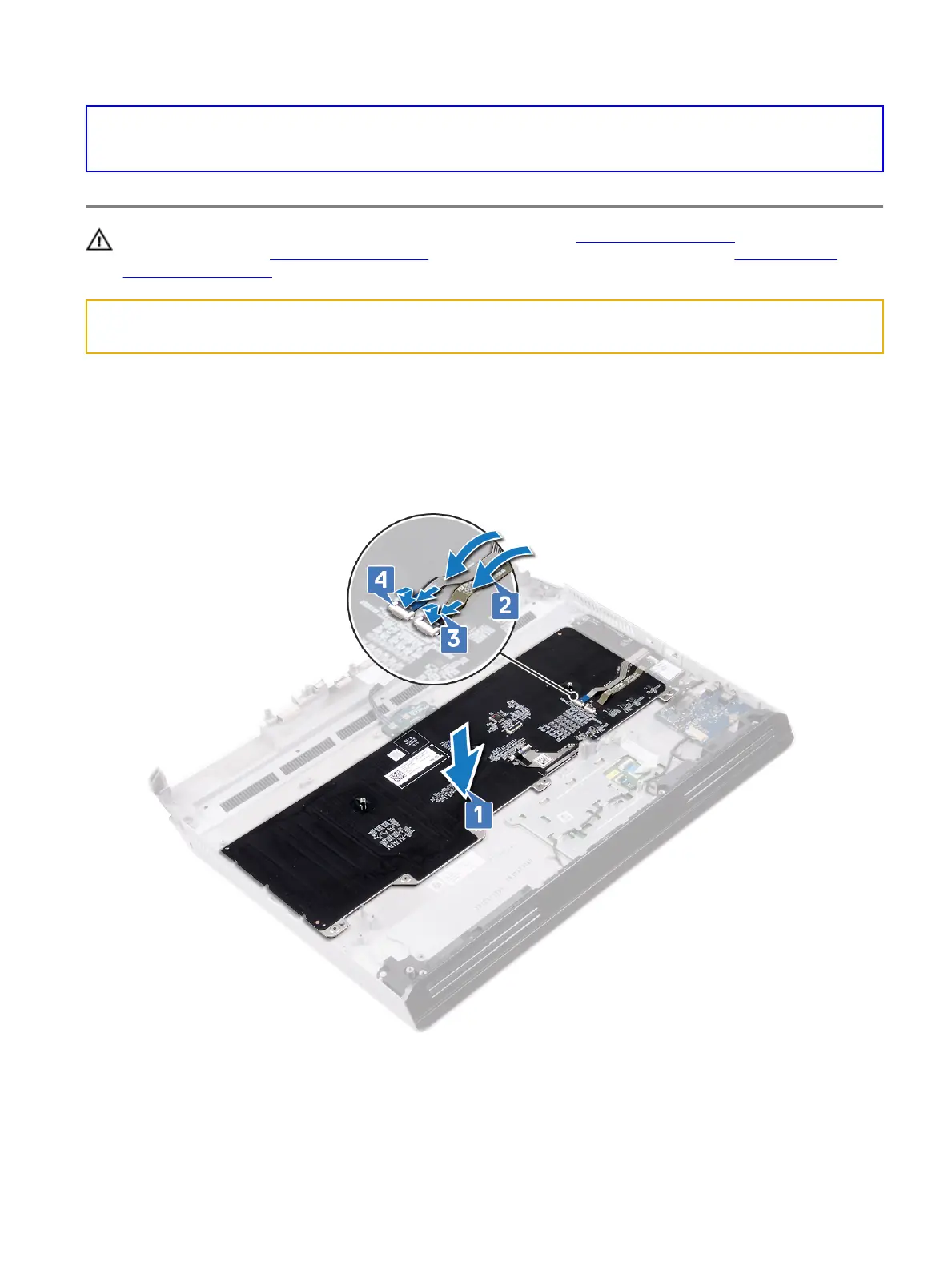
1 Insert the tabs on the top side of the keyboard into the slots on the palm-rest assembly. Ensure that the openings at the
bottom of the keyboard t into the studs on the palm-rest assembly.
2 Adhere the macro-keys cable and the macro-keys backlight cable to the keyboard.
3 Connect the macro-keys backlight cable to the keyboard and close the latch to secure the cable.
4 Connect the macro-keys cable to the keyboard and close the latch to secure the cable.
5 Slide the keyboard bracket into the slots on the palm-rest assembly.
6 Replace the three screws (M2.5x2.5) that secure the keyboard bracket to the palm-rest assembly.
7 Replace the 15 screws (M2x3) that secure the keyboard bracket to the palm-rest assembly.
101















 To Next Page