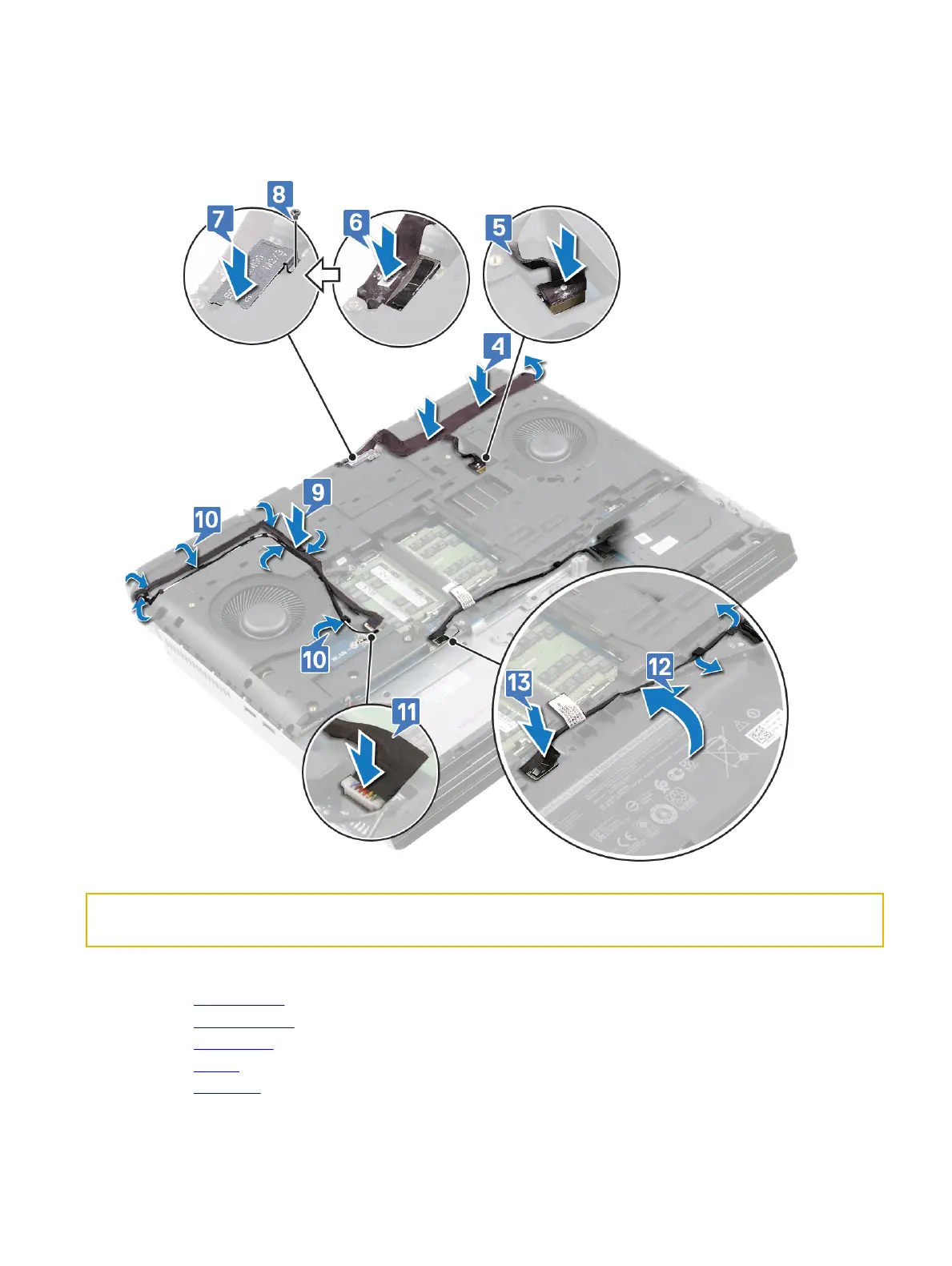
10 Route the antennas cable through the routing guides on the computer base.
11 Connect the tobii cable to the system board.
12 Route the hard-drive cable through routing guides on the computer base.
13 Connect the hard-drive cable to the system board.
Identifier GUID-C35CF9DD-4F0B-42DA-8811-11C9BAD5A640
Status In Translation
Post-requisites
1 Replace the rear I/O cover
2 Replace the solid-state drive (in SSD1 slot).
3 Replace the wireless card.
4 Replace the battery.
5 Replace the base cover.
70















 To Next Page